Best Hosting for AI-Generated Content Websites (2026 Guide)
Publishing AI-assisted content has become a popular way to build content-heavy websites quickly. Whether you run a blog, a niche site, or a growing content business, you can now produce more articles in less time than ever before.
But there is a catch many people overlook: your hosting has to keep up.
AI-assisted content websites can grow quickly in some cases because content production becomes easier. You might publish dozens or even hundreds of articles, add images, and drive more traffic than a typical small site. If your hosting is slow, unreliable, or unable to handle growth, all that content works against you — pages load slowly, visitors leave, and your search rankings suffer.
Choosing the best hosting for AI-generated content websites is about finding a host that handles lots of content, loads quickly, stays reliable, and grows with you — without costing a fortune. This guide explains exactly what to look for, in simple terms, and gives honest, practical advice to help you choose well.
No hype, no fake benchmark numbers — just clear guidance for content site owners in 2026.
Quick Summary: What to Look for in Hosting for Content Sites
|
Factor |
Why It Matters |
|---|---|
|
Speed |
Fast loading keeps readers and supports SEO |
|
Reliability (uptime) |
Your site should stay online consistently |
|
Scalability |
Handles growth as your content grows |
|
Storage |
Room for many articles and images |
|
WordPress support |
Most content sites run on WordPress |
|
Caching & CDN |
Speeds up content-heavy sites |
|
Fair pricing |
Good value as you scale up |
The right host for a content site is fast, reliable, and able to grow with you — without hidden costs that punish you as you add more content.
Why Hosting Matters More for Content-Heavy Sites
For a small five-page website, almost any hosting works fine. But content-heavy sites are different. When you have hundreds of articles and growing traffic, your hosting choice directly affects your success.
Here is why hosting matters more for content sites:
Speed can affect many important things. Content sites live and die by page speed. Slow pages frustrate readers, increase bounce rates, and can hurt your search rankings. A good host keeps your many pages loading quickly.
Traffic can grow fast. Successful content sites attract growing traffic. Your hosting needs to handle traffic spikes without slowing down or crashing.
Storage adds up. Hundreds of articles, images, and media files take up space. You need enough storage — and a host that does not penalize you heavily for using it.
Reliability protects your traffic. If your site goes down, you lose visitors and search visibility. Consistent uptime keeps your content available when people (and search engines) look for it.
Content sites need room to scale. As your site grows, you may need to upgrade. A good host makes scaling up smooth rather than painful.
In short, for a content-heavy website, hosting is not just a technical detail — it is a foundation that affects your traffic, rankings, and growth.
What Makes AI-Generated Content Sites Different
AI-assisted content sites share some unique traits that affect hosting needs. Understanding these helps you choose better.
They often grow quickly. Because AI helps produce content faster, these sites can add articles at a rapid pace. Your hosting should handle a growing library of content without slowing down.
AI-assisted websites often publish content at a higher volume, which can increase storage, database load, and caching needs. Many articles, often with images and media, mean more pages to serve and more storage used. Efficient hosting matters.
They rely on search traffic. Most content sites depend on organic search visibility. Since page speed and uptime can affect SEO, hosting quality may influence how these sites perform in search, including AI-assisted search experiences. Understanding how AI search is changing SEO helps here.
They usually run on WordPress. Most content sites use WordPress, so hosting that is optimized for WordPress is often the best fit.
Quality still matters most. An important honest point: hosting supports a content site, but it does not fix weak content. AI-assisted content still needs human review, accuracy, and genuine value to succeed. Good hosting makes good content perform better — it cannot rescue poor content.
That last point is worth remembering. The best hosting in the world will not help a site full of thin, unhelpful content. Hosting is one part of a bigger picture that starts with quality.
Key Features to Look for in Content Site Hosting
When choosing hosting for a content-heavy site, focus on these features.
Because AI-assisted content websites may publish at a faster pace, efficient caching, scalable storage, and fast indexing support become even more important.
Fast Loading Speed
Speed is the top priority for content sites. Look for hosting with:
- Modern storage (SSD or NVMe, which are faster than older drives)
- Server-level caching to speed up repeated page loads
- Good server performance for handling many pages
Fast hosting can help keep readers engaged and support search performance.
Reliable Uptime
Your site should stay online. Look for hosts that offer a solid uptime commitment (99.9% uptime is a common hosting SLA target). Consistent availability protects your traffic and search visibility.
Enough Storage
Content sites accumulate files. Make sure your plan offers enough storage for your articles, images, and media — with room to grow. Check whether storage is generous or limited on entry plans.
WordPress Optimization
Since most content sites run on WordPress, hosting optimized for WordPress often performs best. Look for one-click WordPress installation, WordPress-specific caching, and good WordPress support.
CDN Support
A CDN (Content Delivery Network) can serve your content from servers closer to your visitors, which may improve loading speed for a global audience. CDN support (like Cloudflare integration) is valuable for content sites with readers in different regions.
Room to Scale
As your content and traffic grow, you may need more resources. Choose a host that makes upgrading easy — from shared hosting to more powerful options — without forcing a painful migration.
Fair, Transparent Pricing
Look for honest pricing without surprises. Pay attention to renewal prices (often higher than introductory rates) and what you get at each tier. Good value matters as you scale.
Types of Hosting for Content Websites
There are several hosting types, each suited to different stages of a content site’s growth. Here is a simple breakdown.
Shared Hosting
Best for: New and small content sites.
Shared hosting is the most affordable option, where your site shares a server with other sites. It is beginner-friendly and works well when you are starting out. As your content and traffic grow significantly, you may eventually outgrow it.
Managed WordPress Hosting
Best for: WordPress content sites that want performance and simplicity.
Managed WordPress hosting is optimized specifically for WordPress, often offering better speed, automatic updates, and WordPress-specific support. It usually costs more than basic shared hosting but is a strong fit for serious content sites.
VPS Hosting
Best for: Growing content sites that need more power.
VPS (Virtual Private Server) hosting gives you dedicated resources and more control. It is a good step up when a content site grows beyond what shared hosting handles comfortably. It requires a bit more technical knowledge.
Cloud Hosting
Best for: Sites that need flexible scaling.
Cloud hosting can scale resources up or down based on demand, which suits content sites with variable or growing traffic. It offers flexibility, though pricing can vary based on usage.
For most content site owners, the journey often starts with shared or managed WordPress hosting, then scales up to VPS or cloud as the site grows. Start with what fits your current size, and upgrade when you genuinely need to.
Recommended Hosting Options for AI-Generated Content Websites
There is no single “best” host for every content site, so it helps to look at a few popular options and what they are generally known for. The following are examples worth considering — not a ranked list of winners. The right choice depends on your specific needs, budget, and site size.
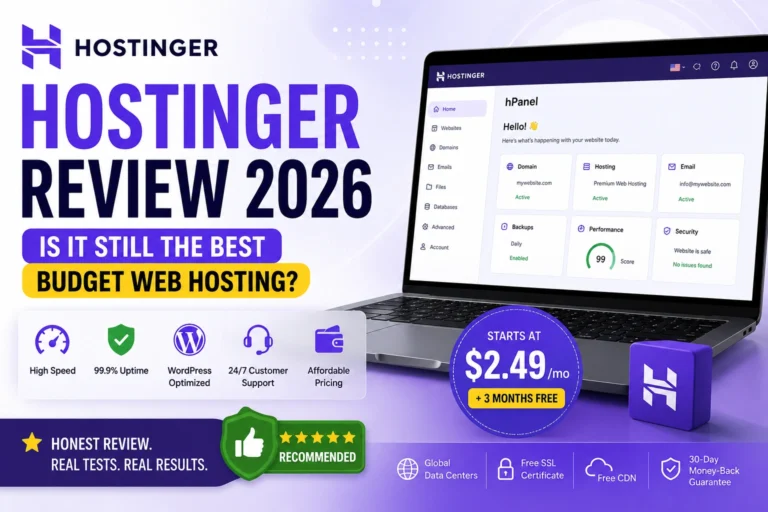
Hostinger Often chosen for being budget-friendly and beginner-friendly. It is a common starting point for new content sites that want affordable hosting with reasonable performance. For a detailed look, see our Hostinger review.
Namecheap Known as an affordable option for starters, particularly for those who also want domain registration in one place. Its EasyWP product is aimed at WordPress users. Our Namecheap review covers it in more detail.
SiteGround Frequently noted for strong WordPress optimization and support quality. It typically costs more than budget hosts but is often chosen by content site owners who prioritize WordPress performance.
Cloudways A managed cloud hosting platform known for flexible scaling. It can suit growing content sites that want the ability to adjust resources as traffic changes, though it is more suited to users comfortable with a cloud setup.
WPX A performance-focused managed WordPress host often chosen by growing content sites that prioritize speed and support. It generally sits at a higher price point than budget shared hosting.
Each of these serves different needs and budgets. The best approach is to match a host to your current site size and growth plans, and to read independent reviews before deciding. Prices, features, and performance vary and change over time, so always verify current details on each provider’s official website.
How to Choose the Right Hosting
With so many options, here is a simple way to decide.
Step 1: Assess your current size. Are you just starting, or do you already have significant traffic? New sites can start with affordable shared or managed WordPress hosting. Larger sites may need VPS or cloud.
Step 2: Prioritize speed and reliability. For content sites, these two matter most. Choose a host known for good performance and consistent uptime, even if it costs a little more than the cheapest option.
Step 3: Check WordPress support. If you use WordPress (most content sites do), make sure the host supports it well, ideally with WordPress-specific optimization.
Step 4: Plan for growth. Choose a host that makes it easy to upgrade as your content and traffic grow. You do not want to switch hosts painfully later.
Step 5: Compare real value. Look beyond the first-year promotional price. Check renewal prices, storage limits, and what each tier includes. The cheapest option is not always the best value.
Step 6: Read honest reviews. Look at independent reviews and real user experiences before deciding. For example, our Hostinger review and Namecheap review offer honest breakdowns of two popular options for content site owners.
Hosting and SEO for Content Sites
For content sites that depend on search traffic, hosting and SEO are closely connected. Here is how your hosting choice affects your search performance.
Speed is a ranking factor. Page speed can affect both user experience and search rankings. Google’s Core Web Vitals include loading performance, so faster hosting supports better SEO. This matters for traditional search and AI search alike.
Uptime affects crawling. If your site is down when search engines try to crawl it, that is a problem. Reliable uptime helps keep your content available for crawling and indexing — including by AI crawlers.
CDN improves global performance. A CDN speeds up your content for visitors in different regions, supporting both user experience and SEO.
Technical health supports everything. Good hosting contributes to the technical foundation that SEO depends on. A strong grasp of technical SEO helps you get the most from your hosting.
The key point: hosting is part of your SEO foundation. Fast, reliable hosting supports your search visibility, while slow, unreliable hosting works against it. But remember — hosting supports SEO; it does not replace quality content and good optimization.
Common Hosting Mistakes to Avoid
Choosing hosting on price alone The cheapest hosting often means slow speeds and poor reliability — which hurts content sites badly. Balance price with performance and reliability.
Ignoring renewal prices Many hosts offer low introductory prices that are often higher at renewal. Always check the renewal price before committing, so there are no surprises later.
Underestimating storage needs Content sites accumulate articles and images quickly. Choose a plan with enough storage and room to grow, so you are not forced to upgrade too soon.
Not planning for growth Choosing a host that is hard to scale means a painful migration later. Pick a host that makes upgrading smooth as your site grows.
Overlooking WordPress optimization If you run WordPress, generic hosting may not perform as well as WordPress-optimized hosting. Match your host to your platform.
Assuming hosting fixes content problems Good hosting makes good content perform better, but it cannot fix thin or weak content. Invest in quality content alongside good hosting — both matter.
Skipping independent reviews Marketing claims are not always accurate. Read independent reviews and real user experiences before choosing a host.
A Simple Hosting Checklist for Content Sites
Use this checklist when choosing hosting for your content site:
✅ Fast storage (SSD or NVMe) ✅ Server-level caching ✅ Reliable uptime commitment (99.9% or better) ✅ Enough storage for your content, with room to grow ✅ WordPress optimization (if using WordPress) ✅ CDN support (like Cloudflare) ✅ Easy scaling as you grow ✅ Transparent pricing (check renewal rates) ✅ Good customer support ✅ Positive independent reviews
If a host checks most of these boxes, it is likely a solid choice for a content-heavy site. Match the specifics to your current size and budget.
Frequently Asked Questions
Q1: What is the best hosting for AI-generated content websites?
There is no single “best” host for everyone — the right choice depends on your site’s size, traffic, and budget. For most content sites, the priorities are fast loading, reliable uptime, enough storage, WordPress optimization, and room to scale. New sites often start with affordable shared or managed WordPress hosting, then upgrade to VPS or cloud as they grow. Focus on speed, reliability, and value rather than just the lowest price.
Q2: Do AI-generated content sites need special hosting?
Not exactly “special,” but they may benefit from hosting that handles content-heavy sites well. Because these sites often grow quickly and accumulate many articles and images, they benefit from fast performance, enough storage, and easy scalability. The same qualities that make hosting good for any content-heavy WordPress site apply here.
Q3: How much does good hosting for a content site cost?
Costs vary widely based on the type of hosting and your site’s size. Shared and managed WordPress hosting are the most affordable starting points, while VPS and cloud hosting cost more as you scale. Always check both the introductory price and the renewal price, since renewals are often higher. Focus on value — what you get for the price — rather than just the cheapest option.
Q4: Does hosting affect my content site’s SEO?
Yes, indirectly but meaningfully. Page speed and uptime are connected to search performance — faster, more reliable hosting supports better SEO, while slow or unreliable hosting can hurt it. Hosting is part of your SEO foundation. However, hosting supports SEO; it does not replace quality content and good optimization, which remain the most important factors.
Q5: Should I use shared hosting or managed WordPress hosting for a content site?
It depends on your size and priorities. Shared hosting is the most affordable and works well for new and small content sites. Managed WordPress hosting costs more but offers WordPress-specific optimization, better speed, and easier management — a strong fit for serious content sites. Many owners start with shared hosting and upgrade to managed WordPress or VPS as their site grows.
Q6: How do I know when to upgrade my hosting?
Common signs it is time to upgrade include slower page loading as your traffic grows, your site struggling during traffic spikes, running low on storage, or your host recommending an upgrade. If your content site is growing and performance is declining, it is usually time to move to a more powerful plan. Choosing a scalable host from the start makes this transition easier.
Q7: Can I move my content site to a new host later?
Yes, you can migrate to a new host, though it takes some effort. Many hosts offer free migration services to help. However, migrating a large content site can be complex, so it is smart to choose a host you can grow with from the start. If you do migrate, back up your site first and consider using your host’s migration support.
Final Verdict
For AI-generated content websites, hosting is a foundation that directly affects your speed, reliability, and ability to grow. Choosing well from the start saves you headaches later and gives your content the best chance to perform.
The realistic approach is straightforward. Focus on the factors that matter most for content sites: fast loading, reliable uptime, enough storage, WordPress support, and room to scale. Balance these against fair pricing, and choose a host you can grow with rather than the cheapest option available.
Remember the honest truth throughout: hosting supports a great content site, but it does not create one. Fast, reliable hosting makes good content perform better — but quality content, accuracy, and genuine value remain the foundation of any successful content site, AI-assisted or not.
Here is where to start:
1. Match hosting to your current size. Start with affordable shared or managed WordPress hosting if you are new, and plan to scale up as you grow.
2. Prioritize speed and reliability. These matter most for content sites, so do not sacrifice them just to save a little money.
3. Choose a host you can grow with. Pick a host that makes upgrading smooth, so you avoid painful migrations later.
Get your hosting foundation right, keep your content genuinely valuable, and you give your content site the best possible platform to grow — in traditional search and AI search alike.
Disclaimer: Hosting features, pricing, and performance vary between providers and change over time. The guidance in this article reflects general best practices as of 2026 and does not endorse any specific provider. Always verify current pricing, features, and terms on each host’s official website, and read independent reviews before choosing. Hosting supports but does not guarantee website success.
Sources and Further Reading
Helpful Resources
- Hostinger Review — totalinfohub.com/hostinger-review/
- Namecheap Review — totalinfohub.com/namecheap-review/
- Technical SEO Guide — totalinfohub.com/technical-seo-beginner-to-advanced-guide/
- How AI Crawlers Read Your Website — totalinfohub.com/how-ai-crawlers-read-your-website/
- How AI Search Is Changing SEO — totalinfohub.com/how-ai-search-is-changing-seo/
- Best WordPress Themes for Bloggers — totalinfohub.com/best-wordpress-themes-for-bloggers/