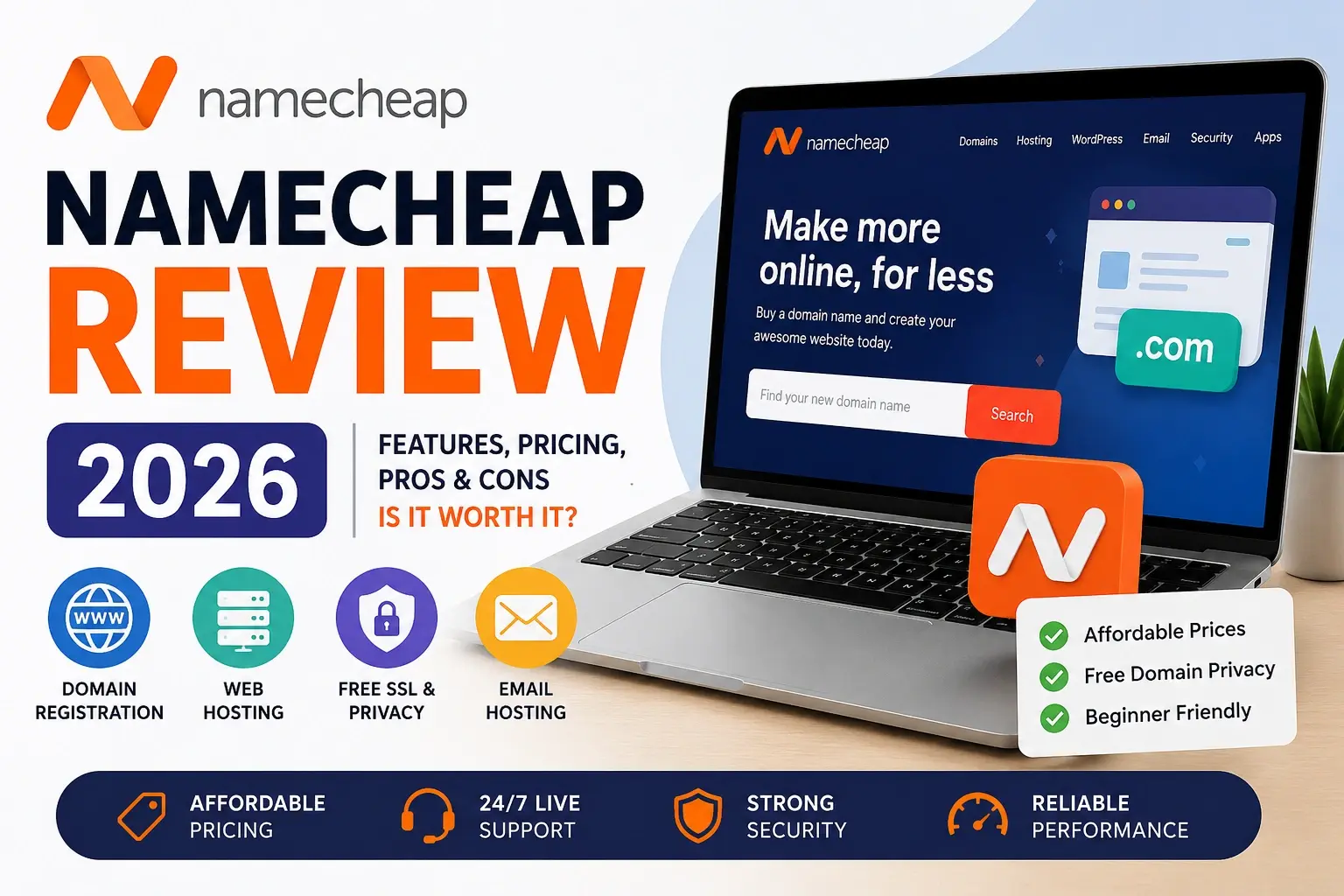
Namecheap Review 2026: Is It Still a Good Choice for Beginners?
If you are starting your first website, one of the earliest decisions you face is where to buy your domain name — and maybe your hosting too. Namecheap is one of the names that comes up again and again, especially in beginner communities.
Namecheap launched in 2000 and built its reputation on a simple promise: affordable domains without the confusing upsells and inflated prices that some competitors are known for. Over two decades later, it has grown into a company that manages millions of domains and serves customers in many countries around the world.
But popularity from the past does not automatically mean it is the right choice today. So this Namecheap Review takes an honest look at what the company offers in 2026 — its domains, hosting, SSL certificates, email, and tools — along with the real pros, cons, and limitations you should know before signing up.
By the end, you should have a clear idea of whether Namecheap fits your needs, or whether another provider would serve you better. No hype, just a practical breakdown.
A quick note: Pricing, plans, and features mentioned in this review can change over time. Always check Namecheap’s official website for current details before making a decision.
Quick Verdict
If you are short on time, here is the summary.
Who should use Namecheap:
- Beginners buying their first domain name
- People who want affordable domains with free privacy protection
- Anyone managing several domains who wants simple tools
- Budget-conscious users who want a clean, no-pressure buying experience
Who should look elsewhere:
- Users who need the absolute fastest hosting performance
- Websites targeting audiences far from Namecheap’s data center regions
- People who want a large global spread of server locations
Best use cases: Namecheap is strongest as a domain registrar. It is a solid, affordable choice for buying and managing domains, getting free SSL certificates, and running smaller websites. Its hosting works fine for beginners and small sites, but it is not the top performer if raw speed is your only priority.
What Is Namecheap?
Namecheap is a domain registrar and web services company. In plain terms, it is a place where you can buy your website’s address (the domain name) and several other things you need to run a website.
Here is what Namecheap offers:
Domain registration This is Namecheap’s core product. You can search for and buy domain names — like yoursite.com — across hundreds of different extensions (.com, .net, .org, .io, .shop, and many more).
Web hosting Hosting is the service that stores your website’s files and makes your site available on the internet. Namecheap offers shared hosting, WordPress hosting, VPS hosting, and more.
SSL certificates An SSL certificate is what puts the padlock and “https” in front of your website address. It encrypts data and builds trust. Namecheap sells a wide range of SSL certificates, often at very competitive prices.
Email hosting Namecheap offers professional email hosting, so you can have an address like you@yoursite.com instead of a generic Gmail or Yahoo address.
Website tools Namecheap also provides extras like a website builder, domain management tools, and a VPN service, making it a fairly complete toolkit for getting a basic web presence online.
For most beginners, the two products that matter most are domain registration and hosting — so we will spend the most time on those.
Namecheap Features in 2026
Let us look more closely at what Namecheap actually offers today.
Domain Pricing
Domain registration is where Namecheap shines. Its prices for popular extensions like .com are generally competitive, and it frequently runs promotions that make the first year very affordable for new registrations.
One thing to keep in mind — and this is true for almost every registrar — is that renewal prices are usually higher than the first-year promotional price. We will cover this in more detail in the pricing section.
Hosting Plans
Namecheap offers several hosting types:
- Shared hosting — the most affordable option, good for small sites and beginners
- WordPress hosting (EasyWP) — a managed WordPress product built for speed and simplicity
- VPS hosting — more power and control for growing sites
- Dedicated servers — entry-level dedicated hosting for larger needs
For beginners, shared hosting or EasyWP are usually the relevant options. If you want to choose the best design for your WordPress site, our guide on choosing WordPress themes is a helpful companion.
Free SSL Certificate
Namecheap includes free SSL on hosting plans such as shared hosting and EasyWP, but it is always smart to check the exact plan details before purchasing. This is standard across good hosts now, but it is worth confirming — an SSL certificate is essential for security and trust, and you should never run a website without one.
Free Whois Privacy
This is one of Namecheap’s strongest selling points. When you register a domain, your personal contact details normally go into a public database called Whois. Namecheap includes free Whois privacy protection that hides your personal information — and it is included free for the life of the domain, not just the first year.
Many other registrars charge extra for this. Getting it free is a genuine advantage, especially if you value your privacy.
Email Hosting
Namecheap offers private email hosting as a paid add-on. It is reasonably priced and works well for small businesses that want professional email addresses on their own domain.
Backups
Backup policies vary by hosting plan. Higher-tier shared hosting plans typically include automatic backups, while lower tiers may offer more limited backup options. Always check the specific plan details, and consider keeping your own backups too — relying on any single backup source is risky.
Security
Namecheap includes security features like free SSL, and offers additional security products such as VPN and domain protection. Basic security hygiene — strong passwords, two-factor authentication, and keeping software updated — remains your responsibility regardless of host.
CDN
A CDN (Content Delivery Network) speeds up your site by serving content from servers closer to your visitors. Namecheap supports Cloudflare integration and can be used with CDN setups to improve performance for global visitors.
Website Builder
For users who do not want to use WordPress, Namecheap offers a website builder that lets you create a site using drag-and-drop tools. It is suitable for simple sites, though dedicated builder platforms or WordPress offer more flexibility for complex projects.
User Experience: What It’s Like to Use Namecheap
Features on paper only tell part of the story. Here is what using Namecheap actually feels like in practice.
The Dashboard
Namecheap’s dashboard is clean and reasonably easy to navigate. When you log in, you can see your domains, hosting, and other products in a fairly logical layout. For beginners, it is not overwhelming — you are not bombarded with confusing options or aggressive upsell pop-ups.
Ease of Use
One of Namecheap’s quiet strengths is its no-pressure approach. The checkout process is clean. You are not pushed through multiple screens of add-ons trying to inflate your total before you can complete a purchase. For beginners who find some competitors’ checkout flows stressful, this is a real relief.
Buying a Domain
Buying a domain on Namecheap is straightforward. You search for the name you want, see the available extensions and prices, add it to your cart, and check out. Whois privacy is added automatically and free, so you do not have to hunt for it or pay extra. The whole process takes just a few minutes.
Setting Up Hosting
Setting up hosting is reasonably beginner-friendly. Shared hosting uses cPanel — the industry-standard control panel that many tutorials and guides are written around. This is genuinely helpful for beginners, because if you get stuck, there is a huge amount of cPanel help available online. EasyWP, Namecheap’s WordPress product, uses a simpler custom dashboard designed specifically for WordPress users.
Managing Everything
Day-to-day management — pointing domains, setting up email, managing DNS, renewing services — is handled through the dashboard. The tools are clear enough that beginners can usually figure things out, and Namecheap’s knowledge base covers most common tasks with step-by-step guides.
Performance Review
Performance matters because a slow or unreliable website frustrates visitors and can hurt your search rankings. Here is an honest look at Namecheap’s performance — without inventing benchmark numbers.
Speed
Namecheap’s hosting speed is generally adequate for small to medium websites. It is not marketed as a performance-first premium host, and independent reviews tend to place its speed as acceptable rather than exceptional. For a beginner blog, portfolio, or small business site, the speed is usually fine. For high-traffic or performance-critical sites, a dedicated performance host may serve you better.
The EasyWP WordPress product is built on infrastructure optimized for WordPress, and tends to perform better for WordPress sites than basic shared hosting.
Uptime
Namecheap advertises a 99.9% uptime guarantee, which is the standard commitment across the hosting industry. In practice, uptime depends on factors like server location and plan, and can vary. Most users report reliable uptime for everyday needs, but as with any host, occasional downtime can happen.
Server Reliability
Namecheap’s infrastructure has matured over the years. For typical beginner and small-business use, it is reliable enough. Choosing a server location close to your main audience helps with both speed and consistency.
Support Quality
Namecheap offers 24/7 live chat support, along with a ticket system and a detailed knowledge base. Namecheap does not currently advertise phone support, relying mainly on live chat and ticket-based support.
In practice, support quality is generally good for domain-related questions — this is Namecheap’s core expertise. For hosting issues, experiences are more mixed: simple problems are usually handled well, while complex technical issues may take more back-and-forth to resolve. The knowledge base is genuinely useful and can solve many problems without needing to contact support at all.
Namecheap Pricing: An Honest Look
Pricing is often where the real story is — so let us be clear and honest about it.
Domain Costs
Namecheap’s domain prices are among its strongest features. First-year prices for popular extensions like .com are competitive, and promotions often make the initial registration very affordable.
The free Whois privacy adds real value here. Since many competitors charge for privacy protection, Namecheap’s free-for-life privacy effectively makes its domains cheaper than they first appear when compared fairly.
Renewal Differences
Here is the honest part every beginner should understand: renewal prices are higher than first-year promotional prices. This is standard across the domain industry, not unique to Namecheap. When you buy a domain, always check the renewal price — not just the first-year price — so you know what you will pay long-term.
Namecheap’s renewal prices are generally reasonable compared to some competitors, particularly those known for steep renewal increases. But you should still go in with clear expectations.
Hidden Costs
To Namecheap’s credit, it is relatively transparent. There are fewer surprise upsells than at some competitors. That said, things like premium email, certain SSL certificates, and add-on services cost extra. None of this is hidden exactly, but it adds up if you need several services — so budget for what you actually need.
Hosting Value
For the price, Namecheap’s hosting represents reasonable value, especially at the entry level. It is affordable and functional. It is not the cheapest nor the fastest option on the market, but it sits in a sensible middle ground — affordable, decent, and beginner-friendly. If you want to compare one of the strongest beginner-friendly hosting alternatives, our Hostinger review covers it in detail.
Pros and Cons
Here is the honest balance sheet.
Pros
- ✅ Affordable domain pricing — among the more competitive registrars for popular extensions
- ✅ Free Whois privacy for life — a genuine advantage many competitors charge for
- ✅ Clean, no-pressure checkout — no aggressive upsell maze
- ✅ Beginner-friendly dashboard — clear and not overwhelming
- ✅ cPanel on shared hosting — familiar, well-documented control panel
- ✅ Competitive SSL certificate prices — a good place to buy SSL even if you host elsewhere
- ✅ Reasonable renewal pricing — fairer than some competitors known for steep increases
- ✅ 24/7 live chat support — available whenever you need it
- ✅ Strong reputation — over two decades in business with millions of domains managed
Cons
- ❌ Hosting speed is average — fine for small sites, not a performance leader
- ❌ Limited data center locations — fewer server regions than some competitors
- ❌ No advertised phone support — relies mainly on live chat and tickets
- ❌ Support quality varies for complex hosting issues — strong for domains, mixed for advanced hosting
- ❌ Some features cost extra — premium email and certain add-ons add to the total
- ❌ Not ideal for performance-critical sites — high-traffic projects may need a faster host
Namecheap vs Competitors
How does Namecheap stack up against other popular options? Here is a simple comparison.
|
Feature |
Namecheap |
Hostinger |
Bluehost |
GoDaddy |
|---|---|---|---|---|
|
Best at |
Domains + SSL |
Hosting |
All-in-one |
Brand recognition |
|
Domain pricing |
Competitive |
Competitive |
Moderate |
Higher |
|
Free Whois privacy |
✅ Free for life |
✅ Free |
❌ Often paid |
❌ Often paid |
|
Hosting speed |
Average |
Fast |
Good |
Moderate |
|
Control panel |
cPanel |
hPanel |
cPanel |
cPanel |
|
Checkout experience |
Clean |
Clean |
Some upsells |
Heavy upsells |
|
Phone support |
❌ No |
❌ No |
✅ Yes |
✅ Yes |
|
24/7 live chat |
✅ Yes |
✅ Yes |
✅ Yes |
✅ Yes |
⚠️ This comparison is general and approximate. Features and pricing change over time — always verify current details on each provider’s official website.
vs Hostinger: Hostinger generally has the edge on hosting speed and server locations, while Namecheap is the stronger pure domain registrar with its free lifetime privacy. For a closer look at Hostinger, see our Hostinger review.
vs Bluehost: Bluehost offers phone support and is well-known for WordPress, but its domain pricing and renewal terms are often less favorable than Namecheap’s. Namecheap usually wins on domain value and checkout simplicity.
vs GoDaddy: This is where Namecheap’s reputation was built. GoDaddy has bigger brand recognition and phone support, but is known for higher renewal prices, paid privacy, and a checkout process full of upsells. For most independent users, Namecheap offers better value with less hassle.
Is Namecheap Good for Beginners?
Yes — Namecheap is a good choice for beginners, and this is arguably its strongest audience.
Here is why it works well for people just starting out:
- The buying process is simple and not stressful
- Free Whois privacy means you do not have to worry about your personal details being exposed
- The dashboard is clean and beginner-friendly
- cPanel hosting has tons of beginner tutorials available online
- The knowledge base answers most common beginner questions
- Pricing is affordable, so the cost of starting is low
The main thing beginners should keep in mind is the renewal price point — budget for it so there are no surprises a year later. Beyond that, Namecheap removes a lot of the friction and intimidation that can make starting a website feel overwhelming.
Is Namecheap Good for SEO?
A common question is whether your host or registrar affects your SEO. The honest answer: indirectly, yes — and Namecheap covers the basics reasonably well.
Here is how the relevant factors play out:
Speed Page speed is a ranking factor and affects user experience. Namecheap’s speed is adequate for small and medium sites, which is fine for most SEO needs. For speed-critical projects, a faster host gives you a stronger foundation. A solid grasp of technical SEO helps you get the most out of any host.
SSL Free SSL is included, and HTTPS is a confirmed (lightweight) ranking signal. More importantly, it builds user trust. Namecheap covers this properly.
Uptime If your site is down when Google tries to crawl it, that is a problem. Namecheap’s uptime is reliable enough for typical needs, supporting consistent crawlability.
CDN CDN support (including Cloudflare) helps deliver your content faster to a global audience, which supports both user experience and SEO.
Domain Trust Namecheap is an established, reputable registrar. Using it does not create any domain-trust issues. Your domain’s trust comes from your content, backlinks, and history — not from which reputable registrar you bought it from.
Overall, Namecheap gives you a solid, SEO-friendly foundation for a beginner or small-business site. It will not hold your SEO back, though performance-focused projects may benefit from a faster host paired with strong optimization.
Who Should Use Namecheap?
To make this practical, here are clear recommendations.
Namecheap is a great fit if you:
- Are buying your first domain and want a simple, affordable experience
- Value free privacy protection on your domains
- Want to manage multiple domains in one clean dashboard
- Are running a beginner blog, portfolio, or small business site
- Prefer a no-pressure provider without aggressive upsells
- Want competitively priced SSL certificates
Namecheap may not be the best fit if you:
- Need top-tier hosting speed for a high-traffic site
- Are targeting an audience far from Namecheap’s server regions
- Want phone support as your primary support channel
- Need enterprise-grade managed hosting
For most beginners and small site owners, Namecheap lands comfortably in the “good choice” category. For performance-critical or specialized needs, it is worth comparing alternatives.
Frequently Asked Questions
Q1: Is Namecheap a trustworthy company?
Yes. Namecheap has been operating since 2000 and manages millions of domains for customers worldwide. It is an established, ICANN-accredited registrar with a long track record. Like any provider it has occasional criticisms, but its overall reputation — especially for domains and value — is solid and well-earned.
Q2: Is Namecheap really cheaper than other registrars?
For domains, Namecheap is generally competitive, and its free lifetime Whois privacy adds real value that some competitors charge extra for. When you compare the total cost including privacy protection, Namecheap often comes out favorably. Always compare renewal prices too, not just first-year promotions, for a fair comparison.
Q3: Does Namecheap include free SSL?
Namecheap includes free SSL on hosting plans such as shared hosting and EasyWP, but it is always smart to check the exact plan details before purchasing. It also sells a range of paid SSL certificates at competitive prices for users who need more advanced certificate types. Always confirm the current details on your specific plan.
Q4: Is Namecheap good for hosting WordPress?
Namecheap offers two paths for WordPress: standard shared hosting with cPanel, and EasyWP, its managed WordPress product. EasyWP is built specifically for WordPress and tends to perform better for WordPress sites than basic shared hosting. For beginners running a WordPress blog or small site, either option works, with EasyWP being the more WordPress-focused choice.
Q5: What is Whois privacy and why does it matter?
When you register a domain, your contact details (name, address, email, phone) normally go into a public database called Whois. Whois privacy hides this personal information from public view. Namecheap includes it free for life, which protects you from spam and keeps your personal details private — a genuine benefit, especially for individuals.
Q6: Does Namecheap have hidden fees?
Namecheap is relatively transparent compared to some competitors, with a clean checkout and fewer surprise upsells. However, some services — like premium email, certain SSL certificates, and add-ons — cost extra. These are not hidden, but they add up, so budget for the specific services you actually need.
Q7: Should I buy my domain and hosting from the same company?
It is convenient to keep everything in one place, and Namecheap makes this easy. However, it is not required — many people buy domains from one provider and hosting from another. Both approaches work. For beginners, keeping everything with one reputable provider like Namecheap simplifies management, which is often worth the convenience.
Final Verdict
After looking at everything, here is the honest bottom line on Namecheap in 2026.
Namecheap remains a strong, reliable choice — especially as a domain registrar. Its affordable pricing, free lifetime Whois privacy, clean and beginner-friendly experience, and competitive SSL certificates make it an easy recommendation for people buying domains and running smaller websites.
Its hosting is a solid, functional option rather than a performance leader. For beginners, small blogs, portfolios, and small business sites, the hosting works perfectly well. If you need top-tier speed for a high-traffic or performance-critical project, a faster, hosting-focused provider may serve you better.
The things that stand out most are the honesty of the experience — no aggressive upsells, transparent enough pricing, and free privacy that competitors often charge for — and how approachable it is for beginners. The main limitations are average hosting speed, limited server locations, and no advertised phone support.
Our recommendation: If you are a beginner or small site owner looking for affordable domains, free privacy, competitive SSL, and a no-pressure experience, Namecheap is a genuinely good choice. If raw hosting performance is your top priority, compare it against faster alternatives before deciding.
Either way, you now have the full, honest picture — and that is what matters when making a confident decision.
Disclaimer: This review reflects publicly available information and general industry understanding as of June 2026. Pricing, features, plans, and policies for Namecheap may change over time. Always verify current details on Namecheap’s official website before purchasing. This article is informational and does not constitute a professional endorsement — individual needs vary.
Sources and Further Reading
Official Sources
- Namecheap Official Website — namecheap.com
- Namecheap Knowledge Base — namecheap.com/support
- ICANN — Registrar Information — icann.org
Related Guides on TotalInfoHub
- Hostinger Review — totalinfohub.com/hostinger-review/
- Best WordPress Themes for Bloggers — totalinfohub.com/best-wordpress-themes-for-bloggers/
- Technical SEO Guide — totalinfohub.com/technical-seo-beginner-to-advanced-guide/
- On-Page SEO — totalinfohub.com/on-page-seo/
This review is updated periodically as Namecheap’s plans and features evolve. Last reviewed: June 2026.