
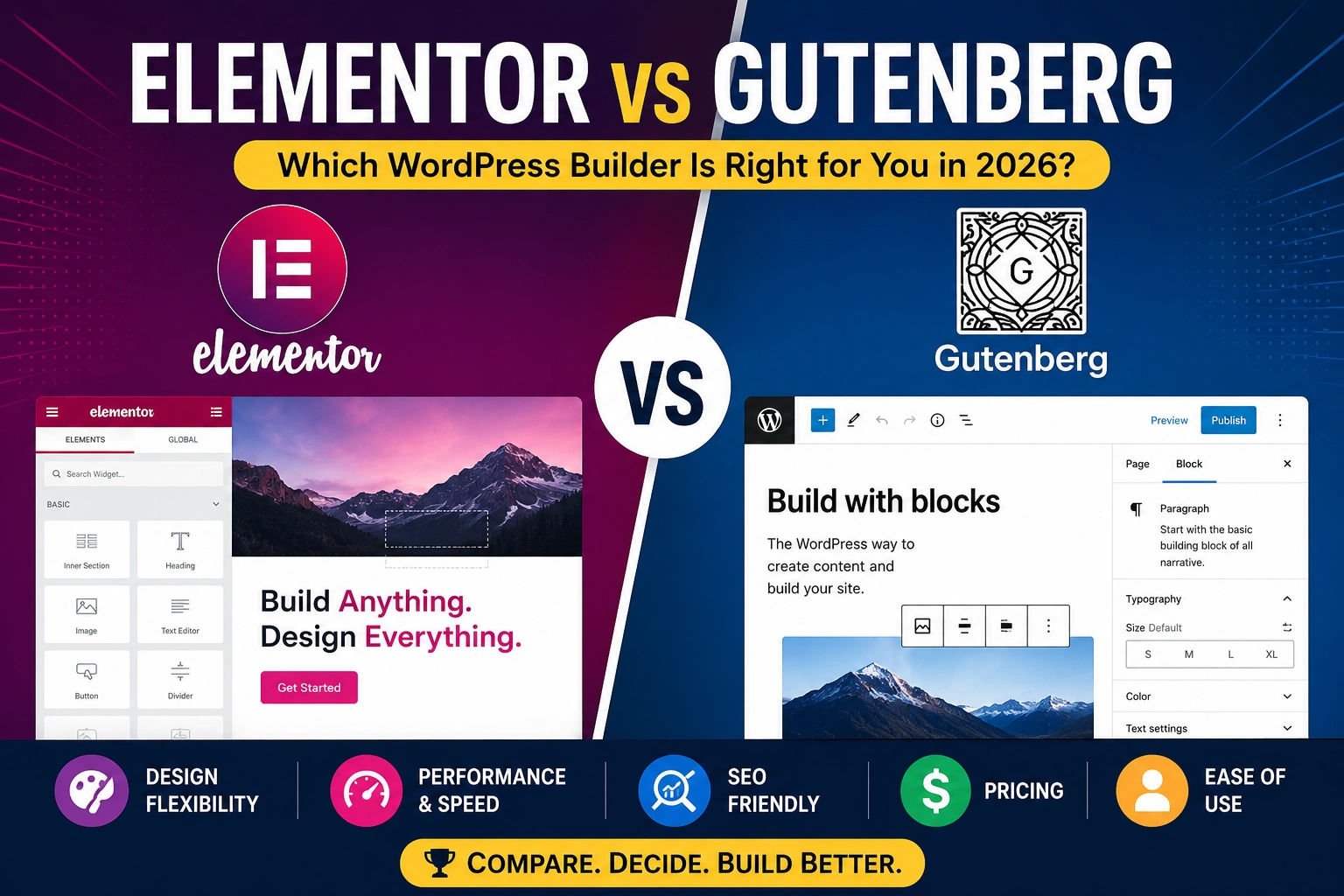
Elementor vs Gutenberg: Which WordPress Builder Is Right for You in 2026?
When it comes to building pages on WordPress, two names come up more than any other: Elementor and Gutenberg. They are both widely used, both capable of producing professional websites — and they approach the task of building WordPress pages in fundamentally different ways.
Gutenberg is WordPress’s native block editor, built into the platform itself. It is free, lightweight, and has been evolving steadily since its introduction in WordPress 5.0. With the arrival of Full Site Editing (FSE), Gutenberg has grown from a content editor into a complete site-building environment.
Elementor is a third-party page builder plugin that pioneered real-time drag-and-drop editing on WordPress. Since launching in 2016, it has become one of the most widely used WordPress plugins globally, powering millions of websites built by designers, agencies, and content creators.
The comparison is not really about which one is technically “better.” It is about which one fits your specific situation — your design goals, your technical comfort level, your budget, and the type of website you are building.
This guide covers everything you need to make that decision clearly.
About this guide: Feature comparisons are based on publicly available documentation, changelogs, and observed user experience as of June 2026. Pricing figures are approximate and subject to change — always verify on each platform’s official website.
Quick Verdict: Elementor vs Gutenberg at a Glance
|
Category |
Elementor |
Gutenberg |
Winner |
|---|---|---|---|
|
Design flexibility |
Exceptional |
Good and improving |
🏆 Elementor |
|
Ease of use (beginners) |
Very intuitive |
Moderate learning curve |
🏆 Elementor |
|
Page load performance |
Heavier |
Lighter and faster |
🏆 Gutenberg |
|
SEO-friendly code |
Good |
Cleaner native code |
🏆 Gutenberg |
|
Cost |
Free + Paid Pro |
Completely free |
🏆 Gutenberg |
|
Template library |
Extensive (large template library) |
Growing (patterns) |
🏆 Elementor |
|
Full site editing |
✅ Pro (Theme Builder) |
✅ Native (FSE) |
Tie |
|
WooCommerce |
✅ Pro (advanced) |
✅ Basic (native) |
🏆 Elementor Pro |
|
Popup builder |
✅ Pro |
❌ No |
🏆 Elementor |
|
Form builder |
✅ Pro |
❌ Limited |
🏆 Elementor |
|
AI features |
✅ Elementor AI (One plans) |
❌ No native AI |
🏆 Elementor |
|
Long-term stability |
Third-party plugin |
WordPress core |
🏆 Gutenberg |
|
Freelancers / agencies |
✅ Excellent |
Limited |
🏆 Elementor |
|
Bloggers / writers |
Overkill for most |
✅ Ideal |
🏆 Gutenberg |
What Is Elementor?
Elementor is a visual drag-and-drop page builder plugin for WordPress, launched in 2016. It introduced real-time front-end editing to WordPress — meaning you see your changes as they appear on the live page, rather than toggling between a backend editor and a preview.
The appeal was immediate. Designers and non-developers could build visually complex pages without touching a line of code. Elementor’s widget library, responsive design controls, and template kits enabled professional-looking websites at a fraction of what custom development cost.
Today, Elementor is used on over 10 million active WordPress websites and has powered over 12 million websites globally — a figure that reflects both its popularity among freelance designers and agencies, and its accessibility for independent website owners. The plugin comes in two versions:
- Elementor Free — a fully functional page builder with 32+ widgets, a basic template library, and core design controls.
- Elementor Pro — the professional tier that unlocks the theme builder, WooCommerce builder, popup builder, form builder, dynamic content, and advanced widgets. This is where Elementor’s full capability becomes available.
Elementor has also expanded into hosting (Elementor Website Builder cloud product) and AI-powered design assistance — positioning itself as a broader web creation platform rather than just a plugin.
What Is Gutenberg?
Gutenberg is the name for WordPress’s native block editor, introduced as the default editor in WordPress 5.0 (December 2018). It replaced the Classic Editor — the longstanding TinyMCE-based editor — as WordPress’s primary content creation interface.
The name “Gutenberg” refers to the original project name. In current WordPress usage, it is more commonly called the Block Editor or, in the context of full site building, the Site Editor.
Unlike Elementor, Gutenberg is not a plugin you install — it is built into WordPress itself. It is free for every WordPress user, updated as part of WordPress core, and requires no third-party dependency.
Gutenberg operates through a block-based system. Every piece of content — a paragraph, a heading, an image, a button, a columns layout — is a distinct block that can be inserted, moved, and configured individually. The growing library of core blocks, combined with the ability to create reusable blocks and use community-built block patterns, makes Gutenberg increasingly capable.
The most significant development in Gutenberg’s evolution has been Full Site Editing (FSE) — introduced progressively from WordPress 5.9 onward. FSE allows users to edit headers, footers, sidebars, and global site elements using the same block editor interface previously limited to page content. This brought Gutenberg into direct competition with what Elementor’s theme builder has offered for years.
Feature-by-Feature Comparison
Design Flexibility and Visual Control
This is where the clearest and most practical difference between the two builders exists.
Elementor provides exceptional granular design control. Spacing, typography, colors, gradients, borders, shadows, animations, hover effects, and responsive breakpoint settings are all adjustable through a visual panel — without writing any CSS. The widget library covers nearly every common design element, and Elementor’s motion effects and scroll animations allow for sophisticated visual experiences that would require developer work to replicate without it.
Gutenberg has improved its design controls significantly with each WordPress release. Block-level spacing, color settings, typography options, and basic layout controls are now available for most core blocks. However, the level of granularity available in Gutenberg is still more limited than Elementor’s. Achieving a complex, pixel-precise design layout in Gutenberg typically requires either a block-friendly theme with strong design controls (like Twenty Twenty-Four or similar FSE themes), custom CSS, or third-party block plugins.
Verdict: Elementor offers substantially more design flexibility out of the box. For users whose primary goal is precise visual design without code, Elementor is the stronger tool. For content-driven sites where layout simplicity is sufficient, Gutenberg’s controls are adequate and improving.
Ease of Use
Elementor is widely regarded as one of the more intuitive visual website builders available. The drag-and-drop interface, real-time preview, and logical section/column/widget hierarchy are accessible to users with no prior web design experience. Most users can build a functional, well-designed page within their first hour of use.
Gutenberg has a different kind of learning curve. It is not difficult, but it is different from what many users expect. The block insertion interface, block settings panel, and the distinction between document-level and block-level settings can initially feel unintuitive — particularly for users migrating from the Classic Editor or from Elementor. Once the block model is understood, working in Gutenberg is fast and efficient — but the initial adjustment takes time.
Verdict: Elementor is more immediately intuitive for most new users, especially those approaching website building from a design perspective. Gutenberg suits users who think in terms of structured content rather than visual design.
Template and Pattern Libraries
Elementor has one of the largest template libraries available in the WordPress ecosystem — including 300+ complete website kits covering diverse industries, plus hundreds of individual page and section templates. These kits can be imported and customized quickly, providing a significant head start for new site builds.
Gutenberg has a growing patterns library — reusable block arrangements that can be inserted into any page. The WordPress Pattern Directory (patterns.wordpress.org) provides community-contributed patterns for common layouts. While the library is expanding, it is not yet as extensive or as visually polished as Elementor’s template kits for most use cases.
Verdict: Elementor has a significantly larger and more production-ready template library. For freelancers and agencies who need to build sites quickly using starting templates, this is a practical advantage.
Full Site Editing
Elementor Pro’s Theme Builder allows users to create custom headers, footers, archive pages, single post templates, and 404 pages using the Elementor visual editor — applying global design control across the entire site from a single interface.
Gutenberg’s Site Editor (FSE) brings the same concept to the WordPress core. With an FSE-compatible block theme, users can edit every part of their site — headers, footers, templates, global styles — using the block editor. FSE is now mature enough for production use and is increasingly the default approach for new WordPress theme development.
Verdict: Both tools offer meaningful full site editing capabilities. Elementor’s implementation is more visually polished and easier for design-focused users. Gutenberg’s FSE is integrated directly into WordPress, requires no additional plugin, and aligns with the direction of WordPress’s long-term development.
WooCommerce Integration
Elementor Pro includes a dedicated WooCommerce builder — custom product pages, shop layouts, cart pages, checkout customization, and product archive templates. This gives designers full control over every part of the WooCommerce shopping experience without custom development.
Gutenberg supports WooCommerce through the Gutenberg Blocks for WooCommerce integration. Core WooCommerce blocks are available — product grid, cart, checkout — and are functional for standard store layouts. However, the depth of design customization available through Elementor Pro’s WooCommerce builder is not matched natively through Gutenberg for most advanced store design requirements.
Verdict: Elementor Pro is the stronger choice for WooCommerce stores requiring significant visual customization.
Forms and Popups
Elementor Pro includes a built-in form builder — with email integrations, conditional logic, and CRM connection options — and a popup builder that allows creation of modal popups, notification bars, slide-ins, and full-screen overlays with targeting rules.
Gutenberg does not include native form or popup building functionality. Users who need these features will need separate plugins regardless of whether they use Elementor Free or Gutenberg.
Verdict: Elementor Pro consolidates form and popup functionality within a single plugin. For Gutenberg users, these capabilities require additional third-party plugins.
AI-Powered Features
Elementor AI is currently included with Elementor One plans and is not part of the standard Elementor Essential or Advanced plans. It assists with text generation, image generation, code generation (HTML/CSS), and design suggestions directly within the builder interface — designed to speed up content creation and design iteration during the build process. Users on Essential or Advanced plans should verify current AI feature availability on Elementor’s official website, as the product lineup continues to evolve.
Gutenberg does not currently offer native AI features comparable to Elementor AI. AI functionality is mainly available through third-party plugins and experimental WordPress ecosystem tools. This may evolve as WordPress core development progresses, but as of June 2026, there is no built-in Gutenberg AI content or design assistant.
Verdict: Elementor currently has the more developed native AI feature set for content and design assistance within the builder itself.
Performance and Page Speed
This is one of the most practically important differences between the two builders — and one that directly affects SEO performance.
Elementor loads additional CSS, JavaScript, and assets with every page. Even well-optimized Elementor sites carry additional HTTP requests and larger page weight than equivalent sites built with Gutenberg. Elementor has made significant improvements to its performance in recent versions — introducing an Improved Asset Loading system, a Custom Breakpoints feature, and a leaner DOM output — but independent performance testing generally indicates that Elementor-built pages carry more overhead than comparable Gutenberg pages.
Gutenberg produces pages built entirely on WordPress core code. There are no third-party scripts loading by default — just block output within the WordPress rendering pipeline. Independent testing consistently indicates that Gutenberg-built pages achieve faster TTFB, lower total page weight, and better Core Web Vitals scores than comparable Elementor pages, particularly in the Largest Contentful Paint (LCP) and Total Blocking Time (TBT) metrics.
Page speed has direct implications for both user experience and SEO. Google’s Core Web Vitals are a known ranking factor, and building on a lighter platform gives Gutenberg sites a performance baseline advantage that Elementor sites need to work harder to overcome through optimization. Actual performance results can vary depending on theme, hosting, plugins, and optimization setup. A strong understanding of technical SEO helps you maximize performance on either platform.
Verdict: Gutenberg has a meaningful performance advantage. For sites where Core Web Vitals and page speed are SEO priorities, this is worth taking seriously.
SEO Compatibility
Both builders are compatible with major SEO plugins — Yoast SEO, Rank Math, and others — and neither builder actively harms SEO by default. However, the code each builder outputs differs in ways that have practical SEO implications.
Gutenberg produces semantic HTML that is closely aligned with WordPress’s native rendering. Pages built with Gutenberg tend to have cleaner code structure, faster rendering, and less JavaScript overhead — all of which can contribute to better technical SEO performance. Proper heading hierarchy, structured content, and schema markup implementation are all straightforward in Gutenberg.
Elementor generates additional wrapper divs, inline CSS, and JavaScript that adds complexity to the page’s code output compared to native WordPress. This does not prevent good SEO — millions of well-ranking sites use Elementor — but it does mean more attention to optimization is required. Elementor’s performance improvements in recent versions have reduced this gap compared to earlier releases.
For content-driven sites focused on on-page SEO best practices, Gutenberg’s cleaner code output is a practical advantage. For visually complex sites where design requires Elementor, the SEO implications are manageable with proper optimization.
Verdict: Gutenberg produces cleaner, more performant code by default. Elementor is SEO-compatible but requires more active performance management.
Pricing Comparison
⚠️ Pricing below is approximate as of June 2026. Always verify current pricing on each platform’s official website.
|
Plan |
Elementor |
Gutenberg |
|---|---|---|
|
Free version |
✅ Yes (32+ widgets) |
✅ Yes (built into WordPress) |
|
Essential (1 site) |
~$49/year |
N/A — always free |
|
Advanced (3 sites) |
~$99/year |
N/A |
|
Expert (25 sites) |
Verify current pricing at elementor.com |
N/A |
|
Agency (1,000 sites) |
Verify current pricing at elementor.com |
N/A |
Gutenberg’s cost advantage is absolute — it is built into WordPress at no charge. Elementor Free provides meaningful page building capability, but most of Elementor’s distinguishing features (theme builder, popup builder, form builder, WooCommerce builder, Elementor AI) require Elementor Pro.
For users who only need basic page building for a single site, Elementor Free combined with Gutenberg for content pages is a practical approach. For freelancers and agencies building multiple client sites, Elementor Pro’s multi-site pricing becomes cost-effective at scale.
Elementor vs Gutenberg: Side-by-Side Summary
|
Feature |
Elementor Free |
Elementor Pro |
Gutenberg |
|---|---|---|---|
|
Cost |
Free |
~$49–$99/year (Essential/Advanced); Expert & Agency — verify at elementor.com |
Free (core) |
|
Drag-and-drop |
✅ Visual |
✅ Visual |
❌ Block-based |
|
Real-time preview |
✅ Yes |
✅ Yes |
✅ Yes (improved) |
|
Widget/block count |
32+ |
85+ premium widgets |
a growing library of 80+ native core blocks |
|
Template library |
Basic |
300+ kits |
Patterns library |
|
Theme builder |
❌ No |
✅ Yes |
✅ FSE (core) |
|
Popup builder |
❌ No |
✅ Yes |
❌ No |
|
Form builder |
❌ No |
✅ Yes |
❌ No |
|
WooCommerce builder |
❌ No |
✅ Yes |
✅ Basic |
|
AI features |
❌ No |
✅ Elementor AI (One plans only — verify availability) |
❌ Limited (third-party only) |
|
Page speed |
Moderate |
Moderate |
Fast |
|
Code cleanliness |
Moderate |
Moderate |
Clean |
|
Mobile responsive controls |
✅ Yes |
✅ Advanced |
✅ Yes |
|
Learning curve |
Low |
Low–Medium |
Medium |
|
Plugin dependency |
Required |
Required |
None |
|
WordPress native |
❌ Third-party |
❌ Third-party |
✅ Core |
Who Should Use Elementor?
Elementor Is the Stronger Choice For:
Freelance web designers and agencies Elementor remains the dominant tool in professional WordPress web design services. Its visual builder, extensive template kits, multi-site Pro licensing, and built-in theme/popup/form builders make it a comprehensive platform for client site production. The ability to deliver visually complex, on-brand websites efficiently — without custom development for every design element — is Elementor’s core value proposition for professionals. If you are starting a blog as a business or building client websites as a service, Elementor Pro gives you the design toolkit to do it professionally.
Non-technical users who want full visual design control For users who know exactly what they want their website to look like but do not want to write CSS to achieve it, Elementor’s drag-and-drop interface with granular styling controls is difficult to match. The real-time visual editing experience removes the gap between intention and output that block-based editing can sometimes create.
WooCommerce store owners needing custom storefront design Elementor Pro’s WooCommerce builder enables design-level control over every part of the shopping experience — product pages, shop archive, cart, checkout — that is not achievable natively through Gutenberg without significant additional development or specialized plugins.
Landing page and marketing campaign builders Elementor’s popup builder, form builder, and motion effects make it particularly suitable for building conversion-focused landing pages, opt-in forms, promotional overlays, and campaign-specific pages that require design flexibility and marketing features in a single tool.
Who Should Use Gutenberg?
Gutenberg Is the Stronger Choice For:
Bloggers and content-focused website owners For websites where content is the primary value — blogs, news sites, documentation, portfolio sites with straightforward layouts — Gutenberg’s block editor provides a fast, focused writing and content management environment. The performance advantage is real and meaningful for content sites where page speed directly affects reader experience and search performance. Our guide on keyword research in the age of AI helps frame how a content-first site strategy connects to search visibility.
Performance and SEO-focused builders For sites where Core Web Vitals, page speed, and lean code output are priorities, Gutenberg’s native advantage is substantial. Gutenberg pages load faster, carry less overhead, and produce cleaner HTML by default — all of which support better technical SEO performance without requiring additional optimization tools and configuration.
WordPress developers and technically confident users Gutenberg’s block system aligns with modern WordPress development practices — custom block development, Full Site Editing theme creation, and the broader Gutenberg block ecosystem. Developers building client sites on the WordPress platform’s long-term architecture are increasingly working within FSE and the block paradigm. Understanding how AI search is changing SEO also helps frame why clean, structured, fast-loading content matters more than ever.
Users who prefer no third-party plugin dependency Elementor is a third-party plugin. If it were to be discontinued, become incompatible with a WordPress update, or change its pricing dramatically, sites built heavily on Elementor would face significant migration effort. Gutenberg is WordPress core — it will be maintained as long as WordPress itself exists. For users building long-term projects with minimal dependency risk, this stability matters.
Budget-conscious site owners For users who need a functional, well-structured website without paying for a page builder, Gutenberg provides meaningful capability at zero cost. Combined with a well-designed FSE block theme, a Gutenberg-built site can look professional without any paid add-ons.
Can You Use Both Together?
Yes — and many WordPress users do.
A common hybrid approach is to use Gutenberg for regular blog posts and content pages (where its fast, focused editing experience excels) and Elementor for key design pages — homepage, landing pages, about page, service pages — where visual design control matters most.
This approach is technically supported and widely practised. However, it does introduce some considerations:
- Pages built in Elementor and pages built in Gutenberg will have different code output and potentially different visual styling unless theme settings are carefully managed.
- Having both active means your WordPress installation carries Elementor’s scripts as a dependency, which affects performance site-wide on Elementor pages.
- Managing two different editing interfaces requires some mental switching, which can affect workflow efficiency.
For most users, choosing one primary builder and using it consistently is simpler and produces more cohesive results. But for users who have specific, well-defined use cases for each, the hybrid approach is viable.
Frequently Asked Questions (FAQ)
Q1: Is Elementor bad for SEO?
No — Elementor is not inherently bad for SEO. Millions of well-ranking websites use Elementor. However, Elementor-built pages carry more code overhead than equivalent Gutenberg pages, which can affect page speed and Core Web Vitals — signals that influence search performance. With proper optimization (image compression, caching, CDN, Elementor’s performance settings), these impacts can be substantially mitigated. Gutenberg has a performance baseline advantage, but Elementor’s SEO compatibility is well-established in practice.
Q2: Is Gutenberg good enough to replace Elementor in 2026?
For many use cases — yes. Gutenberg’s Full Site Editing capabilities, improved design controls, and growing block pattern library have significantly closed the gap with Elementor’s free version. For content-focused sites, blogs, and straightforward business websites, Gutenberg is fully capable. Where Gutenberg still falls short is in advanced design scenarios requiring pixel-precise control, popup and form building, WooCommerce customization, and the kind of visual complexity that design agencies need for client work. For those use cases, Elementor Pro remains the more complete tool.
Q3: Which builder is faster — Elementor or Gutenberg?
Independent performance tests often indicate that Gutenberg-built pages load faster than equivalent Elementor pages, primarily because Gutenberg produces cleaner code with fewer additional assets. Elementor has improved its performance significantly in recent versions, and the difference is smaller than it was in earlier years — but Gutenberg’s inherent advantage as a native WordPress system without third-party script overhead remains meaningful, particularly for Core Web Vitals metrics like LCP and TBT.
Q4: Can I switch from Elementor to Gutenberg?
Switching is possible but not seamless. Pages built in Elementor are stored using Elementor’s shortcode and data format. Converting them to native Gutenberg blocks requires either manual rebuilding or third-party migration tools. For sites with many Elementor-built pages, migration is a significant undertaking. For new site builds, choosing one editor from the start avoids this complexity entirely.
Q5: Is Elementor Free worth using over Gutenberg?
Elementor Free’s drag-and-drop visual editing is more immediately accessible than Gutenberg for users who think visually. However, Elementor Free lacks most of the features that make Elementor Pro compelling — no theme builder, no popup builder, no form builder, no Elementor AI. For users not planning to upgrade to Pro, Gutenberg often provides a comparable or better experience for content pages with better performance. Elementor Free makes more sense as an introduction to the interface before committing to Pro.
Q6: Which builder is better for beginners?
Elementor is generally more immediately intuitive for beginners who approach website building from a visual/design perspective — the drag-and-drop interface and real-time preview produce visible results quickly. Gutenberg suits beginners who approach their site as a content project rather than a design project — its focused writing environment and block system are straightforward once the concept is understood. The “better for beginners” answer depends on what kind of site you are building and how you think about it.
Q7: Does using Elementor affect my WordPress site’s long-term stability?
Elementor is a third-party plugin, which introduces a layer of dependency that native Gutenberg does not. Elementor is a well-funded, widely used product with a large development team, so significant stability risk is low in the near term. However, any third-party plugin dependency carries some long-term uncertainty — plugin pricing changes, compatibility issues with WordPress updates, or changes in the plugin’s development direction can affect sites built heavily on it. Gutenberg’s position as WordPress core means it will be maintained and updated as part of WordPress itself indefinitely.
Final Verdict
Elementor and Gutenberg are not competing for the same user in every situation — they are genuinely suited to different types of WordPress users and website projects.
Choose Elementor (Pro) if:
- You are a designer, freelancer, or agency building visually complex sites for clients
- You need a popup builder, form builder, and WooCommerce customization in a single plugin
- Design control and visual editing speed are your primary priorities
- You are willing to invest in Pro features and manage the performance optimization they require
Choose Gutenberg if:
- You are building a blog, content site, or straightforward business website
- Page speed, Core Web Vitals, and clean code are SEO priorities
- You want zero additional plugin dependency and long-term platform stability
- You are comfortable with a block-based editing model and willing to invest time learning it
- Budget is a meaningful consideration — Gutenberg is permanently free
Choose both (hybrid approach) if:
- You want Elementor for visually designed pages and Gutenberg for everyday content publishing
- You understand the trade-offs and have a clear workflow for when to use each
For most bloggers and content-driven site owners, Gutenberg is often the more practical default choice — faster, free, and getting better with every WordPress release. For designers and agencies who need visual design power and built-in marketing tools, Elementor Pro remains difficult to match as a complete professional page building platform.
Overall: Neither wins universally. The right builder is the one that matches your actual workflow and goals.
Disclaimer: Feature availability, pricing, and platform capabilities for both Elementor and Gutenberg may change over time. This article reflects publicly available information as of June 2026. Always verify current features and pricing on each platform’s official website before making a decision.
Sources & Further Reading
Official Sources
- Elementor Official Website & Pricing — elementor.com
- Elementor Documentation — elementor.com/help
- WordPress Block Editor (Gutenberg) — wordpress.org/documentation/article/wordpress-block-editor
- WordPress Full Site Editing Documentation — wordpress.org/documentation
- WordPress Pattern Directory — wordpress.org/patterns
Independent Reviews & Performance Data
- WPBeginner — Elementor vs Gutenberg Comparison — wpbeginner.com
- Kinsta — Gutenberg vs Elementor Performance Testing — kinsta.com/blog
- Perfmatters — Page Builder Performance Comparison — perfmatters.io/blog
- IsItWP — WordPress Page Builder Reviews — isitwp.com
Related Reading on TotalInfoHub
- Technical SEO Guide — totalinfohub.com/technical-seo-beginner-to-advanced-guide/
- On-Page SEO — totalinfohub.com/on-page-seo/
- How to Start a Blog — totalinfohub.com/how-to-start-a-blog/
- How AI Search Is Changing SEO — totalinfohub.com/how-ai-search-is-changing-seo/
- Keyword Research in the Age of AI — totalinfohub.com/keyword-research-in-the-age-of-ai/
This comparison is reviewed and updated regularly as both platforms release new features. Last reviewed: June 2026.