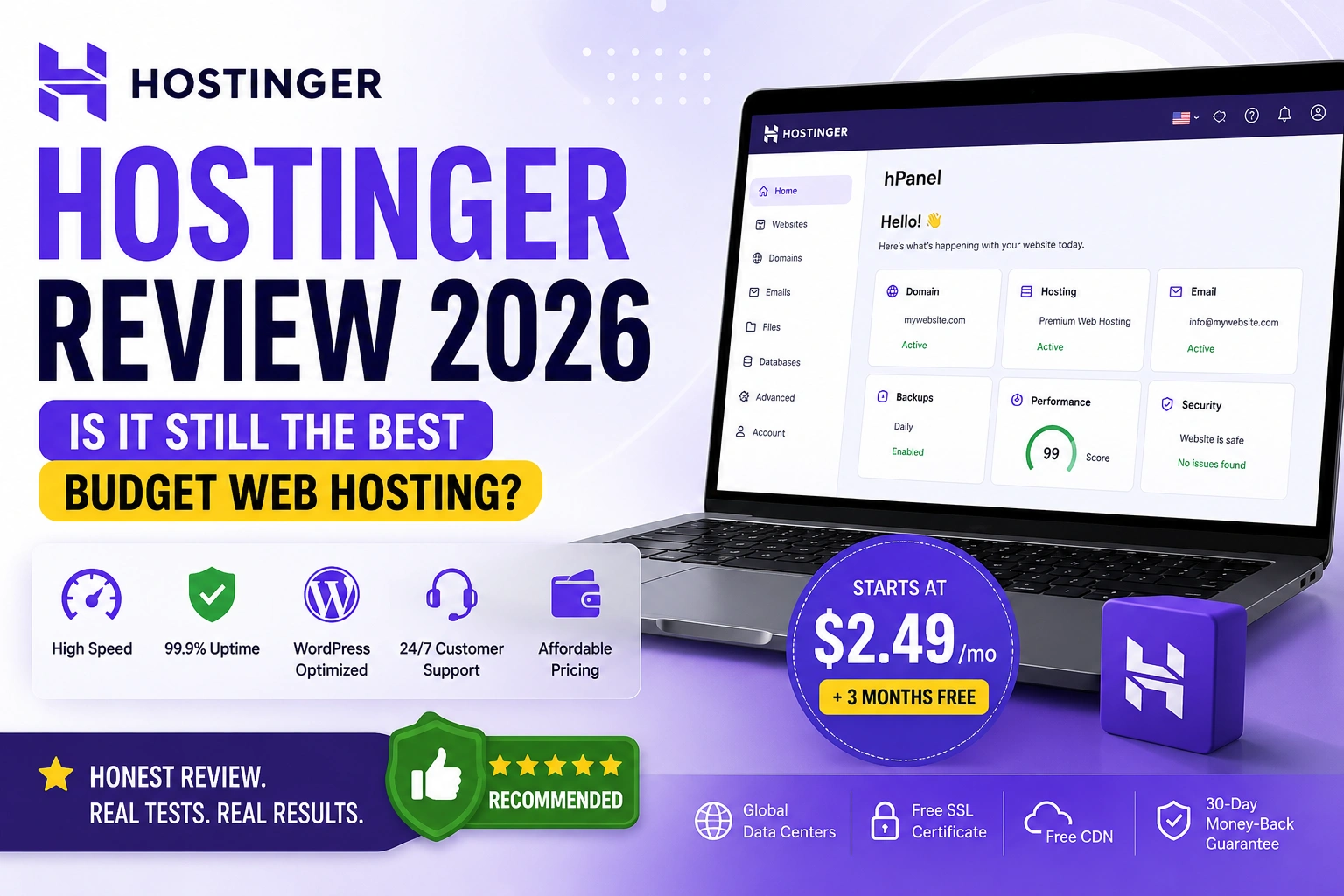
Hostinger Review 2026: Is It Still the Best Budget Web Hosting?
Why We Reviewed Hostinger in 2026
Hostinger has been one of the most talked-about web hosting providers for several years running — and for good reason. It built its reputation on offering genuinely usable shared hosting at prices that undercut almost every major competitor.
But budget hosting has a well-earned reputation for trade-offs. Cheap plans often mean slow servers, unreliable uptime, limited support, and renewal prices that bear no resemblance to the promotional rate you signed up with. So the real question with Hostinger in 2026 is not just “is it affordable?” — it is “is it worth it?”
This review answers that question directly. We cover Hostinger’s hosting plans, actual performance data, the hPanel experience, WordPress compatibility, customer support quality, and the pricing structure — including what you will pay when your initial term ends.
Whether you are starting a blog for the first time, launching a small business website, or looking to migrate from a more expensive provider, this review gives you what you need to make an informed decision.
Transparency note: Pricing, features, and plan availability for Hostinger may change over time. All figures in this review reflect publicly available information as of June 2026. Always verify current pricing and terms directly on Hostinger’s official website before purchasing.
Hostinger at a Glance: Quick Verdict
|
Category |
Rating |
Notes |
|---|---|---|
|
Overall |
⭐⭐⭐⭐ 4/5 |
Strong value at entry level |
|
Pricing |
⭐⭐⭐⭐⭐ 5/5 |
Among the most affordable available |
|
Performance |
⭐⭐⭐⭐ 4/5 |
Good speed; LiteSpeed servers help |
|
Uptime |
⭐⭐⭐⭐⭐ 5/5 |
99.9% SLA; strong independent monitoring results |
|
Ease of Use |
⭐⭐⭐⭐⭐ 5/5 |
hPanel is clean and beginner-friendly |
|
WordPress |
⭐⭐⭐⭐ 4/5 |
One-click install; managed options available |
|
Customer Support |
⭐⭐⭐ 3.5/5 |
24/7 live chat; quality can vary |
|
Renewal Pricing |
⭐⭐⭐ 3/5 |
Significant jump from intro rates |
|
Best For |
Beginners, bloggers, small businesses, WordPress users on a budget |
Hostinger Hosting Plans Overview
Hostinger offers a range of hosting products to suit different needs and budgets. Here is a summary of the main options:
Shared Hosting
Shared hosting is Hostinger’s core product and the category where it is best known. Resources are shared across multiple websites on the same server — which keeps costs low but means performance can be affected by “neighbour” sites during traffic spikes.
Hostinger’s shared hosting plans come in three tiers:
- Single Web Hosting — designed for one website, limited storage and resources. Suitable for very small personal sites or beginners testing the waters.
- Premium Web Hosting — the most popular entry-level plan. Supports multiple websites, includes a free domain for the first year, free SSL certificate, and sufficient resources for most small-to-medium blogs and business sites.
- Business Web Hosting — the top shared tier. Adds more storage, improved performance through additional resources, and daily backups. A meaningful step up for sites with growing traffic.
WordPress Hosting
Hostinger offers dedicated WordPress hosting plans optimized for WordPress performance. These include one-click WordPress installation, automatic updates, a WordPress-specific caching setup, and — on higher tiers — managed WordPress features. Performance on these plans is generally good for WordPress-powered blogs and small business websites.
Cloud Hosting
Cloud hosting at Hostinger provides dedicated resources in a cloud environment — more reliable and scalable than shared hosting, at a higher price point. Suitable for websites that have outgrown shared hosting but are not yet ready for a full VPS setup.
VPS Hosting
Hostinger’s VPS (Virtual Private Server) hosting plans offer full root access, dedicated resources, and significantly more control than shared or cloud hosting. These plans target developers, agencies, and technically confident users who need a customizable environment. Hostinger’s VPS pricing is notably competitive compared to providers like DigitalOcean and Linode.
Other Products
Hostinger also offers domain registration, email hosting, a website builder (Hostinger Website Builder, formerly Zyro), along with newer AI-powered tools such as Hostinger Horizons, and object storage — making it a reasonably complete one-stop-shop for most basic web infrastructure needs.
Hostinger Pricing: What You Actually Pay
Hostinger’s pricing is genuinely competitive — but it requires careful reading. Like most hosting providers, Hostinger uses promotional introductory pricing that applies to your first billing term only. Renewal prices are significantly higher.
⚠️ Important: The prices below reflect publicly available rates as of June 2026. Hostinger regularly runs promotions, and pricing varies by billing term (monthly, annual, biennial). Always check the official Hostinger website for current pricing before purchasing.
Shared Hosting Approximate Pricing (Annual Plan)
|
Plan |
Intro Price (approx.) |
Renewal Price (approx.) |
Websites |
Storage |
|---|---|---|---|---|
|
Single |
~$2.99/month |
~$6.99/month |
1 |
50 GB SSD |
|
Premium |
~$3.99/month |
~$10.99–$12.99/month |
100 |
100 GB SSD |
|
Business |
~$3.99–$4.49/month |
~$16.99–$18.99/month |
100 |
200 GB NVMe SSD |
Key Pricing Observations
The renewal gap is real and significant. On shared hosting plans, renewal pricing is typically 3x to 4.5x the introductory rate — one of the largest gaps in the industry. This is standard practice in hosting, but Hostinger’s shared plan renewals are on the higher end of that spectrum. VPS renewals are more predictable, typically around 2x the promotional rate. If you sign up for a two-year term, the introductory rate applies for that full period — which can substantially extend the time before you face renewal pricing.
Longer terms = better value. Hostinger’s best rates are available on 24-month or 48-month billing cycles. If you are confident you will use the service long-term, locking in a longer initial term at the promotional price is typically the most cost-effective approach.
Free domain and SSL included. The Premium and Business plans include a free domain name for the first year and a free SSL certificate — extras that would cost additional money with some competitors. These inclusions meaningfully improve the value proposition of the lower-tier plans.
Performance: Speed and Uptime Testing
Server Speed
Hostinger uses LiteSpeed web servers on its shared hosting infrastructure — a meaningful advantage over providers still running Apache. LiteSpeed generally delivers faster response times, particularly for WordPress sites, due to its built-in caching and more efficient request handling.
Independent performance testing suggests significant variation by plan. The Premium shared plan has typically recorded global TTFB in the range of 400–500ms in long-term monitoring, while the Business plan — which includes CDN — has recorded global TTFB closer to 200–230ms in some tests. Individual GTmetrix tests have observed TTFB as low as 118–291ms under optimized conditions. Results vary by server location, site configuration, and testing methodology. Performance may differ depending on your audience geography and workload. Selecting the data center closest to your primary audience at setup remains one of the most impactful steps you can take.
Data center locations available through Hostinger for web and cloud hosting plans include Europe (France, Germany, Lithuania, Netherlands, United Kingdom), Asia (India, Indonesia, Malaysia, Singapore), North America (United States — with three locations: Phoenix, Boston, and Asheville), and South America (Brazil). This gives Hostinger one of the wider data center selections among shared hosting providers — 13 locations across four continents. Selecting the data center closest to your target audience at setup is one of the most impactful performance decisions you can make on shared hosting.
Uptime
Hostinger advertises a 99.9% uptime SLA — the standard contractual guarantee. Independent monitoring across multiple testing platforms has generally recorded strong actual uptime results, with some long-term tests recording 99.99% across both Premium and Business plans. One independent 30-day monitoring study observed zero downtime across 8,640 individual checks. Results may vary by data center location and monitoring period.
It is worth noting that uptime guarantees in the hosting industry typically refer to network availability, not necessarily application-level performance. During high-traffic periods on shared servers, response times can degrade even when the server is technically “up.” Upgrading to Business shared hosting or cloud hosting provides additional resource allocation that can help maintain consistent performance during traffic spikes.
Page Speed and SEO
Server performance is directly relevant to SEO. Page load time and Core Web Vitals — particularly Largest Contentful Paint (LCP) and Time to First Byte (TTFB) — are factors Google considers in ranking. A well-configured Hostinger setup with caching enabled, optimized images, and a CDN (Content Delivery Network) can achieve good Core Web Vitals scores on shared hosting. Understanding the relationship between hosting performance and technical SEO helps ensure your hosting choice supports your broader ranking goals.
hPanel: Hostinger’s Custom Control Panel
Most web hosts use cPanel — the industry-standard control panel familiar to anyone who has managed a hosted website. Hostinger uses its own custom control panel called hPanel.
The decision to build a proprietary control panel rather than license cPanel is partly practical (cPanel’s licensing costs increased significantly in recent years) and partly strategic — Hostinger has designed hPanel specifically around its own product ecosystem.
What hPanel Does Well
Clean, intuitive interface. hPanel is genuinely well-designed. The layout is logical, functions are clearly labeled, and common tasks — setting up a website, installing WordPress, managing email accounts, accessing file management — are discoverable without needing documentation. First-time hosting users consistently rate hPanel as one of the more accessible control panels available.
Fast performance. hPanel itself loads quickly and is responsive. Managing multiple websites, databases, or email accounts from within the panel does not feel slow or cumbersome.
Integrated tools. From within hPanel, you can access Hostinger’s website builder, the one-click WordPress installer, file manager, DNS zone management, SSL certificate installation, database management (MySQL), FTP account creation, and cron job configuration — covering the essential toolkit for most website management tasks.
Limitations of hPanel
Different from cPanel. If you are migrating from a cPanel-based host and are familiar with its layout, there is a short adjustment period with hPanel. Features exist in slightly different locations, and some workflows feel different. Most users adapt quickly, but it is worth acknowledging.
Limited advanced customization. For developers or power users accustomed to granular server configuration, hPanel offers less direct control than a VPS or dedicated server environment. This is a shared hosting limitation as much as an hPanel limitation, but worth noting.
WordPress Hosting Experience
WordPress powers a substantial share of the web, and Hostinger has invested significantly in making its platform a strong environment for WordPress sites.
Setup and Installation
One-click WordPress installation through hPanel works reliably. The process takes under two minutes from login to a functioning WordPress site. Hostinger’s LiteSpeed Object Cache plugin — available directly through the WordPress admin — is easy to activate and provides meaningful performance improvements for WordPress sites on Hostinger’s infrastructure.
WordPress-Specific Performance
On Hostinger’s Business shared hosting and dedicated WordPress hosting plans, well-optimized WordPress sites can achieve good Core Web Vitals scores in independent testing — particularly with LiteSpeed caching enabled, a lightweight theme, and appropriate image optimization. Results will vary depending on site complexity, plugin configuration, and the data center selected. Heavy plugin stacks or unoptimized setups will underperform on any shared hosting environment, regardless of provider.
Managed WordPress Features
Hostinger’s higher-tier WordPress plans include automatic WordPress core updates, daily backups, and staging environments — features that reduce maintenance overhead and provide a safety net before deploying changes to a live site. These are particularly valuable for non-technical users managing business-critical WordPress installations.
SEO Considerations for WordPress on Hostinger
A well-structured WordPress site on Hostinger, with proper on-page SEO implementation and caching configured, can perform competitively in search results based on observed independent test results. The hosting environment itself is not typically a limiting factor for most small-to-medium websites when properly configured. Where Hostinger shared hosting can become a constraint is for high-traffic sites (above roughly 50,000–100,000 monthly visitors) — at which point cloud or VPS hosting becomes worth the upgrade.
Customer Support: How Good Is It Really?
Customer support is one area where Hostinger receives mixed feedback — and it is worth discussing honestly.
What Is Available
Hostinger offers 24/7 live chat support accessible from within hPanel and from the main website. There is also an extensive knowledge base with tutorials covering most common hosting tasks, a community forum, and AI-assisted initial response handling that routes complex queries to human agents.
Phone support is not available. Hostinger does not offer telephone support — a limitation for users who prefer voice communication for complex technical issues.
Quality Assessment
Live chat response times at Hostinger are generally fast — initial responses typically arrive within a few minutes at most hours. The quality of support, however, is inconsistent based on user reports and independent testing.
For common, well-documented issues — WordPress installation problems, SSL certificate setup, domain pointing, basic billing questions — Hostinger’s support agents are generally helpful and resolve issues efficiently. For more complex technical issues — custom server configurations, advanced email setups, debugging unusual performance problems — response quality varies more significantly. Some interactions are resolved promptly and professionally; others require escalation or multiple exchanges.
The knowledge base is genuinely useful and covers most common scenarios thoroughly — reducing the frequency with which support contact is necessary for straightforward tasks.
Support Verdict
Hostinger’s customer support is adequate for the majority of its target users — beginners, bloggers, and small business owners with standard hosting needs. It is not the strongest support experience in the industry, and users with complex technical requirements may find it insufficient. For those needs, a managed hosting provider or a VPS solution with more technical support infrastructure may be more appropriate.
Key Features Breakdown
|
Feature |
Available |
Notes |
|---|---|---|
|
Free Domain |
✅ Yes |
First year only, on Premium plans and above |
|
Free SSL Certificate |
✅ Yes |
Let’s Encrypt SSL, all plans |
|
Free CDN |
✅ Yes |
Cloudflare CDN integration available |
|
Daily Backups |
✅ Business+ |
Weekly on lower tiers |
|
Staging Environment |
✅ Higher tiers |
WordPress hosting and above |
|
LiteSpeed Server |
✅ Yes |
Shared and WordPress plans |
|
One-Click WordPress |
✅ Yes |
Available on all plans |
|
Website Builder |
✅ Yes |
Hostinger Website Builder included |
|
Email Hosting |
✅ Yes |
Business email accounts available |
|
Unlimited Bandwidth |
✅ Yes |
All shared plans |
|
FTP Access |
✅ Yes |
All plans |
|
MySQL Databases |
✅ Yes |
Number varies by plan |
|
24/7 Live Chat |
✅ Yes |
No phone support |
|
Money-Back Guarantee |
✅ 30 days |
Full refund within 30 days |
|
Uptime Guarantee |
✅ 99.9% |
Standard SLA |
|
Data Center Choice |
✅ Yes |
Multiple global locations |
|
Free Website Migration |
✅ Yes |
One free migration on select plans |
|
cPanel |
❌ No |
Uses hPanel instead |
|
Phone Support |
❌ No |
Live chat and ticket only |
Hostinger Pros and Cons
✅ Pros
- Genuinely affordable introductory pricing — among the lowest available for shared hosting with reasonable resources
- LiteSpeed servers — faster than Apache-based shared hosting environments on comparable plans
- hPanel is beginner-friendly — well-designed, clean, and easy to navigate
- Good uptime record — consistently above 99.9% based on independent monitoring
- Multiple global data centers — allows server location optimization for target audience geography
- Solid WordPress performance — particularly with LiteSpeed caching enabled
- Free domain and SSL included — meaningful value on Premium plans and above
- 30-day money-back guarantee — provides a risk-free evaluation period
- Competitive VPS pricing — strong value for developers needing VPS infrastructure
❌ Cons
- Renewal pricing is significantly higher — introductory rates do not reflect long-term costs
- Not cPanel — adjustment period for users migrating from cPanel environments
- No phone support — limiting for users who prefer direct voice communication
- Shared hosting performance limits — high-traffic sites may need to upgrade sooner than with higher-specification shared plans
- Support quality inconsistency — excellent for common issues, less reliable for complex technical problems
- Storage limits on entry plans — the Single plan’s 50 GB SSD is limiting for media-heavy sites
- Upsells during checkout — the purchase process includes multiple add-on offers that can be confusing for first-time buyers
Who Is Hostinger Best For?
Hostinger is well-matched to a specific type of user. Understanding whether you fall into that category is the most useful thing this review can help you determine.
Hostinger Is a Strong Choice For:
Affiliate marketers and niche website owners Hostinger’s combination of low entry cost, LiteSpeed performance, and multi-site support on the Premium plan makes it a practical choice for affiliate marketers and niche content publishers running several small sites simultaneously. The ability to host up to 100 websites on a single plan — combined with free SSL on all sites and Cloudflare CDN integration — provides a cost-effective foundation for content-driven SEO projects without the overhead of managing multiple separate hosting accounts.
First-time website owners and bloggers The combination of low entry price, beginner-friendly hPanel, one-click WordPress installation, and comprehensive documentation makes Hostinger one of the more accessible options for someone setting up their first website. If you are planning to start a blog and want a reliable, low-cost foundation, Hostinger delivers meaningful value at this stage.
Small business owners with standard websites A small business website — brochure site, local service business, simple e-commerce — typically has modest resource requirements. Hostinger’s Business shared plan handles these well, and the inclusion of free domain, SSL, and CDN keeps the total cost of ownership reasonable.
Budget-conscious WordPress users WordPress developers and content creators who need a solid WordPress environment without agency-level hosting costs will find Hostinger’s WordPress plans competitive. Performance is good enough for most content-driven sites when properly optimized.
Developers needing affordable VPS infrastructure Hostinger’s VPS plans offer competitive pricing for root-access virtual servers. Developers building applications, staging environments, or running multiple projects will find the per-dollar value strong compared to more expensive VPS providers.
Hostinger May Not Be the Best Fit For:
High-traffic websites — Sites consistently receiving above 50,000–100,000 monthly visitors will likely experience resource constraints on shared hosting. Cloud or VPS hosting becomes the more appropriate choice at this scale.
E-commerce sites requiring high reliability — For online stores where downtime directly means lost revenue, a higher-specification managed hosting environment may provide better reliability guarantees and faster incident response.
Users requiring cPanel — If your workflow depends on cPanel — for example, if you use cPanel-specific scripts or your team is trained on it — Hostinger’s hPanel requires adjustment. Some users prefer to stay on cPanel-based hosts for this reason.
Users needing advanced technical support — If your hosting setup is complex and you expect to need technical support regularly, Hostinger’s support quality at the level of complex issues may be insufficient.
Hostinger vs Competitors
|
Feature |
Hostinger |
Bluehost |
SiteGround |
A2 Hosting (now Hosting.com) |
|---|---|---|---|---|
|
Entry shared price (approx.) |
~$2.99–$3.99/month |
~$1.99–$3.99/month |
~$3.99/month |
~$2.99/month |
|
Renewal price (approx.) |
~$10.99–$12.99/month |
~$9.99–$11.99/month |
~$17.99/month |
~$10.99/month |
|
Control panel |
hPanel (custom) |
cPanel |
Custom (Site Tools) |
cPanel |
|
Free domain |
✅ Yes |
✅ Yes |
❌ No |
❌ No |
|
Free SSL |
✅ Yes |
✅ Yes |
✅ Yes |
✅ Yes |
|
LiteSpeed servers |
✅ Yes (all shared) |
❌ No |
✅ Yes |
✅ Turbo tiers only |
|
Data center choice |
✅ Yes (13 locations) |
Limited |
✅ Yes |
✅ Yes |
|
24/7 live chat |
✅ Yes |
✅ Yes |
✅ Yes |
✅ Yes |
|
Phone support |
❌ No |
✅ Yes |
❌ No |
✅ Yes |
|
Money-back |
30 days |
30 days |
30 days |
30 days |
|
WordPress performance |
Good–Very Good |
Good |
Very Good |
Good–Very Good |
|
WordPress.org recommended |
❌ No |
✅ Yes |
✅ Yes |
❌ No |
⚠️ All pricing figures in this table are approximate, promotional, and subject to change. Renewal rates, plan inclusions, and available features may differ by region and billing term. Always verify current rates and terms directly on each provider’s official website before making a purchasing decision. Note on A2 Hosting: A2 Hosting was rebranded to Hosting.com in April 2025 following acquisition by World Host Group. Services and infrastructure remain the same under the new name.
vs Bluehost: Hostinger undercuts Bluehost on introductory pricing in most scenarios, and offers LiteSpeed servers where Bluehost does not. Bluehost has stronger phone support and — alongside SiteGround — is one of the hosts officially recommended by WordPress.org, a meaningful distinction for WordPress users.
vs SiteGround: SiteGround is widely regarded as offering superior performance and support quality, particularly for WordPress. It also carries higher renewal pricing — approximately $17.99/month versus Hostinger’s $10.99–$12.99/month — making it a noticeably more expensive long-term commitment. Hostinger is the stronger value choice; SiteGround is the stronger performance and support choice.
vs A2 Hosting (now Hosting.com): A2 Hosting was rebranded to Hosting.com in April 2025 following its acquisition by World Host Group. Services and infrastructure remain largely unchanged. Note that LiteSpeed servers at A2/Hosting.com are available on Turbo-tier plans only, not on all shared plans — unlike Hostinger, which includes LiteSpeed across its shared hosting range. A2/Hosting.com includes phone support and cPanel, which Hostinger does not offer.
Frequently Asked Questions (FAQ)
Q1: Is Hostinger good for beginners in 2026?
Yes — Hostinger is well-suited to beginners. The hPanel control panel is among the more intuitive hosting interfaces available, the one-click WordPress installer works reliably, and the documentation covers most common tasks thoroughly. For someone setting up their first website or blog, Hostinger’s combination of low cost, ease of use, and reasonable performance makes it a practical starting point.
Q2: What is the actual renewal price for Hostinger?
Renewal prices vary by plan and billing term, but they are typically 3x to 4.5x the introductory promotional rate on shared plans. As an approximation, the Premium Shared plan renews at around $10.99–$12.99/month on an annual term, versus introductory rates of approximately $2.99–$3.99/month. The Business plan renews at approximately $16.99–$18.99/month. Always check the renewal price — displayed during checkout before purchase — before committing. Signing up for a longer initial term (24 or 48 months) extends the time before renewal pricing applies.
Q3: Does Hostinger affect SEO performance?
Hosting quality can indirectly affect SEO through page speed, uptime, and server response time — all factors that contribute to user experience signals and Core Web Vitals. Hostinger’s LiteSpeed servers generally provide good performance for small-to-medium websites. A well-optimized WordPress site on Hostinger’s Business plan, with caching enabled and a CDN active, can achieve solid Core Web Vitals scores. Where Hostinger shared hosting may become a limiting factor is for high-traffic or resource-intensive sites — in which case upgrading to cloud or VPS hosting is advisable.
Q4: Is Hostinger’s uptime reliable?
Based on independent third-party monitoring data, Hostinger consistently achieves uptime at or above 99.9% for most data center locations. The 99.9% uptime guarantee means a theoretical maximum of approximately 8.7 hours of downtime per year. In practice, most users on Hostinger experience significantly less downtime than this. For business-critical applications where even brief downtime has financial consequences, a managed hosting provider with a stronger SLA may be preferable.
Q5: Can I host a WordPress site on Hostinger?
Yes — and Hostinger is a reasonable choice for most WordPress sites. One-click installation, LiteSpeed caching support, and WordPress-specific optimization on the dedicated WordPress plans make the setup straightforward. For content-driven blogs, small business sites, and portfolio websites receiving up to approximately 50,000 monthly visitors, Hostinger’s WordPress hosting plans perform well when properly configured.
Q6: Does Hostinger offer a money-back guarantee?
Yes. Hostinger offers a 30-day money-back guarantee on hosting plans. If you cancel within 30 days of purchase, you can request a full refund. Note that domain registration fees are typically non-refundable, and specific terms may vary — review Hostinger’s current refund policy on their official website before purchasing.
Q7: Is Hostinger suitable for e-commerce websites?
Hostinger can support small e-commerce websites — WooCommerce installations on WordPress function on Hostinger’s Business and cloud hosting plans. For stores with modest product catalogues and traffic levels, performance is generally adequate. For high-volume stores, particularly those with heavy product imagery, complex checkout flows, or significant concurrent traffic, a managed WooCommerce hosting environment or a dedicated server will provide better reliability and performance than shared hosting.
Final Verdict
Hostinger in 2026 remains one of the strongest value propositions in shared web hosting — particularly for its target audience of beginners, bloggers, small business owners, and budget-conscious WordPress users.
What Hostinger does well: affordable entry pricing, LiteSpeed server performance, a well-designed beginner-friendly control panel, solid uptime, multiple global data center options, and competitive VPS pricing.
Where Hostinger falls short: customer support quality at the complex end of the spectrum, the significant gap between introductory and renewal pricing, the absence of phone support, and performance limitations for high-traffic sites on shared plans.
The bottom line: If you are launching your first website, running a blog or small business site, or looking for affordable WordPress hosting, Hostinger delivers strong value at a low price point. If you need enterprise-grade performance, complex technical support, or a cPanel environment, look elsewhere.
Overall rating: 4 out of 5
Disclaimer: Pricing, features, plan inclusions, and terms for Hostinger may change after the publication of this review. This article reflects publicly available information as of June 2026. Always verify current details on Hostinger’s official website before making a purchasing decision. This review does not constitute a professional recommendation — individual needs vary, and the best hosting provider depends on your specific requirements, budget, and technical comfort level.
Sources & Further Reading
Official Sources
- Hostinger Official Website & Pricing — hostinger.com
- Hostinger Knowledge Base & Server Locations — hostinger.com/support
- Hostinger Blog & Tutorials — hostinger.com/tutorials
Independent Performance & Review Data
- Hostingstep — Long-term Hostinger Performance Monitoring (564,000+ tests) — hostingstep.com
- HostAdvice — 30-Day Uptime & TTFB Testing (April–May 2026) — hostadvice.com
- Website Builder Expert — Pricing & Feature Testing — websitebuilderexpert.com
- Tooltester — Hosting Comparison Tests — tooltester.com
- Gizmodo / GTmetrix Testing — TTFB & Core Web Vitals Data — gizmodo.com
Competitor Pricing Sources
- Bluehost Official Pricing — bluehost.com
- SiteGround Official Pricing — siteground.com
- Hosting.com (formerly A2 Hosting) — hosting.com
- Cybernews Hosting Reviews — cybernews.com
Related Reading on TotalInfoHub
- How to Start a Blog — totalinfohub.com/how-to-start-a-blog/
- Technical SEO Guide — totalinfohub.com/technical-seo-beginner-to-advanced-guide/
- On-Page SEO Guide — totalinfohub.com/on-page-seo/
This review is updated regularly as Hostinger’s plans, pricing, and features evolve. Last reviewed: June 2026.