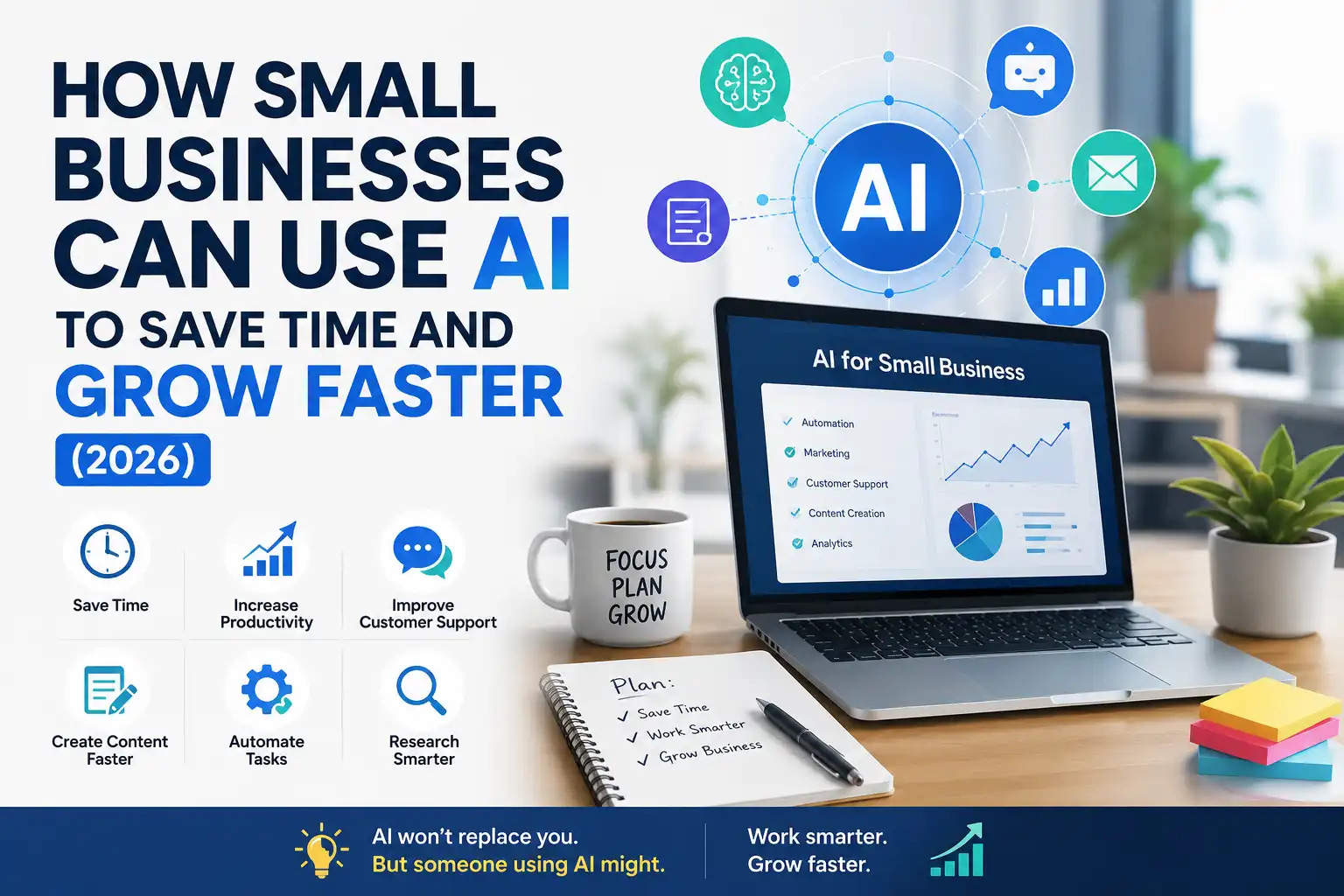
How Small Businesses Can Use AI to Save Time and Grow Faster (2026)
Running a small business often feels like doing five jobs at once. You are the marketer, the customer support team, the content writer, the bookkeeper, and the boss — sometimes all before lunch.
Most small business owners face the same three problems: not enough time, not enough budget, and not enough people. You know what needs to be done, but there are only so many hours in a day.
This is exactly where artificial intelligence (AI) can help. Over recent years, many AI tools have become more affordable, easier to use, and increasingly practical for everyday business tasks. You no longer need a tech team or a big budget to benefit from them.
Understanding how small businesses can use AI is becoming increasingly important — it is becoming a practical skill that helps owners save time, reduce stress, and focus on growing their business. AI will not magically do everything for you, and it will not guarantee success. But used wisely, it can take a lot of repetitive work off your plate.
This guide explains, in simple terms, exactly how AI can help your small business. No hype, no jargon — just practical, realistic ways to use AI to work smarter. Whether you are a freelancer, a startup founder, or a small shop owner, these ideas apply to you.
Quick Summary: How AI Helps Small Businesses
|
Area |
How AI Can Help |
|---|---|
|
Daily tasks |
Automate repetitive work and save time |
|
Content & marketing |
Draft posts, emails, and marketing copy faster |
|
Customer support |
Answer common questions quickly |
|
Design & branding |
Create simple graphics and visuals |
|
Email & productivity |
Write and organize communication faster |
|
SEO & research |
Find ideas and research topics quickly |
AI works best as a helpful assistant — it can support your work and save time, but it does not replace human judgment, creativity, or relationships.
What AI Can Actually Do for Small Businesses
Before diving into specific uses, it helps to understand what AI actually does — and what it does not.
Many modern AI tools can process language, generate text, create images, analyze information, and automate certain tasks. The most common type small businesses use is generative AI — tools like ChatGPT that can write, summarize, brainstorm, and answer questions.
Here is what AI can realistically help with:
- Writing and editing — drafting content, emails, and descriptions
- Brainstorming — generating ideas for marketing, products, and content
- Summarizing — condensing long documents or research
- Answering questions — handling common customer queries
- Creating visuals — making simple graphics and designs
- Automating tasks — handling repetitive work automatically
- Research — gathering and organizing information quickly
And here is what AI cannot do — an honest list:
- It cannot replace your judgment or business knowledge
- It cannot build genuine relationships with customers for you
- It cannot guarantee growth or results
- It does not always get facts right, so its work needs checking
The best way to think about AI is as a helpful assistant. It handles the repetitive, time-consuming parts so you can focus on the parts that need a human touch. Used this way, AI for small business becomes a real advantage rather than a gimmick.
How AI Saves Time in Daily Business Tasks
Time is the resource small business owners lack most. AI’s biggest practical benefit is giving some of that time back.
Think about how many small, repetitive tasks fill your day. Writing the same kinds of emails. Summarizing notes. Drafting social media posts. Answering the same customer questions. Each one is small, but together they eat up hours.
AI can help with many of these:
Drafting routine messages. Instead of writing every email from scratch, you can have AI draft a first version that you quickly edit. This often turns a ten-minute task into a two-minute one.
Summarizing information. Long emails, documents, or meeting notes can be summarized in seconds, so you grasp the key points fast.
Generating first drafts. Whether it is a blog post, a product description, or a social caption, starting from an AI draft is faster than starting from a blank page.
Organizing ideas. AI can help you turn messy notes into organized lists, plans, or outlines.
Beginner tip: Start by picking just one repetitive task you do every day. Use AI for that single task for a week. Once it feels natural, add another. Small steps work better than trying to automate everything at once.
The goal is not to remove the human element. It is to spend less time on busywork and more time on the work that actually grows your business.
AI for Content Writing and Marketing
Marketing is essential for growth, but it is also time-consuming — especially when you are doing it alone. AI can support your content and marketing work in several practical ways.
Writing Content Faster
AI can help you draft blog posts, social media updates, product descriptions, and marketing copy. You provide the direction and key points, and AI produces a first draft you can refine.
This does not mean publishing AI text without review. The best results come from using AI for the first draft, then adding your own voice, accuracy, and personality. The human touch is what makes content genuinely good.
Brainstorming Marketing Ideas
Stuck on what to post? AI can be very useful for brainstorming. You can ask it for content ideas, campaign angles, headlines, or social media topics — and get dozens of options in seconds.
Repurposing Content
Have a blog post you want to turn into social media posts? AI can help you adapt one piece of content into several formats, saving you from creating everything from scratch.
Planning Your Marketing
AI can help you draft a simple content calendar, outline a marketing plan, or organize your ideas into a clear structure.
Practical example: A small bakery owner could use AI to brainstorm a week of social media posts, draft captions for each, and create a simple email newsletter — turning hours of work into a much shorter task. The owner still reviews everything and adds personal touches, but the heavy lifting of the first draft is handled.
Beginner tip: Always review AI-generated marketing content for accuracy and tone before publishing. AI may sound generic or make mistakes, so your edits are what make it shine.
AI for Customer Support and Communication
Good customer support builds loyalty, but it takes time — especially answering the same questions over and over. AI can help here too.
Answering Common Questions
Many customer questions are repetitive: opening hours, pricing, shipping, return policies. AI tools and chatbots can handle these common queries automatically, freeing you to focus on more complex needs.
Drafting Support Responses
For questions that need a personal reply, AI can draft a response you then personalize and send. This speeds up your support without losing the human touch.
Creating Help Content
AI can help you write FAQ pages, help guides, and how-to content that answer customer questions before they even ask — reducing your support load over time.
Honest note: AI customer support works best for common, straightforward questions. For complex issues, complaints, or emotional situations, a real human response is always better. The goal is to use AI for the routine questions so you have more time for the ones that truly need you.
Practical example: A small online store could set up an AI chatbot to answer common shipping and return questions automatically, while the owner handles personal or complicated requests directly. This balance keeps customers happy without overwhelming the owner.
AI for Design and Branding
You do not need to be a designer — or hire one — to create simple, professional-looking visuals for your business. AI design tools have made basic design more accessible for many users.
Creating Simple Graphics
AI design tools can help you create social media graphics, simple logos, banners, and marketing visuals. Many work with easy templates and let you generate or adjust designs with simple instructions.
Generating Images
Some AI tools can generate images for your content, ads, or website. This can be useful when you need a visual and do not have a photo or budget for stock images.
Maintaining Brand Consistency
AI design tools often help you keep consistent colors, fonts, and styles across your materials — which strengthens your brand recognition over time.
Honest note: AI design tools are great for simple, everyday visuals. For important brand assets — like a primary logo or a major campaign — a professional designer still brings creativity and quality that AI cannot fully match. Use AI for speed and volume, and humans for the high-stakes, creative work.
Beginner tip: Pick one or two brand colors and a consistent style, and use them across all your AI-created visuals. Consistency makes even simple designs look professional.
AI for Email Writing and Productivity
Email and daily communication take up a surprising amount of time. AI can make this faster and less stressful.
Writing Emails Faster
AI can draft emails for almost any situation — replying to customers, reaching out to partners, following up on leads, or sending updates. You give it the key points, and it produces a draft you can quickly edit and send.
Improving Your Writing
If writing is not your strength, AI can help. It can make your messages clearer, fix grammar, adjust the tone, and help you sound professional — useful for non-native English speakers running international businesses.
Organizing Your Work
AI tools can help you organize tasks, draft plans, summarize long email threads, and turn scattered notes into clear action items.
Saving Time on Repetitive Writing
For messages you send often — like welcome emails, follow-ups, or common replies — AI can create reusable templates you personalize as needed.
Practical example: A freelancer could use AI to draft client proposals, polish follow-up emails, and write clear project updates — communicating more professionally while spending less time writing. This is especially helpful for freelancers managing many clients alone.
Beginner tip: Save your best AI-generated templates so you can reuse and personalize them. Over time, you build a library that makes communication even faster.
AI for SEO and Research
If you want customers to find your business online, search visibility matters. AI can support your SEO and research work in helpful ways.
Researching Topics and Keywords
AI can help you explore possible search topics and common customer questions, brainstorm content ideas, and understand the questions your audience asks. This helps you create content people actually want.
Drafting SEO-Friendly Content
AI can help you draft content structured for search — with clear headings, direct answers, and good organization. This supports your visibility in both traditional search and AI answer engines.
Understanding Your Market
AI can help you research competitors, understand industry trends, and gather information quickly, giving you insights that inform your decisions.
Summarizing Research
Instead of reading dozens of articles, you can use AI to summarize information and pull out the key points, saving research time.
Honest note: AI can support your research, but always verify important facts. AI does not always get things right, so treat its output as a starting point, not a final answer. For accuracy, check important information against reliable sources.
For deeper, ongoing SEO work, it helps to combine AI tools with solid SEO fundamentals — the kind of practical, accurate optimization that builds lasting visibility for your business.
Best AI Tools for Small Businesses
There are now hundreds of AI tools available, which can feel overwhelming. The good news is you only need a few to get started. Here are the main categories worth exploring.
Writing and content tools General AI assistants like ChatGPT and similar tools help with writing, brainstorming, summarizing, and answering questions. These are often the most versatile starting point for small businesses.
Design tools AI-powered design platforms help you create graphics, social media visuals, and simple branding materials using templates and easy controls.
Customer support tools AI chatbot tools can handle common customer questions on your website, freeing your time for complex issues.
Email and productivity tools Many email and productivity platforms now include AI features that help you write faster, organize tasks, and summarize information.
SEO and research tools Many SEO tools now include AI-powered features that can support keyword research, content planning, and market research.
The key is to start small. You do not need every tool — just one or two that solve your biggest time problems. As you get comfortable, you can add more.
If you want a deeper, business-focused breakdown of specific options, it is worth exploring a dedicated guide to the best AI tools for small businesses, which covers practical tools in more detail and helps you match the right tool to your specific needs.
Beginner tip: Most good AI tools offer free versions or trials. Test a tool with your real tasks before paying for anything. The best tool is the one that genuinely saves you time, not the one with the most features.
Common Mistakes Small Businesses Make with AI
AI is powerful, but it is easy to use it poorly. Here are the most common mistakes — and how to avoid them.
Publishing AI content without reviewing it AI drafts can contain errors, sound generic, or miss your brand voice. Always review and personalize AI output before using it. Treat AI as a first-draft assistant, not a final author.
Expecting AI to do everything AI is a helpful tool, not a magic solution. It cannot run your business, replace your judgment, or guarantee growth. Use it for support, not as a replacement for real work and thinking.
Trying too many tools at once Starting with ten AI tools is overwhelming and unproductive. Begin with one or two that solve your biggest problems, then expand gradually.
Ignoring accuracy AI does not always get facts right. Relying on AI output without checking can lead to errors. Always verify important information.
Losing your human touch Over-relying on AI can make your business feel impersonal. Keep genuine human connection in your customer relationships, brand voice, and important communication.
Not protecting sensitive information Be careful about putting confidential business or customer data into AI tools. Understand each tool’s privacy practices before sharing sensitive information.
Expecting instant results AI saves time and supports growth, but it is not an overnight fix. The benefits build as you learn to use the tools well and integrate them into your workflow.
A Simple Beginner AI Setup for Small Businesses
If you are just starting, here is a simple, realistic setup to begin using AI without feeling overwhelmed.
Step 1: Pick Your Biggest Time Problem
Identify the one task that eats up the most time or causes the most stress. Is it writing emails? Creating social posts? Answering customer questions? Start there.
Step 2: Choose One AI Tool
Pick a single AI tool that addresses that problem. For most beginners, a general AI assistant like ChatGPT is a flexible starting point — it can help with writing, brainstorming, and answering questions.
Step 3: Use It for One Week
Use your chosen tool for that single task for a week. Get comfortable with how it works, how to give it good instructions, and how to edit its output.
Step 4: Build Simple Habits
Once it feels natural, create simple routines. Save useful prompts and templates. Make using AI for that task a normal part of your day.
Step 5: Add One More Task
When you are comfortable, add a second task or tool. Expand gradually, one step at a time. This steady approach works far better than trying to transform everything overnight.
Step 6: Review and Adjust
Every few weeks, review what is working. Keep the tools and habits that genuinely save you time, and drop the ones that do not. Your AI setup should fit your business, not the other way around.
Beginner tip: The goal is not to use as much AI as possible. It is to use AI where it genuinely helps, while keeping your business personal and human where it matters most.
Frequently Asked Questions
Q1: How can small businesses start using AI?
The easiest way to start is to pick one repetitive task — like writing emails or creating social media posts — and use a single AI tool for it. A general AI assistant like ChatGPT is a flexible starting point. Use it for that one task until it feels natural, then gradually add more. Starting small and building slowly works much better than trying to use many tools at once.
Q2: Is AI expensive for small businesses?
Not necessarily. Many AI tools offer free versions or affordable plans that are enough for small business needs. You can start using AI without spending much, testing free options before paying for anything. The key is to choose tools that genuinely save you time, rather than paying for features you do not need.
Q3: Will AI replace my employees?
AI is best understood as a tool that supports work, not one that replaces people. It can handle repetitive tasks and save time, but it cannot replace human judgment, creativity, relationships, or the personal touch that customers value. Most small businesses use AI to help their team work more efficiently, not to remove people.
Q4: Can AI really help my business grow?
AI can help by saving time, supporting your marketing, and improving your efficiency — which can free you to focus on growth. However, AI does not guarantee growth. It is a helpful tool, but real growth still depends on your products, service, decisions, and relationships. Think of AI as support for your efforts, not a guarantee of results.
Q5: Do I need technical skills to use AI?
No. Most modern AI tools are designed to be easy to use, often working through simple conversation or templates. If you can type a question or follow a template, you can use most AI business tools. There is a small learning curve, but it is manageable for beginners without any technical background.
Q6: Is it safe to put my business information into AI tools?
Be cautious with sensitive or confidential information. Different AI tools have different privacy practices, so it is important to understand how each tool handles your data before sharing anything sensitive. For general tasks like drafting content or brainstorming, AI is generally fine, but avoid sharing confidential customer data or business secrets without checking the tool’s privacy policy.
Q7: How much time can AI actually save?
This varies by business and how you use it, but many small business owners find AI can meaningfully reduce time spent on repetitive tasks like writing, drafting, and answering common questions. The exact savings depend on your specific tasks and how well you integrate AI into your workflow. The best approach is to start with one task and see the real impact for yourself.
Final Verdict
AI is not magic, and it will not run your business for you. But used wisely, it can be one of the most practical tools a small business owner has — giving back time, reducing stress, and helping you focus on what actually grows your business.
The realistic truth is this: AI can help you draft content faster, answer common questions, create simple visuals, write better emails, and research more efficiently. It often supports your work in ways that free up hours every week. What it cannot do is replace your judgment, your relationships, or the human touch that makes your business yours.
The smartest approach is balanced. Use AI for the repetitive, time-consuming tasks, and keep your energy for the work that needs a real person — building relationships, making decisions, and adding the personality that sets your business apart.
Here is where to start:
1. Pick your biggest time problem. Identify the one task that drains the most time, and start using AI for just that.
2. Choose one tool and learn it well. Begin with a single, flexible AI tool, and get comfortable before adding more.
3. Build gradually and stay human. Expand step by step, and keep the genuine human connection that customers value.
AI for small business is not about doing everything automatically. It is about working smarter, saving time, and freeing yourself to grow. Start small, stay practical, and let AI handle the busywork — so you can focus on building something real.
Disclaimer: AI tools and their capabilities evolve quickly. The guidance in this article reflects general understanding and practical experience as of 2026. AI does not guarantee business growth or results, and its output should always be reviewed for accuracy. Always check each tool’s privacy practices before sharing sensitive information, and verify important facts independently.
Sources and Further Reading
Helpful Resources
- Best AI Tools for Small Businesses — https://infoghor.com/best-ai-tools-for-small-businesses/
- How AI Search Is Changing SEO — totalinfohub.com/how-ai-search-is-changing-seo/
- Keyword Research in the Age of AI — totalinfohub.com/keyword-research-in-the-age-of-ai/
- How to Start a Blog — totalinfohub.com/how-to-start-a-blog/