
How AI Crawlers Read Your Website: A Simple Guide (2026)
When you publish a page on your website, a quiet process begins in the background. Automated programs called crawlers visit your site, read your content, and decide what it is about. For years, these were mostly search engine crawlers like Googlebot. Now there is a new group: AI crawlers.
Understanding how AI crawlers read your website matters more than ever in 2026. These bots are one of the ways tools like ChatGPT, Perplexity, and Google’s AI features may discover or access web content. If they cannot access or understand your site properly, your content may be less likely to appear when people ask AI tools questions in your topic area.
The good news is that this is not as technical or scary as it sounds. AI crawlers work in fairly understandable ways, and making your site AI-friendly mostly overlaps with good website practices you may already follow.
This guide explains, in plain language, what AI crawlers are, how they read your website, and what you can do to make sure they understand your content. No heavy jargon — just a clear explanation you can act on.
Quick Summary: AI Crawlers at a Glance
|
Question |
Simple Answer |
|---|---|
|
What are AI crawlers? |
Bots that read websites for AI systems |
|
What do they do? |
Access, read, and process your content |
|
How do they access? |
Through your site’s pages, like search crawlers |
|
What helps them? |
Clean code, clear structure, fast loading |
|
What blocks them? |
robots.txt rules, heavy scripts, broken pages |
|
Can you control them? |
Partly — via robots.txt and site quality |
What Are AI Crawlers?
An AI crawler is an automated program (a bot) that visits websites and reads their content for AI systems.
You can think of a crawler as an automated reader. It visits a webpage, reads the content, follows links to other pages, and gathers information. Search engines have used crawlers for decades to build their search results. AI companies now use crawlers too — to gather content that helps their AI systems learn and to find current information when answering questions.
Based on current industry understanding, AI crawlers often serve two main purposes:
Gathering training data Some AI crawlers collect web content that may be used to help train or improve AI models. This is content gathering at a large scale.
Finding live information Other AI crawlers (or the same ones in different modes) fetch current information from the web in real time, so AI tools can answer questions with up-to-date facts and cite sources.
For website owners, the practical takeaway is simple: AI crawlers are how AI systems discover and access your content. If you want your content to appear in AI answers, AI crawlers need to be able to read it.
How Are AI Crawlers Different from Search Crawlers?
AI crawlers and traditional search crawlers often share similar behaviors — they both visit pages and read content — but there are some differences worth understanding.
Similarities:
- Both are automated bots that visit and read web pages
- Both follow links to discover content
- Both can be guided or blocked through your robots.txt file
- Both work better with clean, well-structured websites
Differences:
- Purpose — Search crawlers build search result listings; AI crawlers gather content for AI training or live AI answers
- Output — Search crawlers feed ranked link results; AI crawlers feed AI-generated answers and citations
- Identity — They use different names (user agents), so you can identify and manage them separately
The most important practical point is this: the things that help traditional search crawlers — clean code, clear structure, fast loading, good internal linking — also help AI crawlers. You are not starting from scratch. Good SEO practices form a strong foundation. Understanding how AI search is changing SEO gives helpful context here.
How AI Crawlers Read Your Website (Step by Step)
Let us walk through what actually happens when an AI crawler visits your site.
Step 1: Discovery The crawler finds your site, usually by following links from other pages or from your sitemap. This is why being linked to from other sites, and having a strong internal link structure, often helps crawlers discover your content.
Step 2: Access check The crawler checks your robots.txt file to see whether it is allowed to access your pages. This file acts like a set of instructions telling bots what they can and cannot visit.
Step 3: Reading the page If allowed, the crawler reads your page’s content — the text, headings, links, and structure. It processes the HTML to understand what the page contains.
Step 4: Processing the content The crawler interprets your content — identifying topics, structure, and meaning. Clear, well-organized content is easier to process accurately than messy or confusing content.
Step 5: Storing or using the information Finally, the content is stored or used — either as part of training data, or as a source the AI can reference when answering a relevant question.
In general, clearer and more accessible content is easier for crawlers and AI systems to read and interpret. Problems at any step — like blocked access or confusing structure — reduce how well your content is understood.
Common AI Crawlers in 2026
Several major AI companies operate crawlers. While the exact list and their behaviors change over time, here are some well-known examples you may encounter in your server logs:
- GPTBot — OpenAI’s crawler, associated with gathering web content
- OAI-SearchBot — associated with OpenAI’s search-related features
- ClaudeBot — Anthropic’s crawler
- Google-Extended — a control that lets you manage how your content is used for some of Google’s AI products
- PerplexityBot — Perplexity’s crawler
- CCBot — Common Crawl’s bot, whose data is used by various AI projects
Each crawler uses a specific user agent name, which you can see in your server logs and reference in your robots.txt file if you want to manage them individually.
Because the AI crawler landscape changes frequently, it is worth checking the official documentation of each AI company for the most current information about their crawlers and how to manage them. Crawler names, behaviors, and controls can be updated over time.
What Helps AI Crawlers Read Your Site
Making your site easy for AI crawlers to read mostly comes down to good website fundamentals. Here is what helps most.
Clean, simple HTML Content that is available in clean HTML is easier for crawlers to read than content buried in complex scripts. If your important content only appears after heavy JavaScript runs, some crawlers may struggle with it.
Clear content structure Proper headings (H1, H2, H3), logical organization, and well-structured content help crawlers understand what your page is about and how it is organized.
Fast loading speed Pages that load quickly are easier and more reliable to crawl. Slow pages can cause problems for any crawler. A strong grasp of technical SEO helps you keep your site fast and accessible.
Good internal linking Links between your pages help crawlers discover all your content and understand how your pages relate to each other.
A clear sitemap An up-to-date XML sitemap acts like a map of your site, helping crawlers find all your important pages.
Accessible text content Your key information should be in readable text, not locked inside images or videos where crawlers cannot read it.
These are the same fundamentals that support good SEO — which means improving for AI crawlers usually improves your overall site quality too.
What Blocks or Confuses AI Crawlers
Just as some things help, others get in the way. Here is what can block or confuse AI crawlers.
robots.txt restrictions If your robots.txt file blocks a crawler, it will not access those pages (assuming the crawler respects the file — many well-documented and compliant crawlers do). Sometimes pages are blocked accidentally, which hurts visibility.
Heavy JavaScript dependence Heavy JavaScript can reduce readability for some crawlers and AI systems, especially when important content is not present in the initial HTML. Content that requires heavy scripting to display can be harder to read.
Slow or broken pages Pages that load slowly, time out, or return errors are difficult to crawl reliably.
Login walls and paywalls Content hidden behind logins or paywalls is generally not accessible to crawlers.
Confusing structure Pages with no clear headings, disorganized content, or messy code are harder for crawlers to understand accurately.
Blocking through server rules Some sites block AI crawlers at the server level. This is a valid choice for those who do not want their content used by AI — but it also means losing AI visibility.
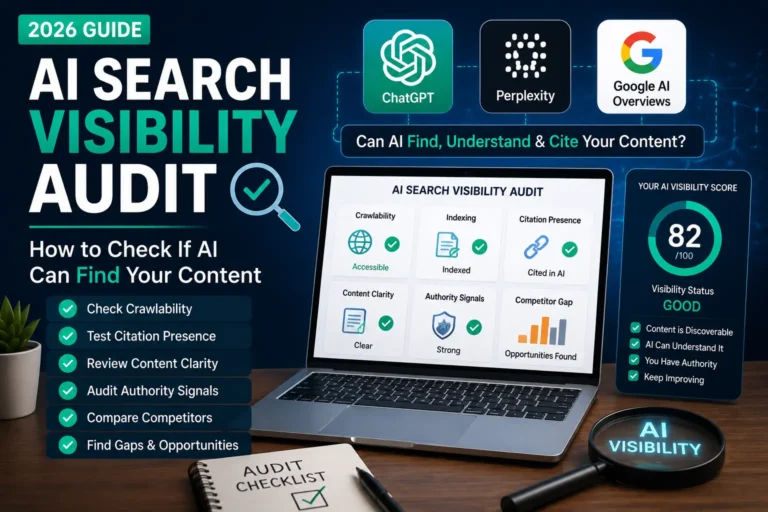
Identifying and fixing these issues is a key part of making your site readable. An AI search visibility audit helps you spot these problems systematically.
How to Control AI Crawler Access
You have more control over AI crawlers than you might think. Here are your main options.
Allow all crawlers (default) If you do nothing, most crawlers can access your public content. This maximizes your visibility in AI answers, which is usually what content creators want.
Block specific crawlers You can block individual AI crawlers in your robots.txt file by their user agent name. For example, if you do not want a particular AI company’s crawler accessing your content, you can disallow it specifically.
Block all AI crawlers Some site owners choose to block AI crawlers entirely, often over concerns about their content being used for AI training. This is a legitimate choice, but it also removes your content from AI answers.
Use Google-Extended Google offers a specific control (Google-Extended) that lets you manage how your content is used for some of its AI products, separately from regular search crawling.
A simple example of a robots.txt rule that blocks a specific crawler looks like this:
User-agent: ExampleBot
Disallow: /
This tells “ExampleBot” not to access any part of your site. You would replace “ExampleBot” with the actual crawler’s user agent name.
Important honesty note: robots.txt works on a cooperative basis. Reputable crawlers respect it, but it is not a technical lock — it is a set of instructions that well-behaved bots follow. For stronger control, server-level blocking is more reliable, though more technical.
How to Make Your Website AI-Friendly
If your goal is to appear in AI answers (which most content creators want), here is how to make your site AI-friendly.
Keep Your Content Accessible
Make sure your important content is in clean, readable HTML and not locked behind heavy scripts, logins, or images. If a crawler cannot read it, it cannot use it.
Structure Your Content Clearly
Use clear headings, logical organization, and clean formatting. Question-based headings and FAQ sections are especially helpful, since they map well to how AI systems extract answers. This connects closely to SEO for answer engines.
Keep Your Site Fast and Healthy
Fast loading, working links, and error-free pages make your site easier and more reliable to crawl. Technical health supports both AI crawlers and search crawlers.
Maintain a Clear robots.txt
Make sure your robots.txt allows the crawlers you want, and does not accidentally block important content. Review it periodically to catch mistakes.
Build Clear Internal Links
Good internal linking helps crawlers discover all your content and understand how your pages connect. It also helps readers navigate your site.
Write Clear, Quality Content
Ultimately, AI crawlers are trying to find good, clear, useful content. Writing well-structured, accurate, genuinely helpful content is the foundation of being AI-friendly. This supports your broader generative engine optimization (GEO) strategy.
Common Mistakes to Avoid
Accidentally blocking crawlers in robots.txt A misconfigured robots.txt can block content you actually want crawled. Always double-check your rules.
Hiding content behind heavy JavaScript If your important content only appears after complex scripts run, some crawlers may miss it. Keep key content in accessible HTML.
Ignoring site speed Slow sites are harder to crawl reliably. Speed matters for crawlers and users alike.
Locking content behind logins unnecessarily Content behind login walls is generally not crawlable. Keep public content accessible if you want it in AI answers.
Messy, unstructured content Pages without clear headings or organization are harder for crawlers to understand. Structure your content clearly.
Forgetting to update your sitemap An outdated sitemap means crawlers may miss new content. Keep it current.
Not deciding your AI crawler policy Many site owners never consciously decide whether they want AI crawlers accessing their content. Make a deliberate choice rather than leaving it to chance.
Frequently Asked Questions
Q1: What is an AI crawler in simple terms?
An AI crawler is an automated program (a bot) that visits websites and reads their content for AI systems. It works like an automated reader — visiting pages, reading the text and structure, and gathering information. AI companies use these crawlers to gather content for their AI systems and to find current information when answering questions. They are similar to search engine crawlers like Googlebot, but serve AI purposes.
Q2: How do AI crawlers read my website?
AI crawlers discover your site (usually through links or your sitemap), check your robots.txt for access permission, read your page content and structure, process it to understand the topics and meaning, and then store or use that information. The clearer and more accessible your content is, the better they can read and understand it. Clean HTML, good structure, and fast loading all help.
Q3: Can I stop AI crawlers from reading my site?
Yes, to a degree. You can block specific or all AI crawlers through your robots.txt file by their user agent name. Most reputable crawlers respect robots.txt. However, robots.txt works on a cooperative basis — it is a set of instructions, not a technical lock. For stronger control, server-level blocking is more reliable but more technical. Keep in mind that blocking AI crawlers also removes your content from AI answers.
Q4: Do AI crawlers hurt my website’s performance?
Generally, well-behaved crawlers have a minimal impact on a healthy website. They visit and read pages much like search crawlers do. If you notice unusual server load from heavy crawling, you can manage crawler access through robots.txt or server-level controls. For most sites, AI crawlers are not a performance concern.
Q5: Is making my site AI-friendly different from regular SEO?
There is significant overlap. The fundamentals that help AI crawlers — clean HTML, clear structure, fast loading, good internal linking, quality content — are the same fundamentals that support good SEO. The main additions for AI-friendliness are clear question-based structure, FAQ sections, and making sure your robots.txt allows the AI crawlers you want. So it builds on regular SEO rather than replacing it.
Q6: How do I know which AI crawlers visit my site?
You can see crawler activity in your server logs, which record the user agents (names) of bots that visit. Common AI crawler user agents include GPTBot, ClaudeBot, PerplexityBot, and others. Some analytics and server tools make this easier to view. Checking your logs tells you which crawlers are actually accessing your content.
Q7: Should I block AI crawlers or allow them?
This depends on your goals. If you want your content to appear in AI answers and reach the growing audience using AI tools, allowing AI crawlers is the way to go — and this is what most content creators choose. If you have concerns about your content being used for AI training, you may choose to block some or all AI crawlers. There is no single right answer; it is a deliberate choice based on your priorities.
Final Verdict
Understanding how AI crawlers read your website is becoming an essential part of running a site in 2026. As more people rely on AI tools to find information, the ability of AI crawlers to access and understand your content directly affects your visibility.
The reassuring truth is that making your site AI-friendly is not a separate, complicated project. It builds on the same fundamentals as good website practice: clean code, clear structure, fast loading, good internal linking, and quality content. If you already follow solid SEO practices, you are most of the way there.
The key decisions are simple ones. First, decide whether you want AI crawlers accessing your content — most content creators do, because it means visibility in AI answers. Second, make sure your site is technically accessible and clearly structured so crawlers can read it well.
Here is where to start:
1. Check your robots.txt. Make sure it allows the crawlers you want and does not accidentally block important content.
2. Keep your content accessible and clear. Use clean HTML, clear headings, and good structure so crawlers can read and understand your pages.
3. Decide your AI crawler policy deliberately. Choose consciously whether to allow or block AI crawlers, based on your goals.
AI crawlers are simply the modern way your content gets discovered by AI systems. Understand them, make your site readable, and you give your content the best chance of showing up wherever your audience is looking — including the fast-growing world of AI answers.
Disclaimer: AI crawler names, behaviors, and controls evolve over time, and each AI company sets its own policies. The information in this article reflects general industry understanding as of June 2026. Always check the official documentation of each AI company for the most current details about their crawlers and how to manage them. robots.txt compliance depends on each crawler respecting it.
Sources and Further Reading
Official Documentation
- Google Search Central — Crawling, Indexing & Google-Extended — developers.google.com/search
- OpenAI — GPTBot Documentation — developers.openai.com/api/docs/bots
- Robots.txt Specifications — robotstxt.org
- Schema.org — Structured Data Vocabulary — schema.org
Industry Coverage
- Search Engine Journal — AI Crawler Coverage — searchenginejournal.com
- Search Engine Land — AI Bots and Crawling — searchengineland.com
Related Guides on TotalInfoHub
- AI Search Visibility Audit — totalinfohub.com/ai-search-visibility-audit/
- How AI Search Is Changing SEO — totalinfohub.com/how-ai-search-is-changing-seo/
- SEO for Answer Engines — totalinfohub.com/seo-for-answer-engines/
- Generative Engine Optimization (GEO) — totalinfohub.com/generative-engine-optimization-geo/
- Technical SEO Guide — totalinfohub.com/technical-seo-beginner-to-advanced-guide/
- How to Appear in ChatGPT Answers — totalinfohub.com/how-to-appear-in-chatgpt-answers/
Last reviewed: June 2026