Best WordPress Themes for Bloggers in 2026 (Tested and Compared)
Picking a WordPress theme sounds simple. You browse, you find something that looks good, you click install.
But here is the problem — a theme that looks beautiful in a screenshot can slow your blog to a crawl, wreck your Core Web Vitals scores, or make it nearly impossible to customize without hiring a developer.
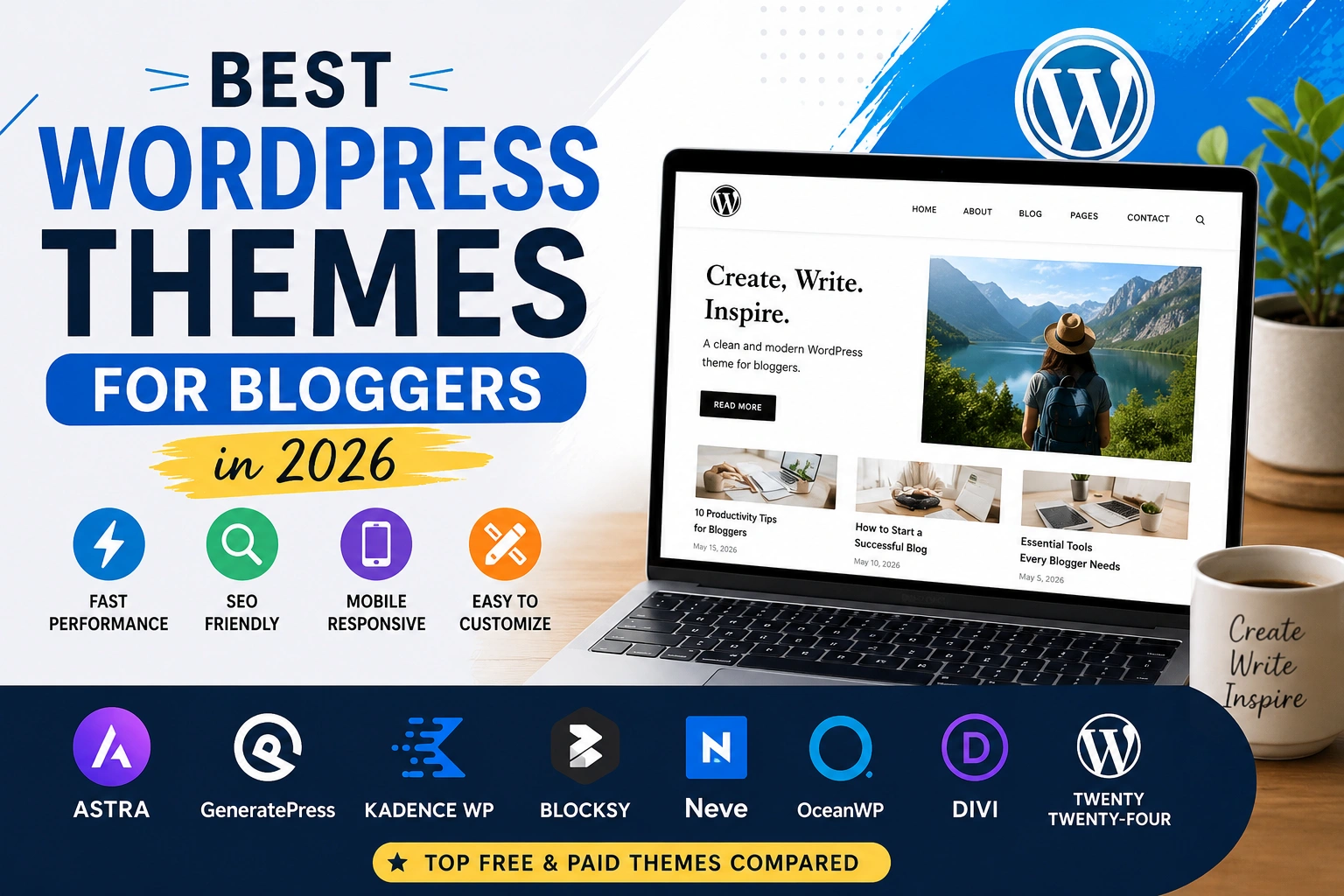
The best WordPress themes for bloggers balance three things: they load fast, they help your content rank on Google, and they do not require a tech degree to set up. This guide covers eight themes that genuinely do all three — with real pricing, honest trade-offs, and clear advice on which one fits your situation.
⚠️ All pricing is approximate as of June 2026. Check each theme’s official website before buying — prices and features change.
Quick Comparison: Best WordPress Themes for Bloggers at a Glance
|
Theme |
Free Version |
Starting Price |
Page Speed |
Best For |
|---|---|---|---|---|
|
Astra |
✅ Yes |
~$47/year |
⚡ Excellent |
All-round bloggers |
|
GeneratePress |
✅ Yes |
~$59/year |
⚡ Excellent |
Speed-first bloggers |
|
Kadence |
✅ Yes |
~$69/year |
⚡ Excellent |
Design-focused bloggers |
|
Blocksy |
✅ Yes |
~$69/year |
⚡ Very Good |
Modern-looking blogs |
|
Neve |
✅ Yes |
~$69/year |
⚡ Very Good |
First-time bloggers |
|
OceanWP |
✅ Yes |
~$54/year |
⚡ Good |
Feature-heavy free use |
|
Divi |
❌ No |
~$89/year |
⚠️ Needs optimization |
Creative designers |
|
Twenty Twenty-Four |
✅ Free only |
Free |
⚡ Excellent |
Minimalist writers |
Why Your Theme Choice Affects Your Blog’s Success
Most bloggers focus on content, and that is correct — content is king. But your theme is the foundation that content sits on. A weak foundation limits everything built on top of it.
Here is what actually happens when you pick the wrong WordPress theme:
Slow loading times. Every extra half-second of load time pushes readers toward the back button. Google also factors page speed into rankings, so a heavy theme drags your SEO down from day one.
Poor mobile experience. More than half of web traffic comes from phones. A theme that looks fine on a desktop but breaks on mobile means you are losing more than half your potential audience.
Difficult customization. You will want to change things as your blog grows — colors, layouts, header design. A rigid theme makes every small change a frustrating project.
Plugin conflicts. Cheap or poorly coded themes often clash with SEO plugins, caching tools, or e-commerce add-ons. These conflicts waste hours of troubleshooting time.
Security risks. Themes that are not updated regularly become security vulnerabilities. Always pick themes with active development teams behind them.
Your theme works silently in the background every day. The right one makes everything easier. The wrong one costs you readers, rankings, and time.
What a Good Blogging Theme Actually Needs
Before spending money on anything, run through this checklist:
Lightweight code: Themes with bloated code slow down every page on your site. Target themes with a base file size under 50KB. GeneratePress and Astra are famous for this — more on both below.
Tested performance scores: Look for independent speed tests, not just the developer’s own claims. Themes with strong Core Web Vitals scores out of the box save you hours of optimization work later.
SEO-ready structure: Your theme should use proper heading hierarchy (H1 for the title, H2 for sections), clean HTML output, and fast rendering. This is what search engines need to understand your content. Pair a solid theme with a good SEO plugin — if you have not decided on one yet, our comparison of Rank Math vs Yoast SEO breaks down the best options.
Real customization controls: At minimum, you should be able to change fonts, colors, header layout, and footer without touching code. Better themes let you do this from the WordPress Customizer or a visual editor.
Active support and updates: A theme that has not been updated in a year is a risk. Check the last update date before installing anything.
Compatible with your preferred page builder: If you plan to use Elementor or Gutenberg for page design, confirm the theme works well with your choice. Our guide on Elementor vs Gutenberg can help you figure out which editor suits your workflow.
Best WordPress Themes for Bloggers — Full Reviews
1. Astra — The Reliable All-Rounder
Best for: Bloggers who want a proven, flexible foundation without a steep learning curve.
Astra has built a reputation as a dependable WordPress theme across millions of blogs — not because of marketing, but because it delivers consistent results. Load time is quick (the base theme comes in under 50KB), the free version covers most basic blogging needs, and it connects smoothly with every major plugin on the market.
The thing that separates Astra from most competitors is its starter template library. With 290+ templates across free and premium tiers, you can have a professional-looking blog live in under an hour — even if you have never built a website before.
Astra also works well with both Elementor and Gutenberg, so you are not locked into a specific way of building your pages. If you decide to switch editors later, the theme adapts.
Key Features:
- Base theme under 50KB — genuinely fast out of the box
- 290+ starter templates (free and premium combined)
- Compatible with Elementor, Gutenberg, and most other builders
- Full customization through the WordPress Customizer
- WooCommerce ready if you want to add a shop later
Pricing:
- Free version: Available on WordPress.org
- Astra Pro (1 site): ~$47/year
- Essential Bundle: ~$137/year
- Growth Bundle: ~$187/year
Pros:
- ✅ Fast and lightweight by default
- ✅ Large template library saves design time
- ✅ Works with practically every plugin
- ✅ Clear documentation and active support
- ✅ Affordable entry-level Pro pricing
Cons:
- ❌ Some useful features locked behind higher-cost bundles
- ❌ Free version design options are fairly basic
Who should pick Astra: New bloggers, bloggers migrating from a different theme, and anyone who wants a reliable base without spending time on setup. If you are just starting a blog and want things to work without fuss, Astra is a logical first pick.
Rating: 4.8/5
2. GeneratePress — Built for People Who Take Speed Seriously
Best for: Bloggers and SEO professionals who prioritize raw performance above everything else.
GeneratePress is the theme that developers and technical SEO professionals tend to recommend when someone asks what they personally use. The reason is simple — the base theme file is under 30KB, the code output is minimal and semantic, and the Core Web Vitals scores it produces are among the best you will find from any WordPress theme.
For bloggers who care about technical SEO, this matters. Faster TTFB, lower total page weight, and cleaner rendering all contribute to better search performance over time.
The free version is usable and functional. GeneratePress Premium unlocks a modular system — you activate only the features you need (colors, typography, spacing, backgrounds), which means no unnecessary code loading on your pages.
One practical advantage worth highlighting: a single Premium license covers use on up to 500 sites. That makes GeneratePress particularly useful for developers and agencies managing multiple blogs under one subscription.
Key Features:
- Base theme file under 30KB
- Modular premium system — activate only what you need
- Full Site Editing (FSE) support
- Clean semantic HTML output
- Single license covers up to 500 sites
Pricing:
- Free version: Available on WordPress.org
- GeneratePress Premium: ~$59/year (up to 500 sites)
Pros:
- ✅ Consistently strong speed and performance scores
- ✅ Clean, developer-friendly code
- ✅ Excellent value — up to 500 sites on one plan
- ✅ Modular system keeps pages lean
- ✅ Actively maintained and regularly updated
Cons:
- ❌ Fewer design starting points compared to Astra or Kadence
- ❌ Requires more manual setup for visual design
- ❌ Not the most intuitive option for design-first bloggers
Who should pick GeneratePress: Bloggers who understand SEO and want maximum performance, developers managing multiple client blogs, and anyone willing to invest time in setup in exchange for consistently fast pages.
Rating: 4.7/5
3. Kadence — Design Freedom Without the Performance Tax
Best for: Bloggers who want creative control over their site’s appearance without sacrificing speed.
Most themes force a trade-off — either you get good performance or you get good design tools. Kadence manages to deliver both at a price point that feels reasonable.
The free version is notably strong. It includes a header and footer builder, a global color palette system, typography controls, and WooCommerce support — features that many theme developers reserve for paid tiers. For a blogger who wants a distinctive-looking site without paying upfront, Kadence free delivers more than most alternatives.
Kadence also integrates exceptionally well with the Gutenberg block editor. If your blog runs on Gutenberg rather than Elementor, Kadence gives you visual design flexibility that most Gutenberg-native setups do not offer on their own.
Key Features:
- Header and footer builder included in the free version
- Global color palette and typography system
- Gutenberg block compatibility
- 15+ free starter templates with additional templates in premium bundles
- WooCommerce compatible from the start
Pricing:
- Free version: Available on WordPress.org
- Kadence Pro (single theme): ~$69/year
- Kadence Pro (Unlimited): ~$199/year
Pros:
- ✅ Genuinely useful free tier
- ✅ Strong design flexibility for non-developers
- ✅ Excellent Gutenberg workflow
- ✅ Fast page loading alongside design features
- ✅ Active development team with frequent updates
Cons:
- ❌ Pro tier costs a little more than what Astra and GeneratePress charge at entry level
- ❌ Template library is smaller than Astra’s
- ❌ Slightly more complex setup than Neve or Astra for complete beginners
Who should pick Kadence: Bloggers who want their site to look distinctive and are comfortable spending some time on design. Also ideal for Gutenberg users who want more visual control than core WordPress blocks provide by default.
Rating: 4.7/5
4. Blocksy — Clean, Modern, and Seriously Underrated
Best for: Style-conscious bloggers who want a professional look from the start.
Blocksy does not get as much attention as Astra or GeneratePress, but it deserves to be in this conversation. The default styling is clean and modern — the kind of design that typically requires custom work to achieve with other themes.
The free version includes a flexible header builder, multiple blog layout options, and smooth Full Site Editing compatibility. The visual result out of the box is polished enough that many bloggers stick with Blocksy free for months before feeling any need to upgrade.
Performance is solid too — Blocksy produces competitive page speed scores without requiring heavy optimization configuration.
Key Features:
- Modern visual design without heavy customization
- Advanced header and footer builder (free version)
- Multiple blog post layout options
- Full Site Editing compatible
- WooCommerce ready
Pricing:
- Free version: Available on WordPress.org
- Blocksy Pro (1 site): ~$69/year
- Blocksy Pro (5 sites): ~$99/year
- Blocksy Pro (Unlimited): ~$149/year
Pros:
- ✅ Visually polished free version
- ✅ Flexible layout options for blog post listings
- ✅ Good performance without significant optimization effort
- ✅ Affordable Pro pricing at all tiers
- ✅ Active community growing quickly
Cons:
- ❌ Smaller community than Astra or GeneratePress
- ❌ Fewer starter templates in the library
- ❌ Less third-party documentation and tutorials available
Who should pick Blocksy: Bloggers who care how their site looks and want professional visual results without spending hours on design work. Good for creative blogs, lifestyle content, and any niche where aesthetics matter to the audience.
Rating: 4.6/5
5. Neve — The Easiest WordPress Theme to Get Started With
Best for: Complete beginners setting up their first WordPress blog.
Neve was designed with the assumption that the person installing it might not have built a website before. The setup wizard walks you through key settings immediately after installation — layout preferences, header style, color choices — so your blog looks intentional from the start rather than like a default placeholder.
The theme itself is lightweight and mobile-responsive. It connects with major page builders, works well with SEO plugins, and does not create conflicts with most commonly used WordPress plugins.
Where Neve earns its place in this list is not in raw features or speed benchmarks — it is in the onboarding experience. For a first-time blogger who feels nervous about technical setup, Neve removes friction at a critical stage.
Key Features:
- Guided setup wizard at installation
- Lightweight and mobile-first design
- 100+ starter templates (Pro)
- Compatible with Elementor, Divi, and Gutenberg
- Responsive design across all screen sizes
Pricing:
- Free version: Available on WordPress.org
- Neve Pro (Personal): ~$69/year
- Agency: ~$259/year
Pros:
- ✅ Smoothest onboarding experience in this category
- ✅ Fast and lightweight base
- ✅ Good compatibility with major tools
- ✅ Clear, helpful documentation
Cons:
- ❌ Free version has fewer built-in features than Kadence or Blocksy free tiers
- ❌ Template variety smaller than Astra
- ❌ Less design flexibility without Pro
Who should pick Neve: First-time bloggers who want a structured, guided setup and do not need advanced design features right away. If your priority is getting your blog live quickly without confusion, Neve handles that better than most.
Rating: 4.4/5
6. OceanWP — Maximum Free Features, With Trade-offs
Best for: Bloggers who want a wide feature set without an immediate paid upgrade.
OceanWP ships with more built-in options than most free WordPress themes. Layout controls, header styles, footer design, and sidebar configuration are all accessible without touching Pro settings. For a blogger who wants to customize their site immediately and is not ready to pay for a premium theme, OceanWP gives a lot of room to work.
The catch is page speed. OceanWP’s feature-rich free version comes with extra code weight that leaner themes like GeneratePress or Astra do not carry. This is manageable with good hosting and a caching plugin, but requires more optimization attention.
The add-on ecosystem is also worth knowing about. OceanWP has a library of extensions that expand functionality — but purchasing individual add-ons can add up in cost if you need several.
Key Features:
- Feature-rich free version with wide design controls
- Compatible with all major page builders
- WooCommerce compatible
- Broad add-on extension library
- Multiple blog layout options
Pricing:
- Free version: Available on WordPress.org
- Ocean+ (3 personal sites): ~$54/year
- Ocean+ Agency: ~$169/year
Pros:
- ✅ Very capable free tier for immediate customization
- ✅ Compatible with any page builder
- ✅ Extensive add-on options for extended functionality
- ✅ Good documentation and tutorials
Cons:
- ❌ Heavier than leaner alternatives — requires more optimization
- ❌ Add-on costs can accumulate
- ❌ Can feel cluttered with too many settings for beginners
Who should pick OceanWP: Bloggers who want to customize freely from day one without paying for Pro, and who are comfortable managing page speed with a good caching setup.
Rating: 4.3/5
7. Divi — When Visual Design Is the Priority
Best for: Bloggers and creatives who want total control over how their blog looks.
Divi is a different kind of product. It is a theme and a page builder combined into one — meaning you design every part of your blog directly on the page, in real time, using a drag-and-drop visual editor.
For bloggers who are also designers, or who have a very specific vision for their site and want to execute it precisely without code, Divi delivers tools that most themes simply do not have. The library of 370+ layout packs means you can find a visual starting point for almost any type of blog.
The licensing is also worth noting: a single annual plan covers unlimited sites, which is unusually generous for a product at this price point.
The performance conversation around Divi is honest — it carries more code than lightweight themes, and achieving strong Core Web Vitals scores requires deliberate optimization work. This is not a barrier, but it is a reality to factor in upfront.
Key Features:
- Visual drag-and-drop builder built directly into the theme
- 370+ layout packs and 2,600+ page layouts
- A/B testing functionality included
- WooCommerce compatible
- Unlimited site usage on one license
Pricing:
- Divi (yearly): ~$89/year (unlimited sites)
- Divi (lifetime): ~$249 one-time payment (unlimited sites)
Pros:
- ✅ Maximum visual design control
- ✅ Huge template and layout library
- ✅ Unlimited site license is strong value at scale
- ✅ Large community and extensive third-party tutorials
- ✅ Lifetime pricing option available
Cons:
- ❌ Heavier than most blogging themes — performance optimization is necessary
- ❌ No free version — paid only
- ❌ Building your site around Divi’s own editor creates switching complexity later
Who should pick Divi: Design-focused bloggers, photographers, and creative content creators who prioritize how their blog looks and are willing to do performance optimization work. Also practical for freelancers who manage multiple client blogs under one license.
Rating: 4.2/5
8. Twenty Twenty-Four — Simple, Fast, and Free Forever
Best for: Writers who want a clean reading experience without any extra cost.
Twenty Twenty-Four is an official WordPress core theme built for Full Site Editing. This means it is maintained directly by the WordPress development team, always kept current with the latest WordPress version, and available to every WordPress user at zero cost.
The design is intentionally minimal — built around typography and content readability rather than visual complexity. Pages load extremely fast because the theme runs entirely on WordPress core code without third-party scripts.
The limitation is honest and worth stating clearly: if you want a heavily designed, branded blog, Twenty Twenty-Four will not take you there without significant additional work. But for writers who want their words to be the focus, the clean presentation does exactly what it is supposed to do.
Key Features:
- Official WordPress core theme — always maintained and updated
- Full Site Editing (FSE) compatible
- Zero additional scripts or dependencies
- Focused, readable typography
- Completely free with no paid tier
Pricing:
- Free — no paid version exists
Pros:
- ✅ No cost, ever
- ✅ Fast loading — relies entirely on WordPress core
- ✅ Always stays compatible with the latest WordPress updates
- ✅ Clean reading experience for content-focused blogs
- ✅ No external plugin dependencies
Cons:
- ❌ Limited design flexibility without customization experience
- ❌ Requires familiarity with Full Site Editing to customize properly
- ❌ Not suited for visually complex or heavily branded blogs
Who should pick Twenty Twenty-Four: Writers and bloggers who want their content front and center, minimal spending, and a site that loads as fast as technically possible. Also useful for developers learning FSE-based theme development.
Rating: 4.2/5
Free or Paid — Which Makes Sense for Your Blog?
Nearly every blogger asks this early on. The short version: free themes are more capable than most people expect, and paid themes are not automatically better — just more flexible.
Here is how to think about it practically:
Stick with the free version if:
- Your blog is new and you are still figuring out your direction
- The free version of your chosen theme covers what you actually need
- You want to learn the basics before investing money
Upgrade to Pro when:
- You have outgrown the free version’s customization options
- You need specific features like a header builder, popup tools, or a form builder
- Your blog generates income and professional presentation matters for your audience
Astra free and Kadence free are genuinely strong enough to run a professional blog without upgrading. Many bloggers stay on free tiers for years. The key is choosing a theme from a reputable developer — because free themes from unknown sources carry security risks that established ones do not.
Theme Mistakes That Hurt Your Blog Without You Realizing
Installing a theme based only on the preview screenshot A theme demo site runs on a fast server with minimal plugins. Your actual blog will have more going on. Always check independent speed test results for a theme before installing it on a live site.
Switching themes after extensive customization Every theme switch risks breaking your layout, losing custom settings, and requiring hours of repair work. Choose carefully, and once you have put serious time into customizing a theme, stick with it unless there is a compelling reason to change.
Adding extra plugins to compensate for what the theme lacks If your theme does not do something you need, adding a plugin feels like a quick fix. But three or four compensation plugins later, your page speed is suffering. A better-matched theme is cleaner than a plugin stack.
Ignoring mobile performance It is easy to build and test on a desktop and forget that most readers will see your blog on a phone. Always test your theme on a mobile device before considering setup complete.
Choosing a theme from a developer who stopped maintaining it An unmaintained theme becomes a security problem over time. Check the last update date and the support forum activity before committing to any theme.
Setting up a heavy theme and expecting a caching plugin to fix everything Caching helps, but it cannot compensate for a fundamentally slow theme. The theme is the foundation — performance problems built into it require real work to address, not just a plugin installation.
Frequently Asked Questions
Q1: Which WordPress theme loads fastest for blogs?
GeneratePress is consistently among the fastest-loading WordPress themes available. Its base file is under 30KB and the code output is minimal. Astra and Kadence also perform strongly in independent tests. Twenty Twenty-Four is equally fast because it relies entirely on WordPress core without any third-party scripts.
Q2: Can a free WordPress theme perform well for SEO?
Yes. SEO performance depends primarily on content quality, backlinks, and technical setup — not on whether your theme costs money. A free theme with clean code, fast loading, and proper heading structure will support your SEO just as well as a paid one. The key is choosing a well-coded free theme from a reputable developer. Pair it with a solid SEO plugin — see our guide on on-page SEO for the fundamentals.
Q3: Is Divi worth paying for if you are a blogger?
If visual design is a high priority for your blog — and you are comfortable managing performance optimization — Divi gives you design flexibility that most blogging themes do not. The lifetime pricing option at ~$249 for unlimited sites is genuinely practical for long-term use or multiple blogs. If speed and simplicity matter more than design complexity, lighter alternatives will serve you better.
Q4: What happens to my blog if I switch themes?
Switching themes changes how your pages look and can break custom layouts, widget configurations, and header/footer designs. Your content (posts and pages) stays intact, but the visual structure around it will need to be rebuilt to match the new theme. Always back up your site before switching, and test on a staging environment if possible.
Q5: Do I need a page builder like Elementor, or does a theme handle everything?
Most themes provide basic layout controls through the WordPress Customizer. For more complex page designs — custom landing pages, visual layouts, advanced typography — a page builder extends what you can do. Gutenberg (WordPress’s built-in editor) handles most content needs without extra plugins. Elementor adds visual design power on top of it. Whether you need that depends on how design-focused your blog is.
Q6: Which theme is best for a beginner starting their first blog?
Astra free gives you the most complete starting point with the lowest setup friction. Kadence free is a strong alternative with more built-in design controls. Neve is worth considering if you want a guided setup wizard that walks you through initial configuration. All three have large communities, good documentation, and reliable support.
Q7: Is it safe to use an official WordPress core theme for a real blog?
Twenty Twenty-Four is an official WordPress core theme — it is genuinely safe, regularly updated, and well-coded. For a clean, fast, minimalist blog, it works well. The trade-off is limited design customization. If you want a distinctive-looking blog, a theme with more built-in design tools will give you more to work with.
Final Verdict: Which Theme Should You Choose?
There is no single theme that works perfectly for every blogger. But there is likely one that fits your specific situation — here is how to figure out which:
- Want maximum reliability and a large template library: Astra free. Upgrade to Pro (~$47/year) when you need more design control.
- Speed and technical SEO are your top concerns: GeneratePress Premium (~$59/year). The performance advantage is real and measurable.
- Want design flexibility with a strong free tier: Kadence. The free version gives you more design power than most themes charge money for, with excellent Gutenberg support.
- Care about how your blog looks from day one: Blocksy. Clean modern design right after installation.
- Setting up your first WordPress blog: Neve. The setup process is the smoothest available.
- Need maximum free features before committing to paid: OceanWP.
- Design is your core priority and you want visual building tools: Divi (~$89/year or $249 lifetime).
- Want a completely free, fast, minimal writing space: Twenty Twenty-Four.
If you are launching a blog in 2026 and want a reliable starting point, Astra and Kadence are often the easiest options for beginners. Both offer strong free versions, fast performance, SEO-friendly code, and enough flexibility to grow as your blog evolves.
If page speed and technical SEO are your main focus from the start, GeneratePress is worth the small annual investment.
Disclaimer: Theme pricing, plan features, and availability shift over time. The figures in this article reflect what was publicly available as of June 2026. Head to each theme’s official website and confirm the current details before spending any money.
Sources and Further Reading
Official Theme Sources
- Astra — wpastra.com
- GeneratePress — generatepress.com
- Kadence WP — kadencewp.com
- Blocksy — creativethemes.com/blocksy
- Neve — themeisle.com/themes/neve
- OceanWP — oceanwp.org
- Divi by Elegant Themes — elegantthemes.com/gallery/divi
- Twenty Twenty-Four — wordpress.org/themes/twentytwentyfour
Performance and Review Sources
- WPBeginner — wpbeginner.com
- Kinsta Blog — kinsta.com/blog
- IsItWP — isitwp.com
- WP Rocket Blog — wp-rocket.me/blog
Related Guides on TotalInfoHub
- How to Start a Blog — totalinfohub.com/how-to-start-a-blog/
- On-Page SEO — totalinfohub.com/on-page-seo/
- Technical SEO Guide — totalinfohub.com/technical-seo-beginner-to-advanced-guide/
- Rank Math vs Yoast SEO — totalinfohub.com/rank-math-vs-yoast-seo/
- Elementor vs Gutenberg — totalinfohub.com/elementor-vs-gutenberg/
Last reviewed: June 2026