What is Web Hosting and Domain? The Definitive Guide for Beginners 2026
I still remember that knot in my stomach. It was over a decade ago. My passion for photography had finally pushed me to start a blog. The excitement was real. And then I hit a wall. A wall of technical jargon: “DNS,” “Nameservers,” “Shared vs. VPS.” That’s when I saw the real bottleneck. The problem wasn’t the blog idea, but rather a fundamental gap in my knowledge of what is web hosting and domain. That confusion was the biggest roadblock.
Back then, I had to figure all of this out the hard way, piece by frustrating piece. This guide is the answer to that struggle. We’re going to break down what is web hosting and domain in a simple, no-nonsense way, so you can start your online journey with confidence. A solid grasp of what is web hosting and domain is the first step to building a successful online presence.
Why Understanding What Is Web Hosting and Domain is Crucial
Let me quickly introduce myself. I’m Faisal, the founder of TotalInfoHub. For the past seven years, my team and I have helped hundreds of beginners—from aspiring bloggers to small e-commerce shops—navigate this online world. The first lesson is always the same: you have to get a grip on what is web hosting and domain before you do anything else. This guide is built on that real-world experience, designed to give you a complete picture of what is web hosting and domain.
The Core Concepts: The Only Analogy You’ll Ever Need
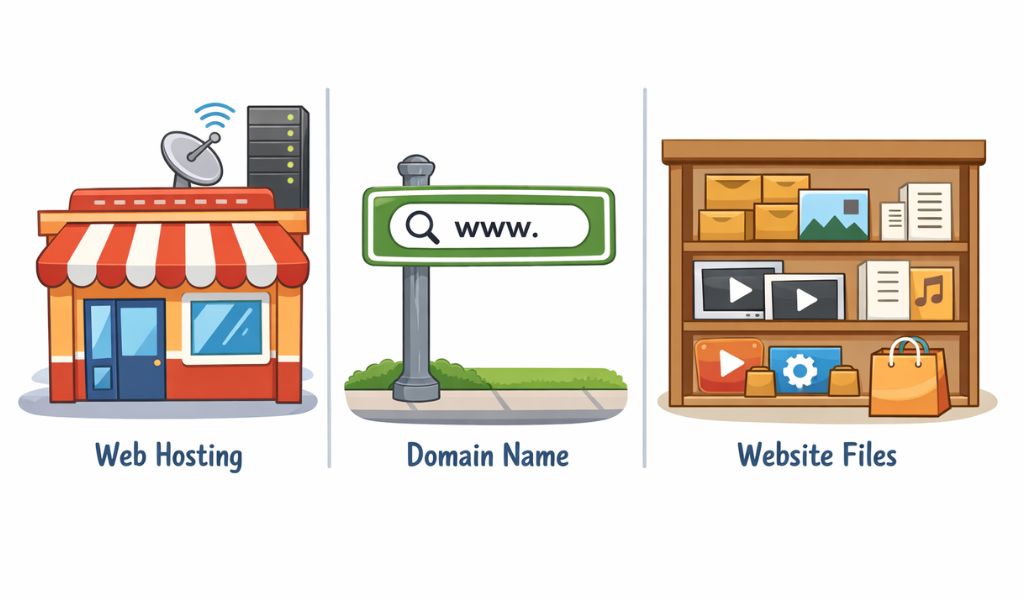
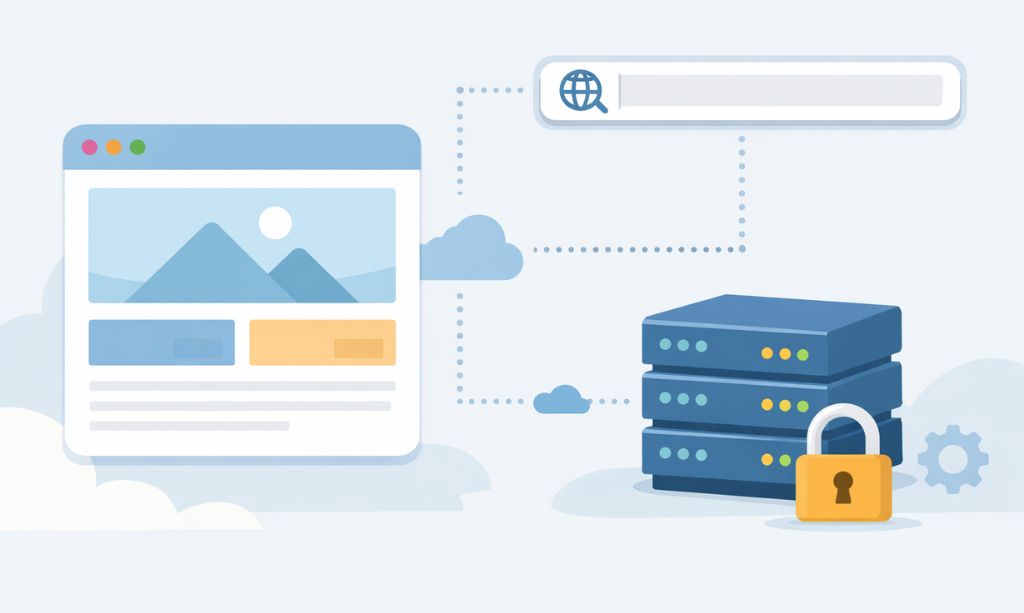
To really grasp what is web hosting and domain, let’s use a real-world analogy. Imagine opening a physical store.
- Think of Web Hosting as the physical property for your store—the actual plot of land and the building constructed on it. It’s the physical space you rent. Without it, your business is just an idea.
- Your Website Files are the Products and Furniture. This is everything inside your store.
- Your Domain Name acts as the official street address, guiding customers directly to your storefront. This is how people find you.
You need all three. An address with no store is an empty lot. A store with no address is invisible. This simple comparison is key to understanding what is web hosting and domain.
Part 1: A Deep Dive into Domain Names (Your Digital Identity)
A domain name is your brand. It’s your first impression. But how does this simple name magically pull up your website from the billions of pages on the internet?
The Magic Behind the Mask: How It Really Works
The internet’s backbone doesn’t run on words; it runs on numbers. Every server connected to the web has a unique IP (Internet Protocol) address, which looks something like 172.217.14.228. Imagine telling your customers to visit you at that number. It’s a non-starter.
To solve this problem, the internet relies on a brilliant system called the Domain Name System (DNS). Think of the DNS as the internet’s massive, lightning-fast contact list.
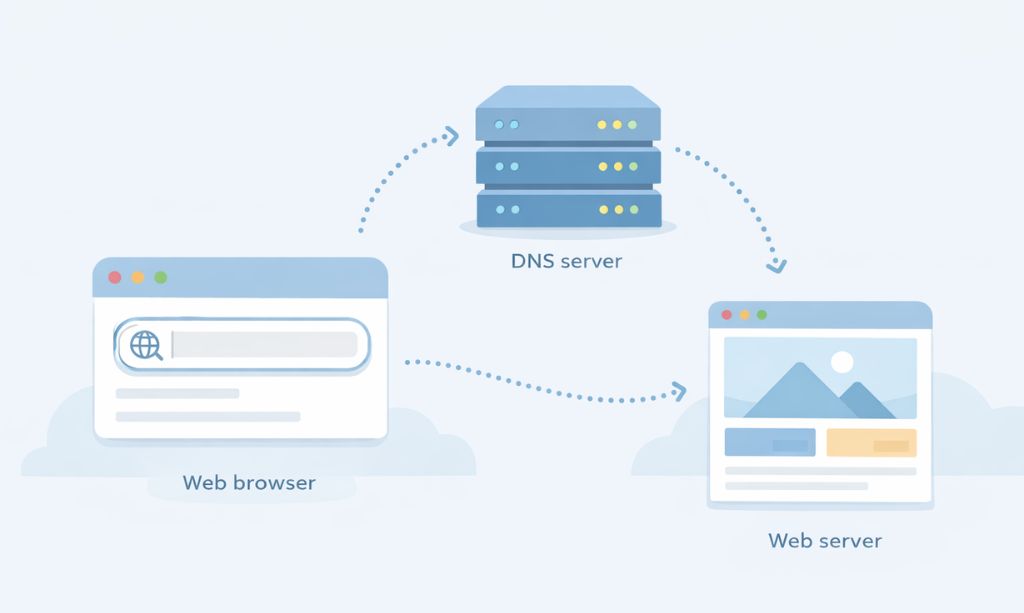
- You type totalinfohub.com into your browser.
- Your browser sends a request to the DNS: “Hey, what’s the IP address for totalinfohub.com?”
- The DNS scans its global directory and replies with the correct IP address.
- Your browser then connects directly to that server’s IP, and just like that, the website loads.
So, a domain name is just a human-friendly mask for a computer-friendly number. You register this mask from a company called a Domain Registrar.
How to Register a Domain Name (Step-by-Step)
After you’ve learned what is web hosting and domain, your first practical step is registering a domain. The process is surprisingly straightforward. Here’s a detailed breakdown:
- Brainstorm a Name: Think of a short, brandable, easy-to-spell name that reflects your website’s topic. Say it out loud to make sure it sounds good and isn’t confusing.
- Choose a Domain Registrar: Go to a reputable registrar. Popular choices include Namecheap (known for its competitive pricing and free WHOIS privacy), GoDaddy (a well-known industry giant), or Google Domains (known for its simple interface).
- Check Availability: Use their search bar to see if your chosen name is available. If it’s taken, they will suggest alternatives. Be creative, but avoid hyphens and numbers.
- Select a TLD: Choose your extension. For most businesses and blogs, .com is the gold standard as it carries the most authority and trust.
- Add to Cart and Checkout: Proceed to checkout. Here, you’ll be asked to provide your contact information (name, address, email), which is required by ICANN, the governing body for domains.
- Add Domain Privacy: It is highly recommended to add WHOIS Privacy Protection. This service replaces your personal information in the public database with the registrar’s information, protecting you from spam calls and emails.
- Complete the Purchase: Pay for your domain for a term of one year or more. Congratulations, you now own a piece of digital real estate
Part 2: What is Web Hosting? The Digital Land for Your Website

If the domain is the address, web hosting is the actual home where your website lives. A web host is a company that owns and operates massive data centers full of powerful, specialized computers called servers. You are essentially renting a small, secure slice of one of these servers to store all your website’s files.
These servers are industrial-grade machines, built for one purpose:
- They’re Always On: Housed in secure facilities with backup power and cooling, they run 24/7/365.
- They’re Always Connected: They use ultra-fast, redundant internet connections to handle traffic from all over the world.
- They’re Always Secure: Protected by sophisticated firewalls and security protocols to fend off constant threats.
When a visitor types in your domain, the DNS points them to your host’s server. The server then finds your files and “serves” them to the visitor’s browser.
Part 3: Types of Web Hosting (Choosing the Right Size Home)
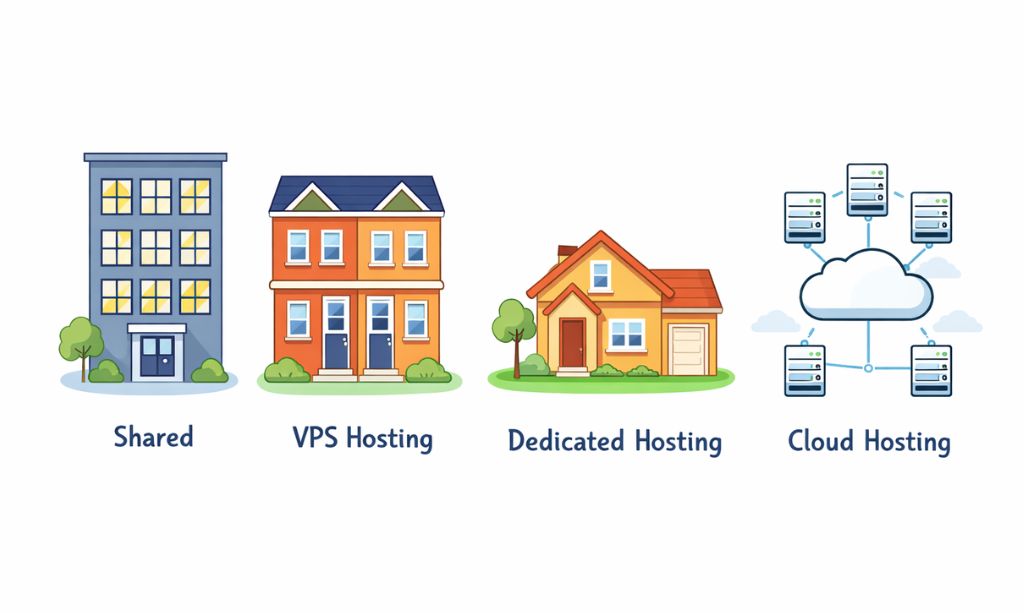
This is where most beginners get stuck. Picking a hosting plan is a critical part of the what is web hosting and domain journey. Let’s break down the primary options you’ll encounter:
- Shared Hosting: Best for beginners, personal blogs, and small business websites.
- VPS Hosting: For growing websites and small e-commerce stores.
- Dedicated Hosting: Suited for enterprise-level operations and websites managing substantial visitor volume.
- Cloud Hosting: For startups and websites expecting rapid growth.
Now, let’s explore each type with its specific pros and cons to help you make the best choice.
1. Shared Hosting (The Apartment Building)
This is the entry-level option where your website shares a server and its resources with hundreds of other websites.
- Pros:
- Extremely Affordable: For anyone on a tight budget, this is the most cost-effective route to establishing an online presence. Providers like Hostinger or Bluehost often offer introductory deals for under $3 per month.
- Beginner-Friendly: Comes with easy-to-use control panels (like cPanel) and 1-click installers for software like WordPress. No technical skill is needed.
- Maintenance-Free: This is a truly ‘hands-off’ experience. Your provider manages all the server upkeep, crucial security updates, and any complex technical issues that arise.
- Cons:
- Limited Resources: You are sharing CPU and RAM. A traffic spike on another site on your server (the “noisy neighbor” effect) can slow your site down significantly.
- Less Secure: While hosts have security measures, sharing a server means a vulnerability or attack on another site could potentially affect yours.
- Poor Scalability: If your site traffic grows quickly, you will quickly outgrow the limitations of shared hosting.
2. VPS Hosting (The Townhouse/Condo)
A step up from shared hosting. A physical server is “virtually” partitioned into several private servers, each with its own guaranteed resources.
- Pros:
- Guaranteed Performance: Your slice of RAM and CPU is yours alone, leading to faster and more consistent website speeds, unaffected by other users.
- More Control and Flexibility: You often get “root access,” allowing you to install custom software and configure the server environment to your specific needs.
- Enhanced Security: The isolated server environment means other sites on the physical server cannot interfere with yours, creating a more secure space.
- Cons:
- Higher Cost: This option represents a significant step up in price compared to shared hosting. Prices from providers like DigitalOcean or Vultr typically start around $15–$20 per month.
- Requires Some Technical Knowledge: While managed VPS options exist, you’ll benefit from having some comfort with basic server management to take full advantage of its features.
3. Dedicated Hosting (The Private House)
This hosting model means you have an entire physical server dedicated exclusively to your website. This is the top-tier, high-performance option.
- Pros:
- Maximum Power and Performance: All the server’s resources are dedicated to your site, ensuring the fastest possible performance even under heavy traffic.
- Total Control: You have complete control over the server’s hardware, operating system, and all software. You can customize it exactly as you wish.
- Top-Tier Security: You are not sharing your environment with anyone, eliminating shared server risks and allowing for custom security configurations.
- Cons:
- Very Expensive: This is the most costly hosting option, with prices starting at $100 per month and often going much higher.
- Requires Expert Management: You are responsible for all server maintenance, security, software updates, and troubleshooting, which typically requires a dedicated system administrator or a managed plan at an extra cost.
- Overkill for Most: For 99% of websites, the power and cost of a dedicated server are unnecessary.
4. Cloud Hosting (The Modern Power Grid)
A modern approach where your site isn’t hosted on one single server but on a distributed network of interconnected servers (the “cloud”).
- Pros:
- Excellent Reliability and Uptime: If one server in the network fails, another instantly takes over, leading to extremely high uptime and minimal service interruptions.
- Flexible Scalability: You can easily scale your resources (like RAM and CPU) up or down instantly as your traffic changes. This is perfect for sites with unpredictable traffic spikes.
- Pay-for-What-You-Use Model: Often, you only pay for the resources you actually consume, which can be cost-effective for some users.
- Cons:
- Unpredictable Costs: The pay-as-you-go model can make budgeting difficult, as your monthly bill can fluctuate significantly with your traffic.
- Can be Complex: The setup and management can be more complex than traditional hosting, though providers like Cloudways have simplified the process significantly.
Detailed Comparison of Hosting Types
To give you a clearer picture, here is a detailed comparison table. A visual breakdown often helps solidify the answer to “what is web hosting and domain?”
|
Feature |
Shared Hosting |
VPS Hosting |
Dedicated Hosting |
Cloud Hosting |
|---|---|---|---|---|
|
Performance |
Basic |
Good |
Excellent |
Excellent & Scalable |
|
Resources |
Shared with others |
Guaranteed (Private) |
Fully Dedicated |
Flexible & on-demand |
|
Control |
Low |
Medium |
High (Full Root Access) |
High |
|
Security |
Basic (Shared Environment) |
High (Isolated) |
Highest (Private Server) |
High (Distributed) |
|
Technical Skill |
None required |
Basic to Intermediate |
Advanced |
Intermediate |
|
Best For |
New Blogs, Portfolios |
Growing Businesses, Shops |
Large Enterprises |
Scalable Startups |
|
Price Range |
$2 – $7 / month |
$15 – $50 / month |
$100+ / month |
Varies (Pay-as-you-go) |
Part 4: The Technical Handshake: Answering “What is Web Hosting and Domain Connection?”
So you’ve bought a domain and hosting. How do you get them to talk? The magic lies in Nameservers.
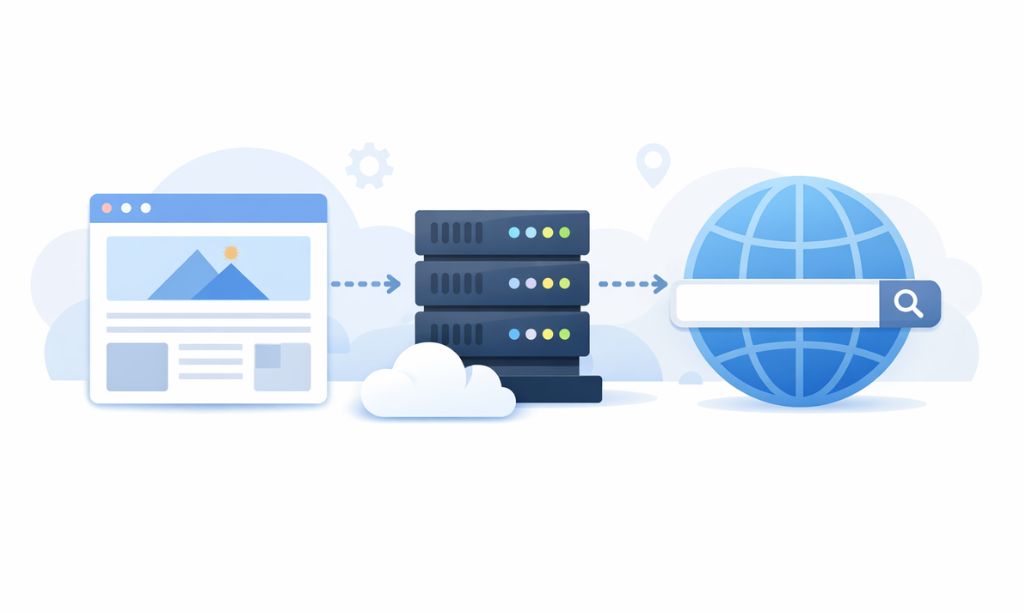
When you sign up for hosting, your provider will give you two or more nameserver addresses, like ns1.hostname.com and ns2.hostname.com. You need to log in to your domain registrar, find the DNS settings, and replace the default nameservers with the ones from your host. This simple action tells the entire internet’s phonebook: “For this address, go to this specific plot of land to find the house.”
This update process, called DNS propagation, can take a few hours. So if your site doesn’t show up immediately, don’t panic!
Part 5: Building a Professional Site: Key Services Like Security, Backups, CDNs & Email
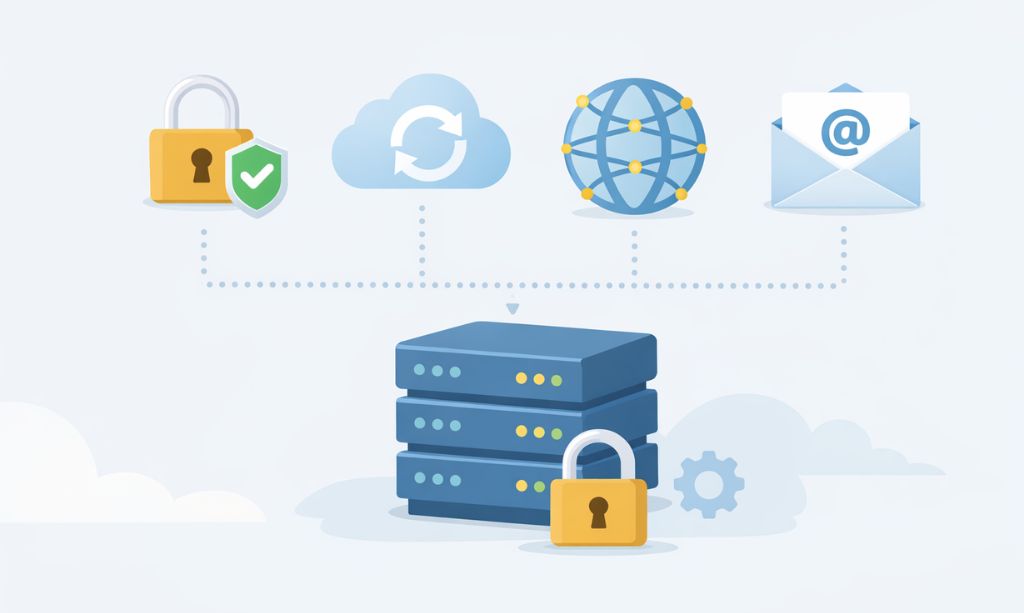
A complete understanding of what is web hosting and domain includes these crucial supporting services.
- SSL Certificate (The Padlock): Think of this as a digital passport that verifies your website’s identity and encrypts data sent between your site and its visitors. Without SSL, browsers like Chrome will mark your site as ‘Not Secure,’ which kills visitor trust and can harm your Search Engine Positioning. A free Let’s Encrypt SSL is the industry standard for most sites.
- Backups (Your Insurance Policy): A backup is a saved copy of your entire website. Imagine you accidentally delete a critical file or your site gets hacked. A recent backup allows you to restore everything with a single click. Good hosts provide automatic, daily backups. Never rely on a host that doesn’t.
- CDN (The Express Lane): A Content Delivery Network stores copies of your site’s static files (images, CSS) on servers around the world. When a visitor from Japan accesses your site (hosted in the USA), the CDN delivers the images from a server in Japan, not the USA. This drastically reduces loading times and is a must for an international audience.
- Email Hosting (Your Professional Identity): An email like contact@yourbrand.com is far more professional than yourbrand123@gmail.com. Most hosting plans include free email hosting, allowing you to create multiple professional email addresses tied to your domain name.
Part 6: So, Which Hosting Should YOU Choose? (A Practical Decision Guide)
Let’s cut through the noise. Here’s a practical guide based on your goals, a key step after learning what is web hosting and domain.
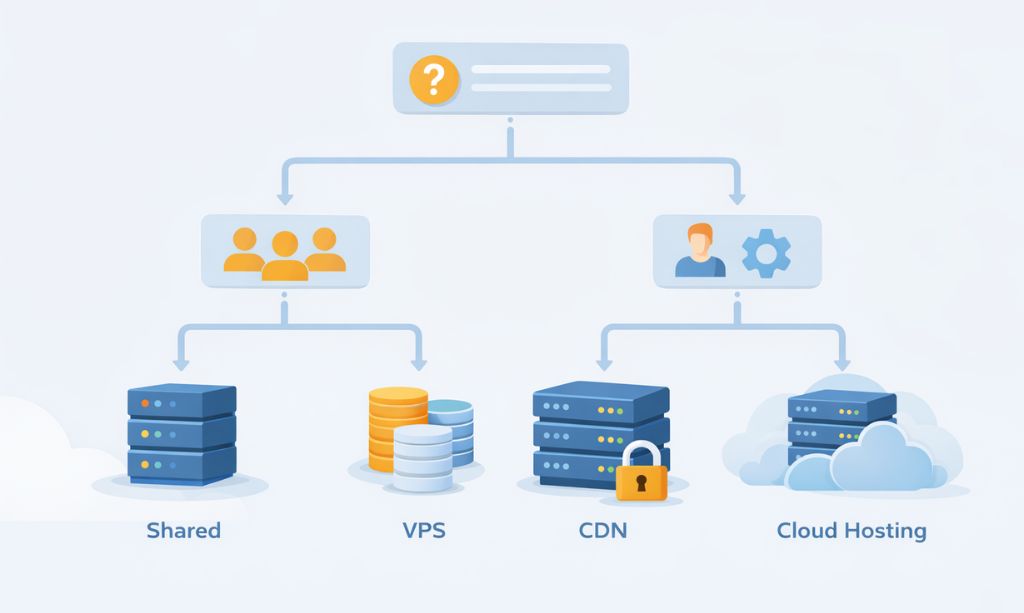
A Simple Decision Flowchart to Help You Choose:
- Is your website a personal hobby or just starting out with low traffic expectations?
- Yes -> Go with Shared Hosting. It’s all you need for now.
- No -> Continue to question 2.
- Will your website directly handle customer payments or be the primary source of your business leads?
- Yes -> Go with VPS Hosting or a specialized E-commerce plan. Don’t skimp here.
- No -> Continue to question 3.
- Do you expect rapid traffic growth, or is 100% uptime absolutely critical for your app/service?
- Yes -> Go with Cloud Hosting.
- No -> A high-quality Premium Shared Hosting plan is likely your sweet spot.
A Note for International Audiences:
When choosing a host, check their server locations. If your primary audience is in Europe, choose a host with servers in Europe. If it’s in North America, choose one with servers there. Proximity matters for speed! Also, verify payment options to ensure they accept methods convenient for your country.
Part 7: The Hidden Costs Nobody Talks About
The price you see is rarely the price you’ll pay long-term.
- The Renewal Rate Trap: That amazing $2.95/month price is usually for the first term (1-3 years), paid upfront. The renewal price can easily jump to $10/month or more. Always check the renewal rate.
- Domain Privacy (WHOIS Guard): This service hides your personal info from the public. Some registrars offer it for free (like Namecheap); others charge $10-15/year. It’s worth paying for.
- Useless Add-ons: During checkout, hosts will try to sell you extras like SiteLock, CodeGuard, SEO tools. You don’t need them. Decline all of them.
Part 8: Frequently Asked Questions About What Is Web Hosting and Domain
Let’s tackle the final questions that beginners often have when learning what is web hosting and domain.
Can you explain what is web hosting and domain one last time in simple terms?
Of course. A domain is your website’s unique address (like a street address). Web hosting is the physical space (the land and building) where your website’s files are stored. You need both to be online.
I’m still confused about the difference. What is web hosting and domain in a nutshell?
Think of it this way: Your domain is the name on the front of your store, and hosting is the store itself. One is the identity, the other is the substance.
Do I need to understand all the technical details of what is web hosting and domain to start?
No, not at all! This guide covers more than enough. The purpose of knowing what is web hosting and domain is to be an informed consumer, not a server engineer.
Can I move my website to a new host later?
Absolutely. It’s called a website migration. You’re never permanently locked in.
Is it better to buy my domain and hosting together or separately?
For absolute beginners, buying them together is easier. However, many experts recommend keeping them separate in the long run for more control.
Final Thoughts: Your Understanding of What Is Web Hosting and Domain is Now Complete
We’ve covered a lot, from simple analogies to detailed comparisons and hidden costs. My hope is that the question of what is web hosting and domain no longer causes confusion, but instead becomes a source of empowerment. A solid grasp of what is web hosting and domain is your first major step towards online success.
These two elements are the bedrock of your digital future.
- Your domain is your flag in the vast digital landscape.
- Your hosting is the engine that powers your vision.
Don’t get stuck in “analysis paralysis.” You now have the knowledge to make an intelligent, informed decision. The next step is to take action.
To help you with that crucial next step of selecting a provider, we have compared two of the best options for beginners. Check out our detailed Hostinger vs. Namecheap comparison to see which one is the right choice for your new website.
Ready to start building? The perfect next step is to follow our step-by-step guide on [How to Start a Blog: A Complete Beginner’s Guide].
The internet is waiting. Go build your vision.