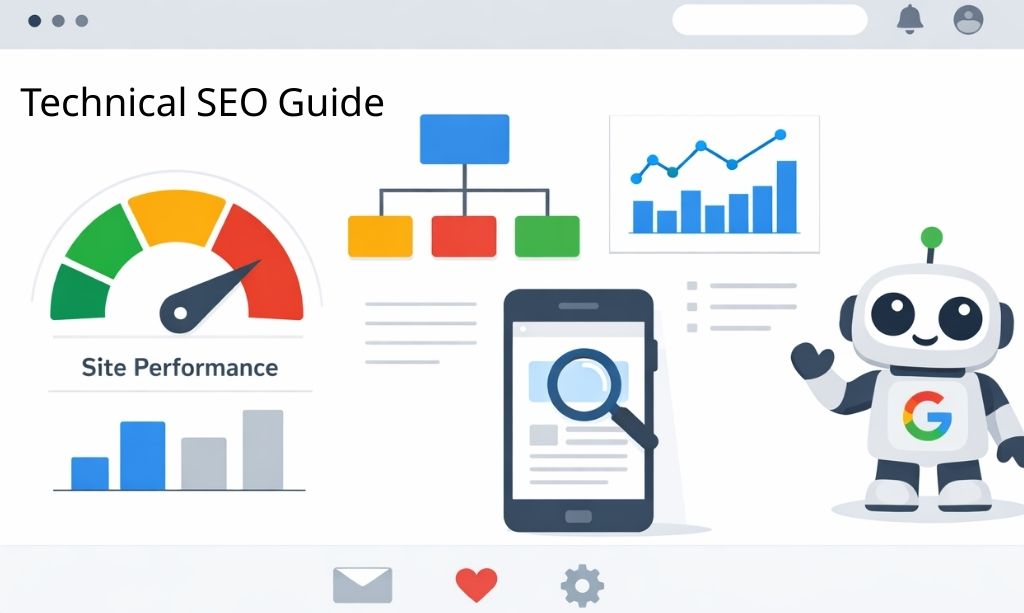
Technical SEO: A Complete Beginner-to-Advanced Guide (2026 Edition)
Let’s be real for a second. You’re creating great stuff, you’re doing what the gurus tell you, but your site is still nowhere to be found on Google. It’s incredibly frustrating, and you’re starting to think you’re just wasting your time.
You’re not.
The problem likely isn’t your content at all. The real reason you’re stuck is probably hiding in plain sight, buried in your website’s backend. We’re talking about technical SEO.
Forget the complicated definitions. All technical SEO really means is making sure your website is built correctly under the hood. Think of it this way: your content is the engine, but technical SEO is the transmission, the chassis, and the wheels. If those parts are broken, it doesn’t matter how powerful the engine is—you’re not going anywhere.
And today, it’s more important than ever. Google’s new AI search doesn’t just read your articles; it judges the entire experience of using your website. If your site is slow, confusing, or feels broken, you’re going to be left behind.
That’s what this guide is for. We’re going to pull back the curtain on all of it. No fluff, no confusing jargon—just straight talk and real, actionable steps.
You’ll learn how search engines actually see your site. We’ll show you how to hunt down the hidden errors that are killing your traffic and how to fix them, one by one. We’ll give you the keys to making your site lightning-fast and a breeze to use on any device.
This isn’t about becoming a developer overnight. It’s about taking back control.
Enough talk. Let’s start fixing things.
Part 1: The Foundation of Technical SEO (Beginner)
Chapter 1: So, What on Earth is Technical SEO?
1.1. Let’s Get Real: What Are We Talking About?

Alright, let’s just be honest for a second. The term “technical SEO” sounds boring, right? Maybe a little complicated? I promise you, the idea behind it is actually pretty simple.
Technical SEO is all about making sure your website isn’t a confusing mess for Google.
That’s really it. It’s not about finding the perfect keyword. It’s about fixing the stuff that happens “under the hood.” Think of your website like a house. Is the plumbing working? Is the foundation solid? Can people actually find the front door, or is it hidden somewhere around back?
When your technical SEO is on point, you’re basically giving Google a clean, well-lit map to your house and handing them the keys. It makes their job of exploring and understanding your content a whole lot easier.
1.2. The Three Big Pieces of the SEO Puzzle
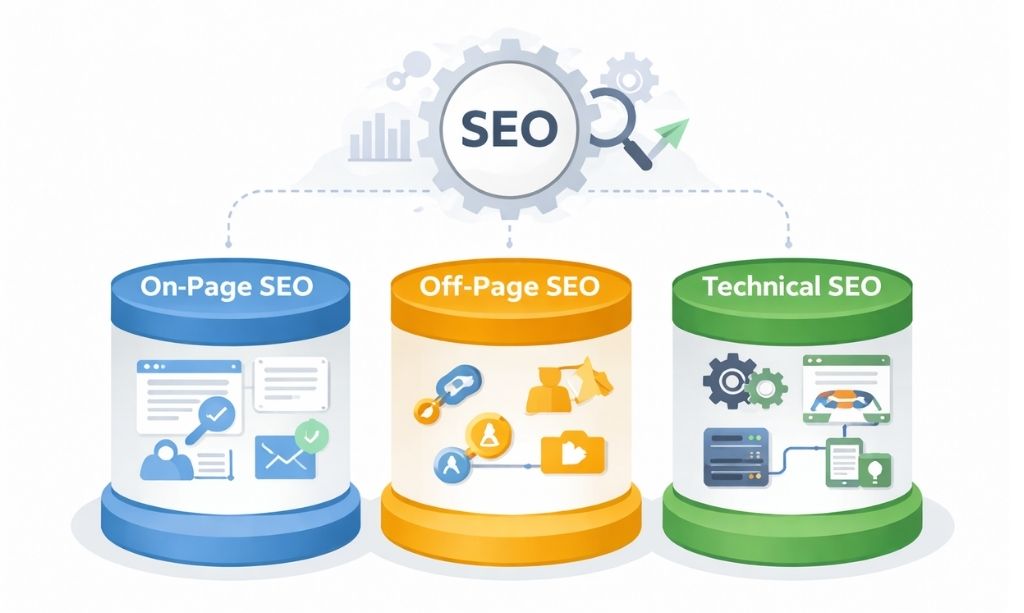
People love to make SEO sound like this giant, scary monster. It’s not. It’s really just three main things that need to work together.
- On-Page SEO (What You Say): This is your content—the articles, the videos, the stuff you actually create for people. It’s the substance. For a deeper dive, check out our complete guide to On-Page SEO.
- Off-Page SEO (What Others Say About You): This is your street cred, your reputation. When other websites link to you, they’re basically giving you a thumbs-up. This tells Google you’re trustworthy. If you want to start building this reputation effectively from day one, you should follow a proven Off Page SEO Directory Submission strategy to earn your first set of high-quality trust signals.
- Technical SEO (How Your Site Works): This is the foundation everything else is built on. If your site is slow, broken, or just plain confusing, it doesn’t matter how great your content is or how many people vouch for you. Why? Because nobody will ever see it.
Trying to succeed with bad technical SEO is like trying to drive a Ferrari with flat tires. All that power is just going to waste.
1.3. Why This “Boring” Stuff is Actually a Game-Changer
So, why should you spend time on this instead of just writing another blog post? Because the payoff is huge.
- Google Will Actually See All Your Stuff: When Google’s bots can easily move around your site without hitting dead ends, they discover more of your pages. More pages indexed in Google means more chances for you to show up in search results.
- People Won’t Hate Using Your Website: You know that feeling when you click a link and have to wait… and wait… and then you just give up? That’s a technical problem. A fast, smooth website keeps people around. The back button is your worst enemy, and good technical SEO is your best weapon against it.
- It Leads Directly to Your Goals: Want more sales? More subscribers? A faster, more trustworthy site helps you get there. Every little technical fix that makes your site less annoying for a visitor is a step toward whatever your goal is.
1.4. The New Reality: AI Search Won’t Tolerate a Messy Site
Here’s the deal for 2026 and beyond. Google’s AI is starting to answer people’s questions directly. It’s looking for the single best, most reliable piece of information to show them.
And that AI is a tough critic. It’s not going to pull information from a website that’s slow, buggy, or feels insecure. Why would it risk sending its users to a broken experience? It will always, always choose the clean, fast, and perfectly structured site over the messy one.
Having solid technical SEO is no longer just about getting on a list of ten links. It’s about proving you are a top-tier, reliable source of information for the new age of AI. Without it, you’re not just at a disadvantage; you might as well be invisible.
Chapter 2: How Google Actually Finds You (The Simple Version)
To win the game, you gotta know the rules. Google’s process is pretty straightforward: it finds your site, tries to understand it, and then decides where to show it to people.
2.1. First, The Discovery Mission (Crawling)
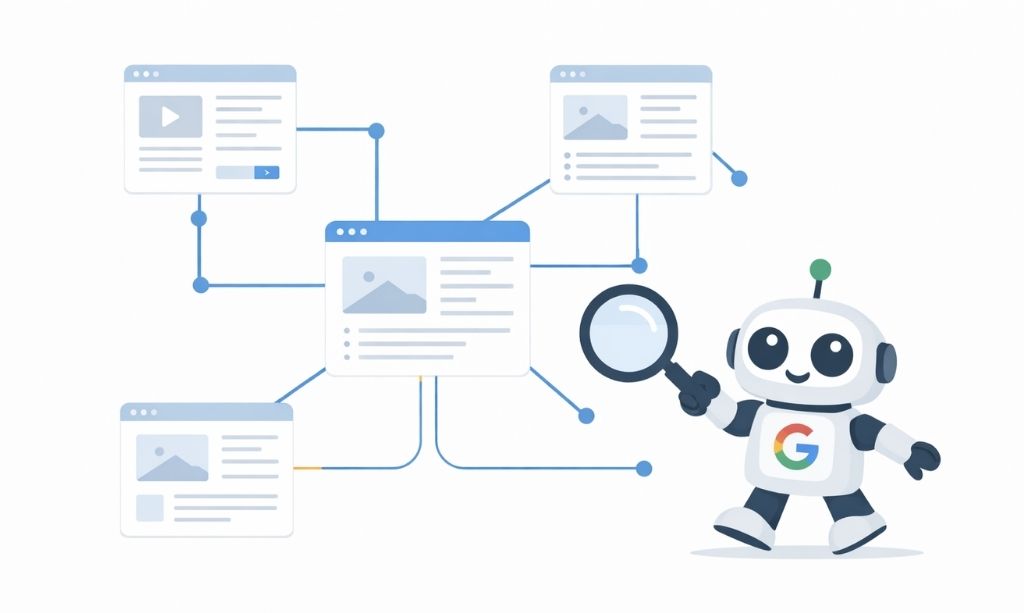
Think of the internet as a massive galaxy of planets (websites). Google sends out tiny robot probes (we call them “crawlers”) to map this galaxy. They’ll start on one planet and follow every single path (a link) they can find to discover new planets and new areas on existing ones.
If a path is a dead end (that’s a broken link) or a part of your planet isn’t connected by any paths (we call those “orphan pages”), the probes might never find it. It’s as simple as that.
Beyond internal paths, creating external ‘roads’ is equally important. Getting your site listed through Off Page SEO Directory Submission gives Google’s probes more ways to discover and crawl your pages efficiently.
2.2. Next, The Big Filing Cabinet in the Sky (Indexing)
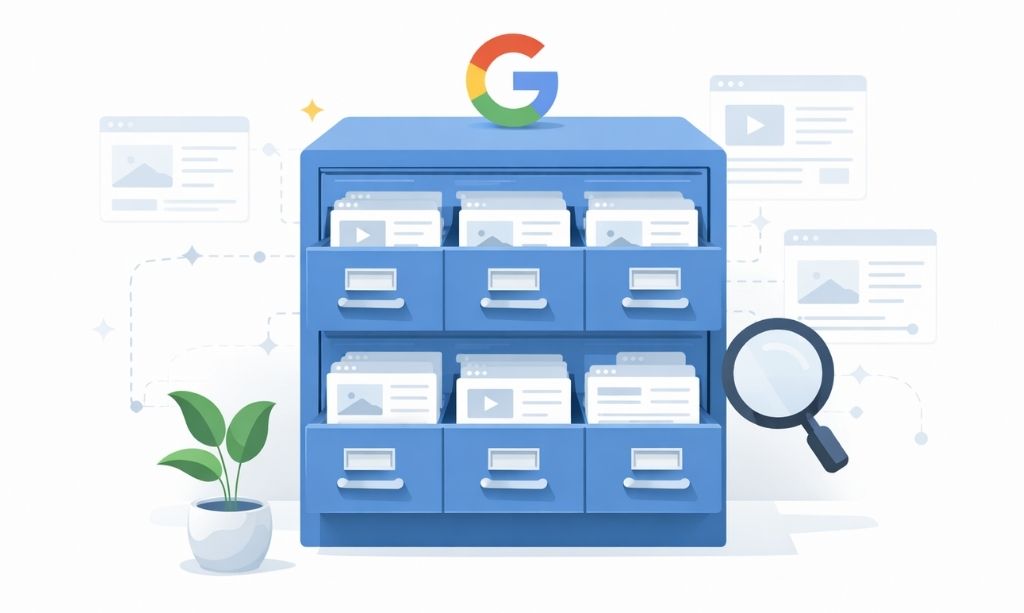
When a probe finds a new page, it sends a report back to Google’s ridiculously huge library. We call this “indexing.” Google tries to read and understand what your page is about and then files it away. It’s trying to figure out the topic so it knows when to pull it off the shelf later.
This is where your technical SEO is so important. If the report is written in a language the librarian can’t read (that’s messy code) or the page has no clear title, it might get thrown in the trash or filed in the completely wrong section. And then? It’s lost forever.
2.3. Finally, The Showdown (Ranking)
This is the moment of truth. Someone types a question into Google. Google instantly looks through its entire library for every relevant page and holds a lightning-fast competition to decide the order.
It asks a few key questions:
- How well does this page answer the question? (That’s your content)
- How many other trusted sources recommend this page? (Those are your links)
- And the big one: Is this page fast, secure, and easy for people to use? (That’s your Technical SEO)
That last question can be the ultimate tie-breaker. If your technical house is in perfect order, you have a massive—and often overlooked—advantage over everyone else.
Part 2: Getting Your House in Order (The Nitty-Gritty)
Alright, theory’s over. Time to actually start building things the right way. The next few chapters are all about the decisions you make before you even publish a new page. Get this part right, and everything else in SEO becomes ten times easier. Think of it as setting up your game board so you’re guaranteed to have an advantage.
Chapter 3: How You Organize Your Stuff Matters. A Lot.
3.1. Don’t Just Throw Your Content at the Wall
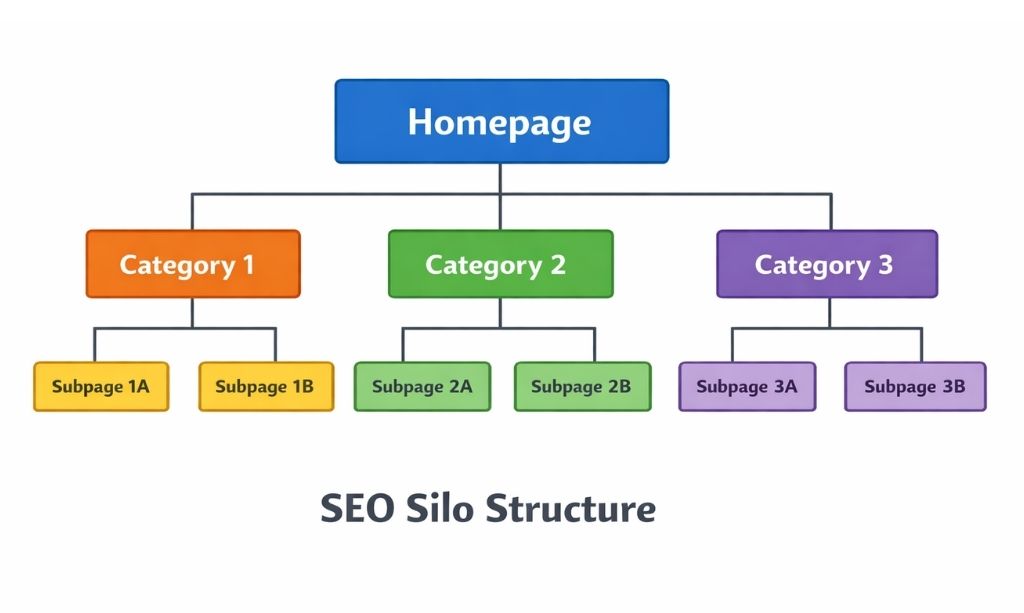
How are your pages actually connected? Is there a logic to it, or is it just a random collection of articles? This “architecture” is one of the first things Google looks at to determine if you’re a real expert or just a hobbyist.
You need to group your content into logical buckets. We call them “silos.”
Let’s say you have a fitness site. You don’t just write about everything at once. You create clear sections. Maybe one is all about “Nutrition.” Another is all about “Workouts at Home.” Everything about nutrition lives inside that one bucket.
It looks like this:
- Homepage
- /nutrition/
- /nutrition/protein-shakes/
- /nutrition/meal-prep-ideas/
- /at-home-workouts/
- /at-home-workouts/bodyweight-exercises/
- /at-home-workouts/dumbbell-routines/
- /nutrition/
Why does this work so well? Because it screams “organization” and “expertise” to Google.
3.2. Can a Five-Year-Old Read Your URLs?
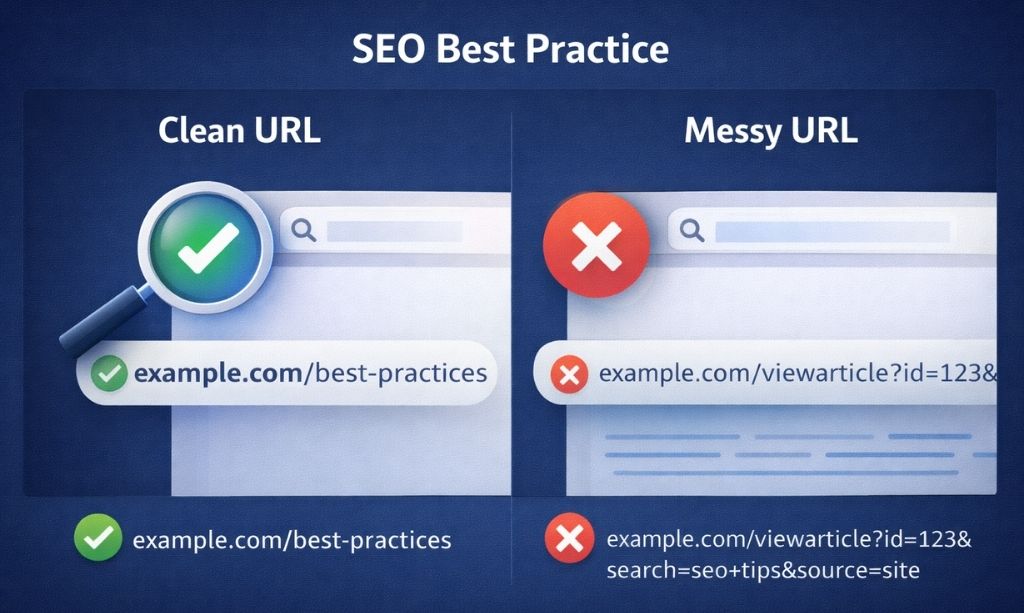
Look at the URL in your browser’s address bar right now. Does it make sense? Or does it look like site.com/p?id=123-x-456?
A clean URL is a must. It should be short, sweet, and tell you exactly what’s on the page. Like /nutrition/meal-prep-ideas/. A person can read it. Google can read it. It’s a simple, foundational piece of good technical SEO.
3.3. Breadcrumbs: The Anti-Lost-and-Confused Tool
Ever been deep inside a website and had no idea how to get back to the section you were just in? Breadcrumbs fix that. They’re that little text path at the top of the page: Home > Nutrition > Meal Prep.
They’re great for users. But they’re also fantastic for Google. They physically show Google the trail of how your pages are connected. If your site’s theme offers them, turn them on.
Chapter 4: Sitemaps: Don’t Make Google Guess
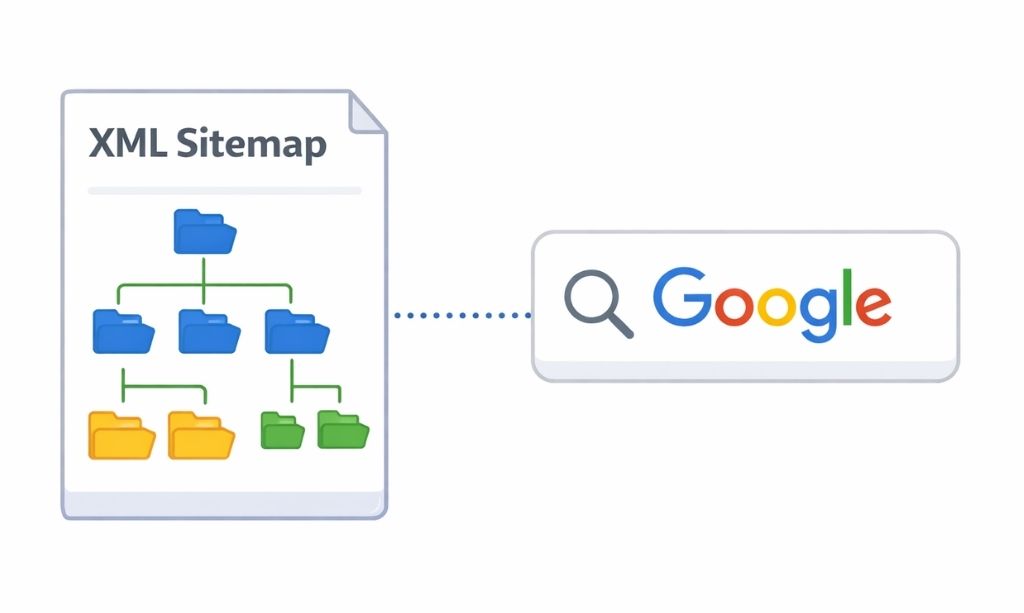
4.1. What’s the Point of a Sitemap?
An XML sitemap is simple: it’s a list of your pages that you give directly to Google. That’s it.
Why is this a big deal? Because otherwise, you’re just hoping Google’s crawlers stumble upon all your important pages. A sitemap removes the guesswork. You’re literally handing Google a map and saying, “Here’s the good stuff. Don’t miss it.” Think of this step as your content’s safety net, ensuring Google is aware of everything you publish.
4.2. How to Make One (The Easy Way)
Good news: you don’t need to do any work. If you’re on WordPress, just get a good SEO plugin like Rank Math. It will create and update your sitemap for you, forever. Your only job is to check its settings once to make sure it’s not including junk pages.
4.3. Tell Google Where to Find Your Map
Okay, so you have a sitemap. Now what? You have to tell Google it exists. It’s a one-time step. Go to your Google Search Console account, click “Sitemaps,” and paste in the URL of your sitemap. Done. Now Google knows exactly where to look for your new content.
Chapter 5: Managing Google’s Attention Span
5.1. Google Doesn’t Have All Day (Crawl Budget)
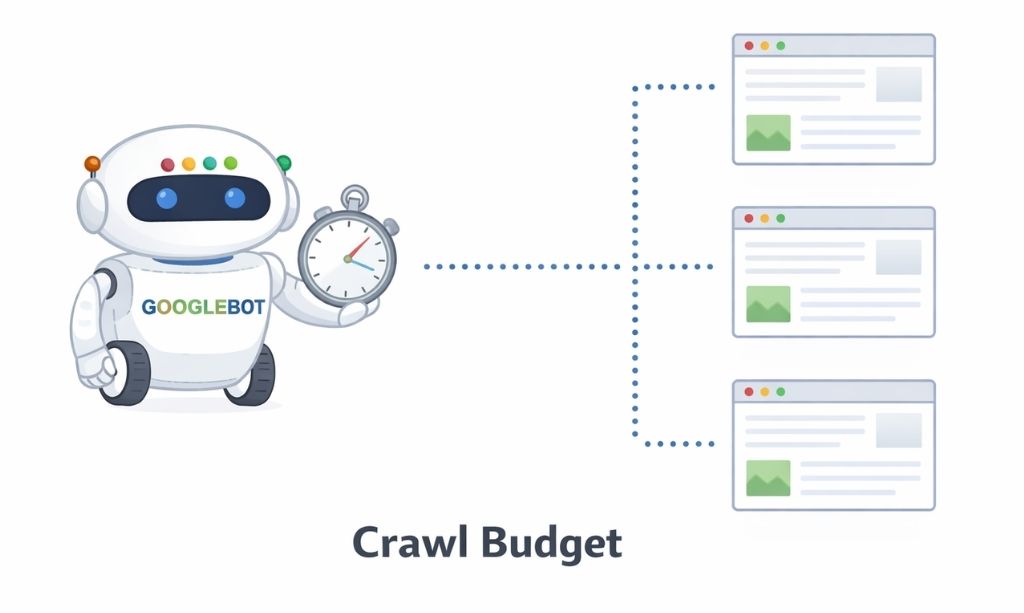
This is a big one. Google doesn’t have unlimited time to spend on your website. The amount of time its bots spend crawling your pages is called your “crawl budget.”
If you have thousands of pages, they can’t all be checked every day. You need to be ruthless about guiding Google’s attention to your most important, money-making pages. You can’t let it waste time on pointless, low-value stuff. For example, if Google spends time crawling old tag pages, it may delay discovering your new blog posts. This is what separates strategic technical SEO from just hoping for the best.
5.2. Having Too Much Junk is a Real Problem
When you have a ton of low-quality pages indexed in Google (think old tags, empty archives), it hurts you. It tells Google that your site is cluttered and not very well-maintained. We call this “index bloat.” A clean, lean index with only high-quality pages is always better.
5.3. You’re the Bouncer: Robots.txt & Meta Tags
So how do you control Google’s attention? You have a couple of tools.
- The Robots.txt file: This is like putting a “Staff Only” sign on certain doors of your website. You can tell Google, “Don’t even bother looking in this section,” which is perfect for admin areas or shopping carts.
- The Noindex Meta Tag: This is more specific. You can put this tag on a single page to say, “Google, you can look at this page, but don’t add it to your public search results.” It’s great for thank-you pages or internal documents.
Chapter 6: A Common Technical SEO Trap: Duplicate Content
6.1. Why Copies are a Bad Thing
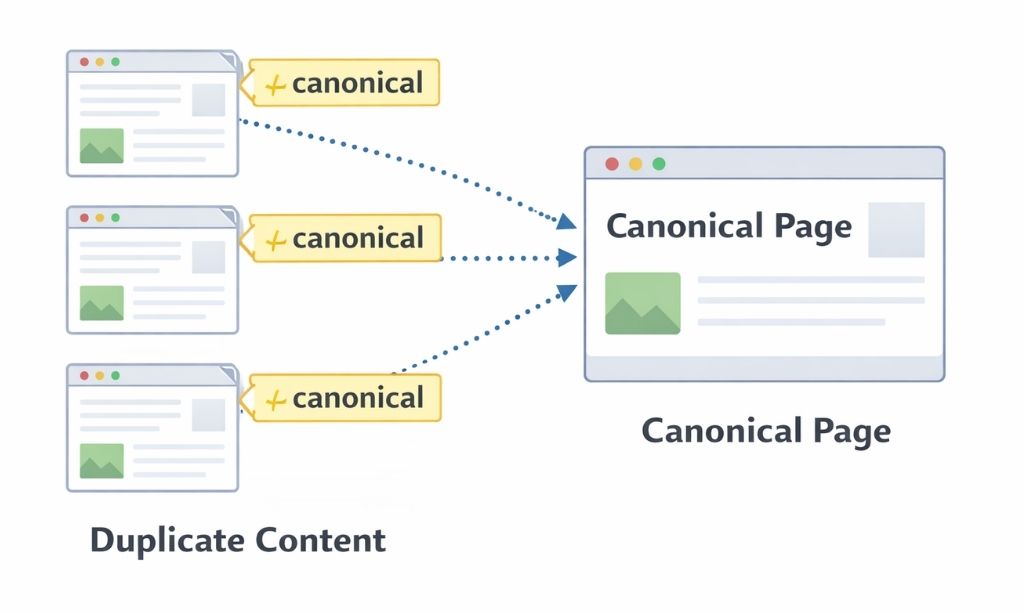
When Google crawls your site and finds the exact same content on two different URLs, it has a problem. It sees an echo. Which one should it present to users? The first one? The second one?
It doesn’t know. So it might split the “ranking juice” between them, making both pages weaker. Or it might just guess wrong and rank the version you didn’t want. This is a classic technical SEO trap.
6.2. Telling Google Which is the “Real” One
The fix is a little piece of code called a “canonical tag.”
Think of it as pointing. You put this tag on the duplicate pages, and it points back to the one “master” version. It’s you, the site owner, telling Google, “Ignore these other copies. That one over there is the one that matters. Send all the power to it.” This is especially common with eCommerce filters or tracking parameters that create multiple URLs for the same product.
6.3. Redirects vs. Canonicals: Quick Guide
- Use a Redirect when a page is gone forever and you want to send someone to a new page.
- Use a Canonical when both pages exist, but one is the “main” version.
Get these foundations right, and every future piece of content you publish has a much better chance of winning.
Part 3: The Performance Check-Up: Is Your Site Fit to Compete?
Your site’s structure is sound. Now it’s time for its physical exam. We need to check its vitals, because even the best blueprint is useless if the final build is slow and unhealthy.
Chapter 7: Your Technical SEO Doctor: Inside Google Search Console
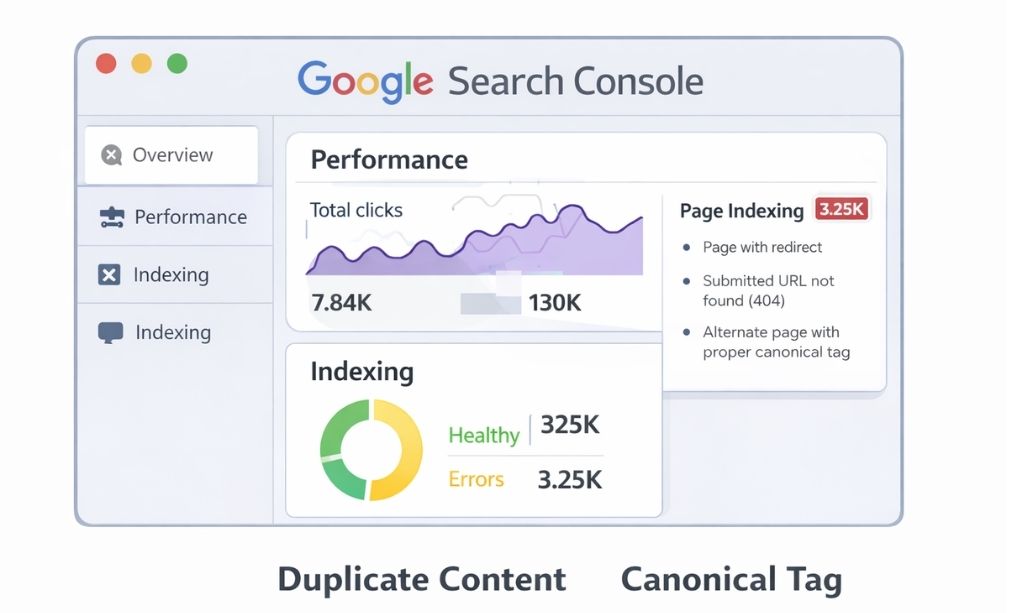
Think of Google Search Console (GSC) as your website’s dedicated doctor. It’s a free service where Google gives you a direct, no-nonsense health report. If you only check one SEO tool this year, make it this one. Ignoring this is like ignoring your doctor’s calls after a blood test. You need to know what’s in that report.
7.1. The Indexing Report: Are You Healthy or Sick?
This is your main lab result. It tells you which of your pages are “Healthy” (Valid and in Google’s index) and which have a “Condition” (Error). Your first job as a site owner is to look at every single error Google points out and figure out a treatment plan.
7.2. Crawl Stats: Checking Your Site’s Heart Rate
This report shows you how your website’s server (its heart) is holding up when Google’s bots (the doctors) come to visit. A high number of “server errors” means your site’s heart is struggling to keep up, which is a major red flag.
7.3. Core Web Vitals: The Official Vitals Chart
This is a summary of your patient’s—your website’s—vital signs. It gives you a quick overview of whether your users are having a “Good,” “Needs Improvement,” or “Poor” experience. We’ll break down what these vitals actually mean in a bit.
7.4. The URL Inspection Tool: The X-Ray Machine
This tool is your specialist. You can give it any single URL, and it will perform a deep diagnostic scan—an X-ray—on that page. It will tell you exactly what Google sees and if there are any hidden fractures or issues.
Chapter 8: The Most Important Vital Sign: Mobile Health
Let’s be blunt: in today’s world, Google considers your mobile site to be the real patient. The desktop site is just a secondary opinion. This is called “mobile-first indexing,” and it means your entire SEO health is judged based on how well your site performs on a phone.
8.1. One Site to Rule Them All: Responsive Design
How do you keep your patient healthy on all devices? With a responsive design. This means your website’s body can fluidly adapt to any environment, whether it’s a huge desktop screen or a small phone. It’s not a feature anymore; it’s the standard for survival.
8.2. Common Sicknesses on Mobile
Your “doctor” in GSC will alert you to common mobile illnesses. The usual suspects are:
- Poor Eyesight: “Text too small to read.”
- Clumsy Fingers: “Clickable elements too close together.”
- Bad Spatial Awareness: “Content wider than screen.”
Each of these makes your site sick in the eyes of users and Google.
Chapter 9: Decoding Google’s Report Card: LCP, INP, and CLS
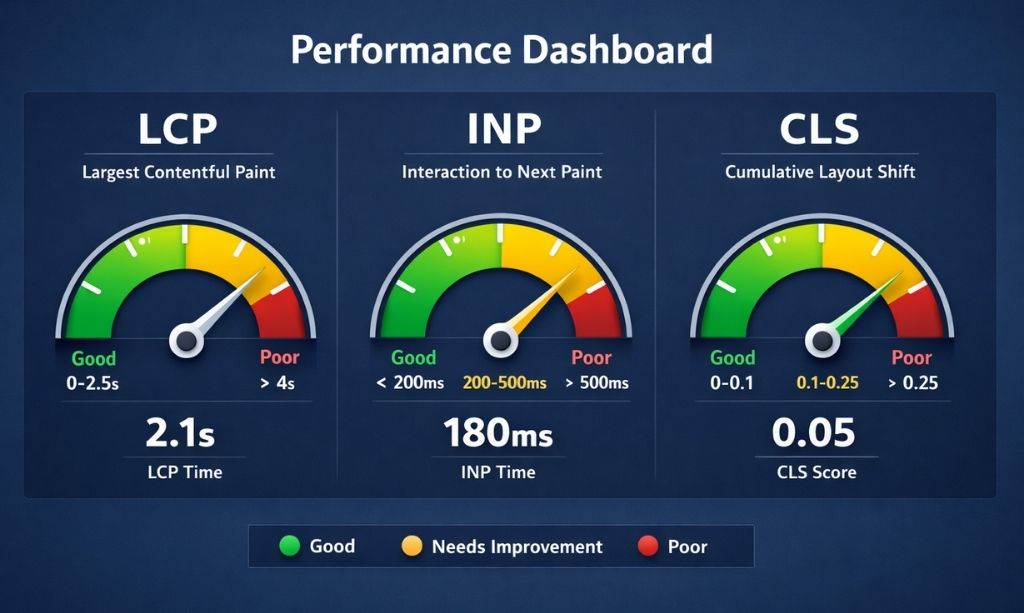
The Core Web Vitals report might seem technical, but it’s just measuring three basic feelings. This is a critical part of modern technical SEO.
- LCP (The Pulse Rate): When someone lands on your page, how quickly does it show a sign of life? LCP measures how fast the main content appears. A slow LCP feels like a weak pulse—a very bad first impression.
- INP (The Reflex Test): After the page is visible, what happens when you tap a button? Does it react instantly? IN
P measures that responsiveness. A slow INP is like a delayed reflex—it makes the site feel sluggish and unresponsive. - CLS (The Balance Test): Can your page stand still while a user is trying to read or click on it? Or does it wobble and shift as new ads and images load in? CLS measures this frustrating instability. A high CLS score means your patient has terrible balance.
Improving these vitals often means prescribing a better diet (optimized images), physical therapy (cleaner code), and a healthier lifestyle (which starts with great web hosting). Later in this guide, we’ll walk through some exact fixes for each of these vitals.
Chapter 10: Media Optimization in Technical SEO
Just like a person, a website’s performance is heavily influenced by what you feed it. Huge, uncompressed images and videos are junk food. They make your site slow, bloated, and unhealthy.
10.1. The Healthy Plate for Images
Every single image you serve should be healthy. That means:
- Portion Control (Compression): Use a tool like TinyPNG to shrink the file size of your images without making them look bad.
- Clear Names for Your Pictures (File Names & Alt Text): Your phone might save a picture as 20260105_112800.jpg. That’s useless for SEO. Rename it to describe the subject, like black-labrador-puppy-playing-with-red-ball.jpg. And always add alt text to describe what the image is, for both accessibility and for Google.
- Serving a Balanced Meal (Next-Gen Formats): Use modern image formats like WebP, which offer the same quality in a much smaller package.
10.2. Don’t Serve the Whole Buffet at Once (Lazy Loading)
Lazy loading is a brilliant diet plan. Essentially, it tells the browser to hold off on loading pictures until a user actually scrolls to where they can see them. Just download the ones they can see. As they scroll, you can bring out the next course.” This makes the initial “serving time” (your LCP) much faster.
10.3. Video Nutrition
Don’t force your website to do the heavy lifting of serving large video files. That’s what YouTube and Vimeo are for. Host your videos there and simply embed them on your site. It’s the difference between cooking a five-course meal in a tiny apartment kitchen versus having it catered by a professional.
Part 4: Pro-Level Strategies to Future-Proof Your SEO
Alright, you’ve done the hard work. Your site has a solid blueprint, a clean bill of health, and it’s fit to compete. Honestly, at this point, you’re playing in a different league than most of your competition.
This final section is about taking it to the next level. These are the strategies the pros use to dominate in competitive niches. We’re talking about how to speak Google’s native language even more fluently and how to prepare your site for the future of search. In these final chapters, 11 through 15, let’s finish this strong.
Chapter 11: Schema Markup: Speaking Google’s Secret Language
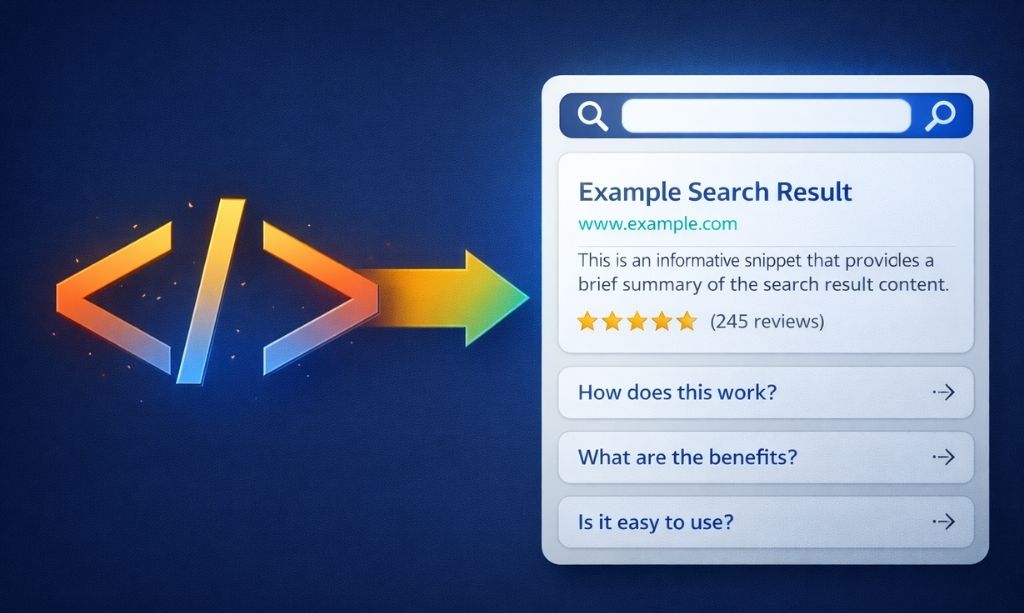
Think of Schema Markup as adding footnotes to your content for Google. Right now, it can read the words on your page. But with Schema, you’re adding extra context in the background that explicitly defines what those words mean. For instance, instead of just letting Google guess, you can label a set of ingredients and instructions as an official “Recipe.”
This structured data is a goldmine for Google. It’s the difference between reading a paragraph and reading a spreadsheet—the spreadsheet is just easier to understand. This is a cornerstone of any truly advanced technical SEO strategy.
Why is this a game-changer? Because when Google truly understands your content, it can reward you with “rich snippets” in the search results—like star ratings, event times, or FAQ dropdowns right under your link. These make you stand out and can dramatically increase your click-through rate. The best part? Tools and plugins can create this “footnote” code (it’s called JSON-LD) for you.
Chapter 12: Prepping for the AI Revolution
The way people search is changing. Google is no longer just a librarian handing you a list of books. It’s becoming a research assistant that reads all the books and gives you a direct summary at the top—we call this the AI Overview.
Your new goal is to make your website the most reliable, easy-to-read, and trustworthy “book” for that AI assistant.
How do you do that?
- Be Unambiguous: Your site structure (the silos we built in Part 2) and your Schema Markup (the footnotes from Chapter 11) are your best tools. They remove all guesswork for the AI.
- Focus on “Entities”: This is a fancy word for “things, not strings.” Don’t just write about the keyword “Apple.” Explain the entity: Are you talking about Apple the company, or apple the fruit? Connect the dots. A well-structured site helps Google’s AI understand these connections. This is why clear headings, concise answers, and schema-backed facts matter more than ever.
Chapter 13: Log File Analysis: Spying on Google
This one is for the true techies, but it’s important to know what it is.
Imagine you could install a hidden security camera at the front door of your website that only recorded Google’s bots. That’s what log file analysis is. Your website’s server logs every single visit—including every time a Google bot stops by.
By analyzing these logs, you can see the raw, unfiltered truth:
- Which pages is Google visiting most often?
- Are they getting stuck anywhere or running into errors you didn’t know about?
- How much of your “crawl budget” is being wasted on unimportant pages?
It’s the ultimate source of truth for how Google is really interacting with your site. It’s a powerful, advanced technical SEO diagnostic tool. Tools like Screaming Frog Log File Analyser or JetOctopus help make sense of this data without you needing to be a server expert.
Chapter 14: Going Global & Taming JavaScript
14.1. International SEO: Don’t Confuse Your Visitors
If your website targets people in multiple countries or languages, you need to give Google clear instructions. You do this with a special tag called “hreflang.”
Think of it as a set of instructions for a diplomat. The tag essentially says to Google, “Hey, show this specific URL to people searching in English from the USA. That version over there is for French speakers in Canada. And this one is for German speakers in Germany.”
This prevents Google from showing your Canadian customers prices in Euros or your American visitors a page written in Spanish.
14.2. The JavaScript Problem
The issue with some heavy JavaScript sites is that they can deliver a “blank page” to Google at first. The content only gets painted onto the screen after the user’s browser runs all the complicated code. This can confuse search bots. The fix, known as Server-Side Rendering (SSR), solves this by having your server build the finished page before sending it. So, what Google’s bot sees on arrival is a complete, content-ready page, no assembly required.
Chapter 15: Tying It All Back to Trust (E-E-A-T)
So, what’s the end game here? Why are we doing all this? It all comes back to one thing: trust. Every technical fix we’ve discussed is a piece of evidence you’re submitting to Google to prove that your site is a high-quality, trustworthy resource. This is the very heart of what their E-E-A-T (Experience, Expertise, Authoritativeness, Trustworthiness) guidelines are looking for.
Think about it from a user’s perspective:
- A fast, secure (HTTPS) site feels Trustworthy.
- A site that works perfectly on mobile provides a great Experience.
- Clear author bios and structured data signal Expertise and Authoritativeness.
Your technical SEO isn’t a separate, nerdy checklist; it’s a core part of your overall search engine positioning strategy. It’s the proof that you care about quality, security, and your user’s experience. In the eyes of Google, a technically flawless website is an authoritative one.
Part 5: Your Action Plan and Path Forward
We’ve covered a ton of ground, haven’t we? From the simple basics to some seriously pro-level stuff. You now have the playbook that most of your competitors don’t.
But knowing this stuff isn’t enough. You have to actually do it. This last chapter is your action plan. Just one warning: don’t try to tackle everything in one weekend. That’s a surefire way to get overwhelmed. My advice? Treat it like you’re leveling up in a video game.
Chapter 16: Your Technical SEO Checklists (2026)
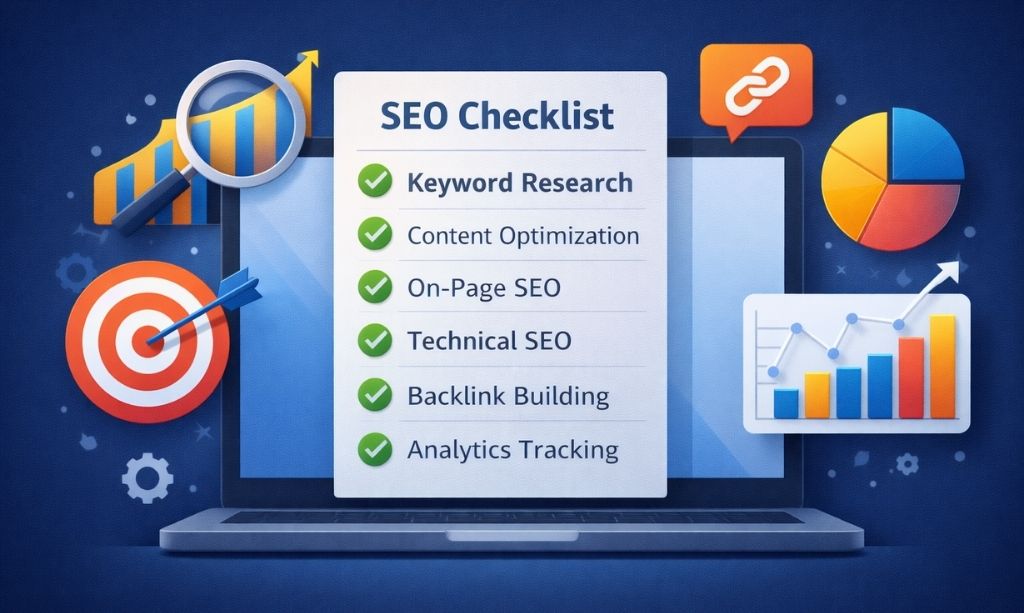
Start at Level 1. Once you’ve conquered it, move to Level 2.
16.1. Level 1 Checklist: The Absolute Essentials
Is Google Search Console Live? Make sure your site is verified and you can see the data flowing in.
Got the Padlock? Your site’s URL should start with https://.
One True Domain: Does the “non-www” version of your site redirect to the “www” version (or the other way around)? Choose one.
Sitemap Check: Is there an XML sitemap available at a URL like yoursite.com/sitemap.xml?
Sitemap Submitted? Have you told Google Search Console where to find it?
Mobile-Friendly Pass/Fail: Use Google’s tool. Does your site pass the basic test?
Initial Speed Score: Run your site through PageSpeed Insights to get a starting number. Forget about hitting 100—just look for the really big, obvious problems.
16.2. Level 2 Checklist: Building a Rock-Solid Foundation
Logical Site Structure? Does your site use clear “silos” or is it a bit of a mess?
Readable URLs? Are your URLs clean and descriptive?
Any Indexing Errors in GSC? Head over to the GSC Indexing report. Does Google’s “Error” list show any pages that need your attention?
Any Mobile Annoyances? Check GSC’s “Mobile Usability” report for any red flags.
Echoes in Your Content? Use a tool like Siteliner to spot potential duplicate content. Are your canonical tags set up correctly?
Core Web Vitals Check-up: Does the report show a lot of “Poor” URLs? Which vital is causing the most trouble?
16.3. Level 3 Checklist: The Pro-Level Tune-Up
Added “Footnote” Schema? Have you added “Article,” “FAQ,” or “Review” schema to your most valuable content yet?
Crawl Budget Analysis: Peek at your Crawl Stats report in GSC. Are Google’s bots spending too much time in the dusty, forgotten corners of your site?
Robots.txt Review: Does your robots.txt file give Google’s bots the right instructions, keeping them out of private areas?
Hreflang Check (International Sites Only): For those with a global audience, are your hreflang tags correctly directing users to the right language version of your site?
JavaScript Rendering Test: For those with complex JavaScript sites: can Google actually see the finished page? Use the URL Inspection Tool to find out.
Chapter 17: Frequently Asked Questions About Technical SEO
1. What’s the main difference between On-Page SEO and Technical SEO?
Think of your website as a house. On-Page SEO is the interior design—the quality of your furniture, the color of your walls, and the art you hang (your content, keywords, and images). Technical SEO is the foundation, the plumbing, and the electrical wiring of the house. It’s the infrastructure that makes the house livable and easy to navigate. You need both to have a great house.
2. How often should I perform a technical SEO audit?
You don’t need to obsess over it daily. A good approach is to do a deep, comprehensive audit once every 6-12 months. However, you should do a quick “health check-up” inside your Google Search Console at least once a month to look for any new, critical errors that might have popped up.
3. Can I do technical SEO myself, or do I need a developer?
You can handle a surprising amount of your own technical SEO without writing a single line of code. Using SEO plugins, organizing your site structure, optimizing images, and fixing errors in Google Search Console are all things you can learn to do. You only need to call a developer for more complex issues, like fixing slow code or migrating your entire website.
4. Is technical SEO a one-time project?
Absolutely not. Your website is a living project; it’s constantly changing with new content and software updates. Similarly, Google’s standards and algorithms are always evolving. Because of this, technical SEO is an ongoing process of maintenance and improvement, not a “set it and forget it” task.
5. Which area of technical SEO has the biggest impact on rankings?
For a beginner, the biggest and most immediate impact usually comes from two areas:
- Indexing: Ensuring Google can find and index all your important pages without errors.
- Page Speed: Making your site noticeably faster for users, especially on mobile devices.
If you fix the major problems in these two areas of technical SEO, you will almost certainly see positive results.
Chapter 18: Your Final Takeaway: It’s All About Quality
So, what’s the one big idea to take away from all this? It’s that technical SEO isn’t really about tech at all—it’s about respect. Respect for your user’s time and experience. It’s the simple commitment to making your piece of the internet work flawlessly.
It’s not about gaming a system. It’s about eliminating frustration for both people and search bots. It’s about building a website that works so well that its quality is undeniable. At the end of the day, a website that works flawlessly is a website that earns trust.
Your Work is Never “Done”
But this isn’t a one-time fix. Your website is a living, breathing project.
Your new role is to be the caretaker of its long-term technical SEO health. You don’t need to obsess over it daily. But set a small appointment with yourself—maybe the first of every month—to open up Google Search Console. Look for new red flags. See how your site’s health is trending.
The difference is, now you’re not in the dark. You know what to look for and you know what it means. You’re in control.
Now go build something that can’t be ignored.