How to Start a Blog in 2026: Step-by-Step Guide for Complete Beginners
Introduction: Why This Guide is Different
So, you’re thinking about starting a blog in 2026. That’s a fantastic idea. Whether you want to build a side hustle that generates passive income, establish yourself as an expert in your field, or simply create a space on the internet that is truly yours, knowing how to start a blog is one of the most powerful ways to achieve it.
I’ve been in the blogging world for years. I’ve made the mistakes, chased the shiny objects, and felt the frustration of writing to an audience of zero. But I also discovered what actually works when you start a blog. The good news for you? You get to skip the years of trial and error.
Most guides on “how to start a blog” fall into two traps: they are either so technical they make your head spin, or they are just a thinly veiled sales pitch for a hosting company. They tell you what to do, but they rarely explain why or how in a way that a real beginner can understand.
This guide is different.
This isn’t a piece typed by a robot or written by AI. It’s a real human guiding you down a road paved with actual experience—taking you from a total rookie (someone who might not even know what “hosting” means) to a proud blog owner. I will show you every single step involved in starting a blog, explain all the jargon in simple English, and give you the practical, real-world advice you need to succeed.
Who is this guide for?
- Anyone with an idea or passion they’re ready to share by starting a blog.
- Aspiring entrepreneurs who want to build an online business with a low startup cost.
- Students, professionals, or stay-at-home parents looking for a flexible way to earn money online by starting a blog in 2026.
- Anyone who is done building their brand on rented land (like social media) and is ready to own their platform.
Grab a coffee, get comfortable, and let’s make your dream blog a reality, together.
Chapter 1: Why Make a Blog in 2026? Is It Still a Wise Move?
Let me talk about the big question: “Is blogging dead?” With YouTube, TikTok, and AI, it’s a fair ask. The answer is a big NO. It’s even smarter, more worth it, and can make more than ever now.
Here’s why it’s a great plan to start a blog in 2026:

1. Google is Still the World’s Answer Box
Think about it. When you need to fix that leaky sink, compare 2 laptops to buy, or want a good dinner recipe, what do you do? You Google it. And what pops up mostly? Blog posts. Billions of searches happen each day, and blogs are the top go-to for answers. That’s a huge reason to start a blog.
2. Blogs Make You Trusted and a Boss
A short video can make you laugh, but a long blog post that helps solve a real issue makes people trust you for a long time. When you keep giving helpful info, your readers start to see you as someone who can help them for real. That trust is what makes any online success easy after you start a blog.
3. You Can Make Money in Many Ways
Unlike a TikTok star who might only get brand deals, a blogger has many ways to make cash. When you start a blog, you have chances for:
- Showing Ads: Get paid when people come to your site.
- Affiliate Sales: Earn bucks when you tell people about products you like.
- Online Goods: Sell your own ebooks, templates, courses, and printables.
- Services: Help people with writing, coaching, or giving advice.
- Sponsored Content: Get paid by brands to show off their stuff.
4. It’s Your Own Space (And That’s a Big Deal)
When you put stuff on Instagram or Facebook, you’re building your name on land you rent. A change in the site’s rules can cut your reach away fast. Your blog, on the other hand, is your land. You choose what goes on it, how it looks, and most of all, your people—those who sign up for your email list. It’s an asset that gets more valuable over time, so starting a blog is a smart move for the future.
5. It Costs Almost Nothing to Start
You can set up a pro blog for just a few dollars a month. Compare that to the big money needed to open a real store, and you’ll see why starting a blog is one of the best ways for online work now.
Chapter 2: Pick Your Niche (The Base of Your Blog)
This is the one big step, and most beginners get this one wrong at first when they start to blog. Your niche is just what your blog will be about or who it will be for. If you try to write for everyone, you will not get anyone.
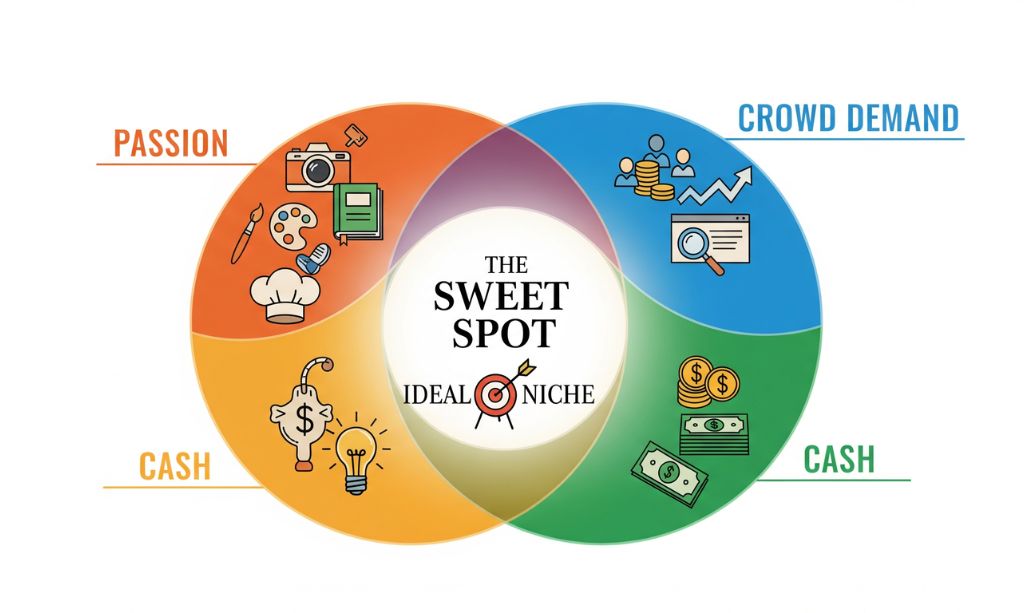
The “Sweet Spot” Niche Formula
Your perfect niche is one spot where three circles join:
1. The Passion & Interest:
What can you talk about all day and not get bored? You do not need to be a pro at this, but you need to be interested enough to write when no one is looking for info on your blog yet. Passion will help you keep on going when you start a blog.
2. The Crowd Demand:
Are enough people in the world looking for info about this? If you are crazy about collecting 19th-century teacups but only 10 people are looking for that, you will not do well.
3. The Cash:
Can you make money doing this niche? Is there anything you can review, courses you can make, or affiliate programs you can join? Passion is good, but a “passion with a paycheck” is way better for you.
How to Test if Your Niche Idea is Good (3 Easy Steps to Follow):
1. Google Search Test:
Google your main niche word(s), for example, “ketogenic diet for beginners.” Do you see blogs, YouTube videos, and ads? Competition is good; it means there are people and money to be made.
2. Affiliate Program Test:
Do a search for “your niche + affiliate programs,” for example, “ketogenic diet affiliate programs.” Do you see any companies paying big to sell their stuff or paying affiliates if they buy something you review? This is a very good sign for making money.
3. Community Test:
Search your niche in places like Reddit, Facebook Groups, or Quora. Do you see anyone asking questions about this? This confirms a real audience is waiting for someone like you to start a blog on this topic.
Broad vs. Niche vs. Micro-Niche (Example):
- Broad Niche (Too many bloggers): Fitness
- Good Niche: Fitness at home for busy moms
- Micro-Niche (Better for starting): 30-minute HIIT routines for moms with toddlers
You can add on later, but starting your blog with a micro-niche will help you stand out and grow a loyal crowd faster.
Chapter 3: Pick a Good Name for Your Blog
Your domain is your blog’s name and its brand. It’s what people will type in the search bar when they look you up. This is a fun step to do when you start a blog.
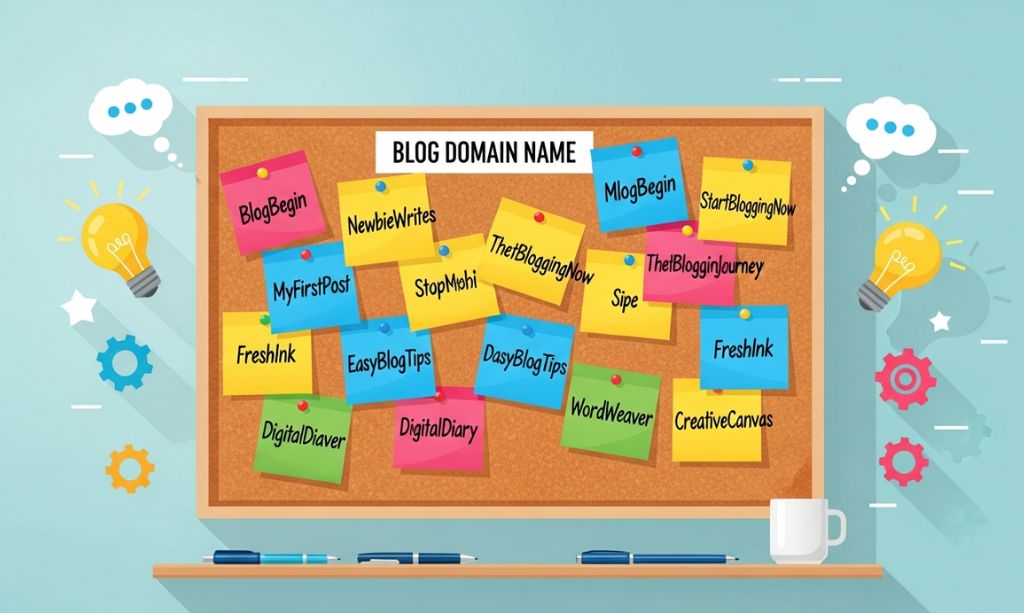
Good Rules for Your Name:
1. Keep it Short & Simple:
Keep it easy to type and remember. TheFitMom.com is better than TheRelaxedMomWhoLiftsYogaFlexibility.com.
2. Go with .com for the best results:
The .com extension is the most used and trusted in the world.
3. Make it Brandable:
Your domain doesn’t need to be full of keywords. NerdFitness is a brand. BestFitnessTipsForNerds is a keyword phrase.
4. Avoid Hyphens and Numbers:
They are hard to remember and can make your blog seem spammy.
What if your name is taken?
- Add a verb to it: TheFitMomLife.com
- Add a word like “Club,” “HQ,” “Lab,” or “Hub”: FitMomHub.com
- Use your own name if you want to be the brand: JaneDoeFitness.com
Action Item: Go on a site like LeanDomainSearch.com to think of names. When you find a name you love, don’t buy it yet! You will get it for free in our next step on how to start a blog.
Chapter 4: Pick Your Web Host (A Full Breakdown)
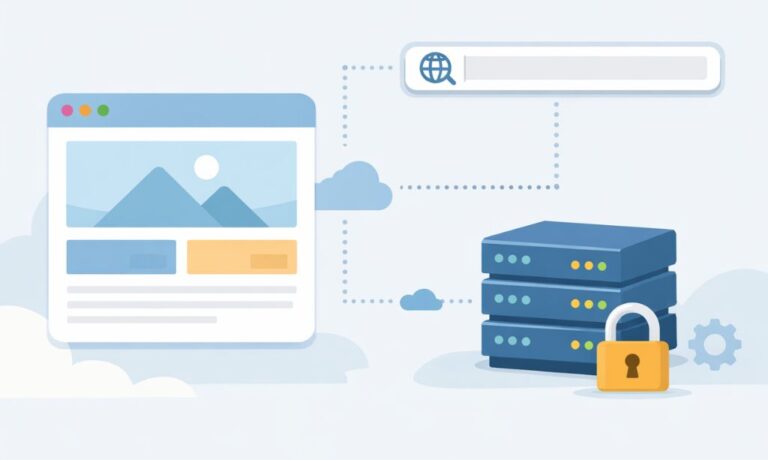
If your domain is your address, web hosting is your land where you will build your blog. It’s a server that holds all your files so everyone in the world can see your blog 24/7. This is a key tech call you will make when you start a blog. A slow host makes your site slow, and that makes people mad and Google not like you.
Here is a no-B.S. breakdown of the best choices for beginners who want to start a blog in 2026.
To make this critical decision even easier, we conducted a rigorous 30-day, hands-on test between two of the most popular beginner hosts. We highly recommend reading our in-depth Hostinger vs Namecheap comparison to see the real-world data before you buy.
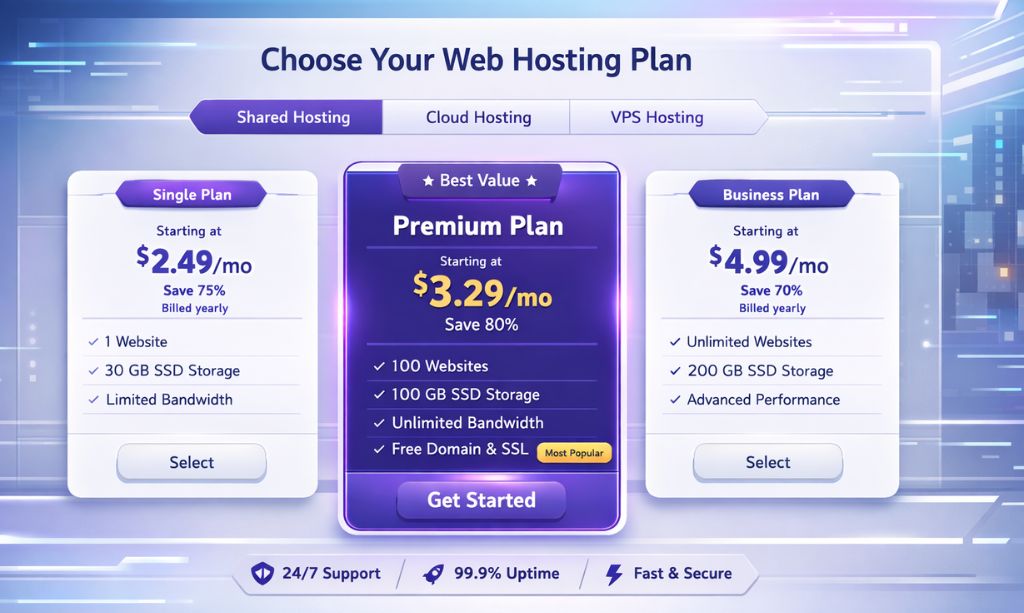
Option 1: Hostinger (Best Overall for Beginners)
Think of Hostinger as the Toyota of web hosts: super reliable, full of features you would want on a more expensive model, and unbelievably cheap. They have set up their site for speed, and their special control panel, hPanel, is easier to work with than the normal cPanel, which is a big plus when you start a blog.
- Pros: Very cheap, great speed, easy-to-use hPanel, free domain and SSL. Support is really good, 24/7 help.
- Who it is for: Beginners that want the best speed and features possible for the least amount of money.
Option 2: Namecheap (Good for Simplicity and Trust)
Namecheap is a trusted name in the game for domains, but their shared host plans are also a good, no-fuss option. They use the normal cPanel, which is easy to use.
- Pros: Cheap, good uptime, free domain and SSL, easy to set up.
- Who it is for: Beginners that want a simple, safe host from a big name for their new blog.
Option 3: Bluehost (Best for Guided Setup)
Bluehost is one of the oldest names in the biz, and they are officially recommended by WordPress.org. Their main selling point is how easy their setup process is, which is perfect for those that feel nervous about tech when they start a blog.
- Pros: Very easy for beginners, free domain and SSL. Their special WordPress dashboard makes it easier to manage.
- Who it is for: Complete beginners that want the most hand-holding possible.
Option 4: SiteGround (Best for Speed and Support)
If Hostinger is a Toyota, SiteGround is a BMW. This is a premium option for those who care about speed from day one of starting a blog. Their speed is among the best, but their customer support is what makes them special.
- Pros: Super fast, customer support is really good, security is top-notch.
- Who it is for: Bloggers that have a bigger budget and want speed and help to be the main things they look for.
My Pick for 2026:
For almost all beginners, Hostinger is the smartest choice to start a blog. It hits the right price, the right speed, and the right features. You will get a great experience without having to pay a lot.
Chapter 5: Installing WordPress & Essential Setup
Now for the “techy” part that isn’t techy at all. All the hosts listed here offer a “One-Click WordPress Installer.” When you set up your hosting, a wizard will help you do it. You will pick your domain, enter a username and a password, then click “Install.” That’s all. Your journey to start a blog has officially begun.
Once installed, log into your dashboard by going to yourdomain.com/wp-admin. Now, do these five crucial setup steps that most new bloggers skip:
1. Delete Unwanted Plugins & Themes:
Your host might pre-install some plugins. Go to Plugins > Installed Plugins and delete everything except what your host said you must keep (e.g., LiteSpeed Cache). This keeps your blog fast and safe from the very first day you start a blog.
2. Install ONLY Essential Plugins:
Go to Plugins > Add New.
- SEO: Rank Math. The free one is more powerful than anything else. It will help you optimize your content for Google.
- Speed/Caching: LiteSpeed Cache (if your host has LiteSpeed servers like Hostinger) or WP Rocket (the best paid caching plugin). A caching plugin will help your blog load much faster.
- Backups: UpdraftPlus. Set up automatic daily or weekly backups of your blog. This is non-negotiable. It is your backup plan if something goes wrong. Most new bloggers do not set this up.
- Forms: WPForms. An easy drag-and-drop tool to make a contact form.
3. Choose a Fast and Clean Theme:
Go to Appearance > Themes > Add New. Install and activate a lightweight theme. The best free options like Astra, GeneratePress, and Kadence are very fast and will let you make your blog look very professional. When you start a blog, this is very important.
4. Create Your Core Pages:
Go to Pages > Add New and make these four essential pages:
- About: Tell your story. Who are you and who do you help?
- Contact: Your blog needs a simple page with a form so your readers can contact you.
- Privacy Policy: This is a legal requirement. You can use free generators online to create one.
- Disclaimer: This is very important if you are going to use links to products you promote as an affiliate.
5. Set Your Permalink Structure:
Go to Settings > Permalinks and select the “Post Name” option. This will give you a clean URL that helps your blog rank higher on Google (e.g., yourdomain.com/your-post-title instead of yourdomain.com/?p=123). This is a vital step for every new blog.
Chapter 6: Write Your First Blog Post (A Simple Plan)
Looking at a blank page is the top reason people stop after they make a blog. So don’t look at it. Use a plan.
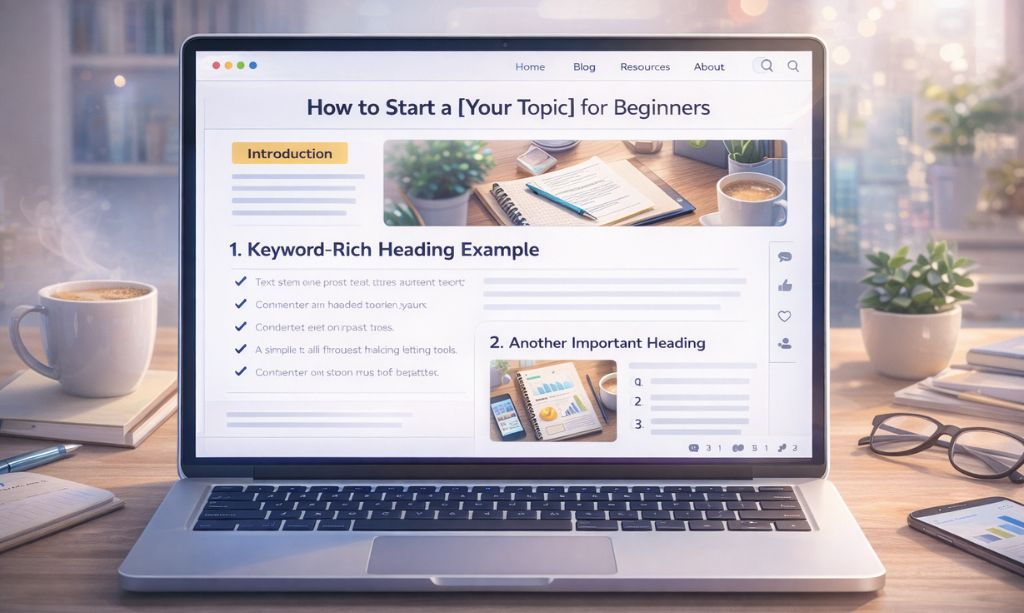
How a Perfect Blog Post Looks:
1. A Good Title
Your title only does one thing: make people click. It should be clear, make people want to read it, and should have your main keyword in it. Use a tool like CoSchedule’s Headline Analyzer to check your titles.
2. A Hook Start (First 3 Lines):
Don’t start with “In this post, I will show you…” Start by saying you know the reader has a problem, you will give a fix, and give a quick view of what they will learn.
3. An Easy-to-Read Body:
No one wants to read a lot of words in one place.
- Use very short parts (2-3 lines max).
- Use good titles (H2s and H3s) to make parts easy to find.
- Use bullet points and numbered lists.
- Use bold words to say the main points.
- Put good pictures in to give the reader a rest.
4. A nice finish with a call to action (CTA):
Say what you learned. Then say what the reader should do next. The best CTA is a question to make them write a comment and bring a group together (e.g., “What is your top problem with [what you do]? Let me know in the comments!”).
Following this structure will make your content more readable for your audience. But to make it truly discoverable by search engines, you’ll need to apply some fundamental on-page SEO principles to every post you write.
Quick note about pictures:
Use the best pictures that you can find for free at a site like Unsplash or Pexels. Or better yet, use Canva to make your own pictures and designs with your own logo for free. Always make your pictures smaller with a tool like TinyPNG.com before you put them on your site. This keeps your blog website fast and easy for your readers. This is a top tip for any new blogger.
Chapter 7: Easy SEO for New Folks (Get Found on Google)
SEO is how you get found on Google. What it means is you get free, passive traffic for a long time. If you want to start a blog in 2026, you need to get how this works. To learn the details, read our complete beginner’s guide on Search Engine Positioning SEO.
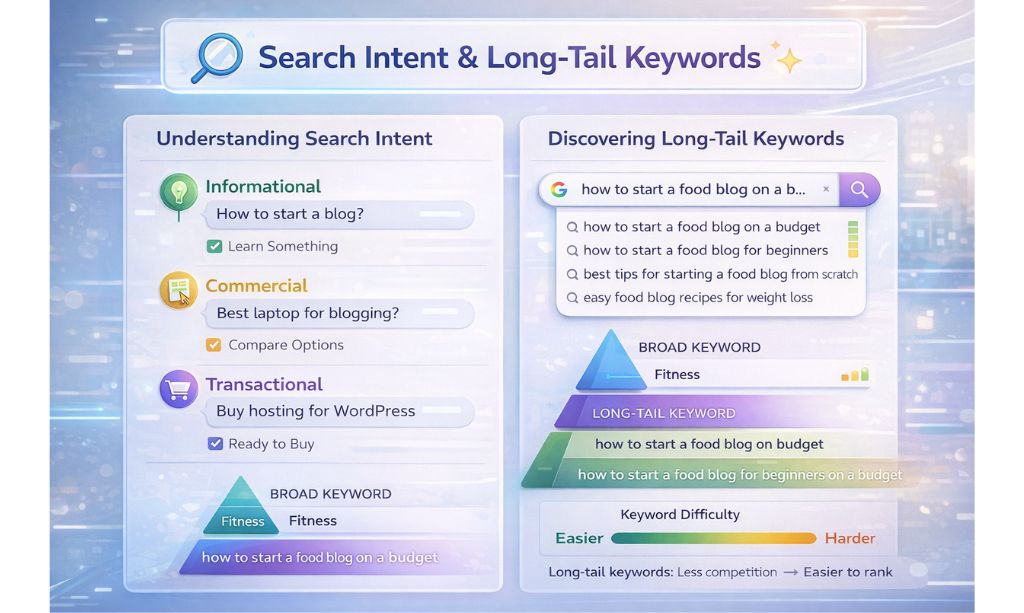
1. Know Search Intent
Before you write one word, ask yourself, “What does the person who is searching this keyword really want?” Do they want info (like a how-to guide)? Do they want to compare something (X vs. Y), or are they ready to buy something (a review)? Match your content to their need.
2. Find Long-Tail Keywords
Don’t go for a big, one-word keyword like “Fitness.” Go for the longer, more specific phrases called “long-tail keywords.”
- Example: Instead of just “start a blog,” go for something like “how to start a food blog for beginners on a budget.”
- How to find them: Type in a broad word in Google and look in the “People Also Ask” and “Related Searches” sections. These are the best places to find long-tail keywords.
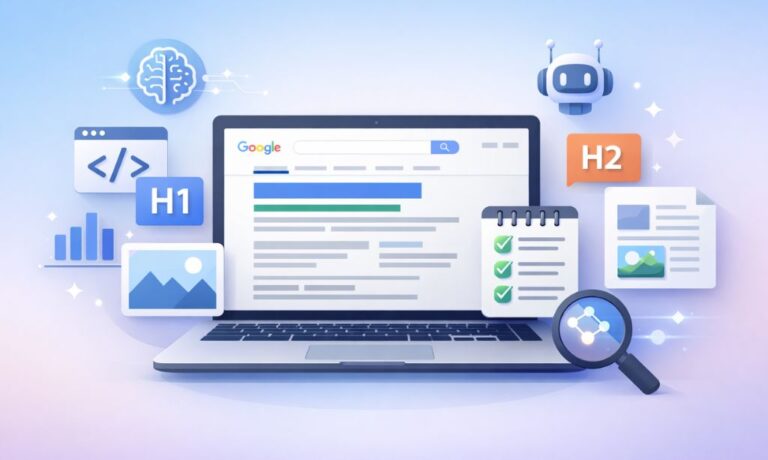
3. Know On-Page SEO (The Rank Math Checklist)
Your SEO plugin, Rank Math, will give you a list of things to do for each post. Here is what it shows:
- Keyword Use: Use your main keyword naturally in your title, URL, first paragraph, and a few of your subheadings. This tells Google what your page is about.
- Title Tag & Meta Description: Make a title and a description that makes people want to click on it in Google.
- Image Alt Text: This is what you use for the “alt text.” Say what the image is about. This helps Google know what your image is and helps people with disabilities.
- Links: Link to 2-3 other posts on your blog and 1-2 big outside sites.
SEO is a marathon, not a sprint. It may take 3-6 months for a new blog to get started in Google. You need to be chill and do good work after you start a blog.
Chapter 8: How to Make Money From Your Blog (A Real Plan)
Let’s talk cash. You need people to make money, but it’s a smart move to know how to do that from the first day you start your blog.
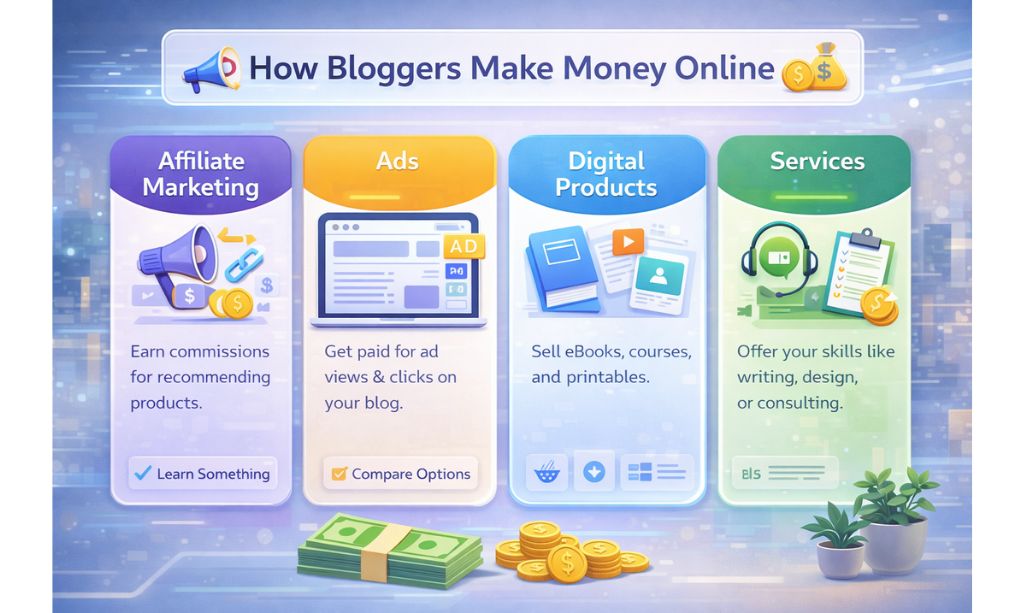
1. Affiliate Marketing (Best for new bloggers):
This is the simple way to start, and most times you make more with this way. You tell people about things you really use and love. If one of the people clicks your link and buys that thing, you make some cash at no extra cost to them.
- Where to start: Go to the Amazon Associates site. You can also hunt for them yourself. Just type a product you love into Google, followed by “affiliate program,” and see what pops up.
2. Display Ads (The Money Maker):
These are the ads you see on the side of a blog but also seen in blog posts, and you get paid if people look at or click them.
- How to do it: Start with Google AdSense. It is the easiest to use but pays the least. When you get more traffic (25,000-50,000 or more), you can sign up with sites like Mediavine or AdThrive. They pay much better and can make you a lot of money.
3. Digital Products (The Most Money):
This is where you make your own products and sell them to others. This is the best way to make the most money because you get all the money; you do not have to share it with anyone.
- What to sell: Start small. Write an ebook or make some lists you can print off or make a Notion template. When you grow and people start to trust you, you can make an online course with your own name.
4. Services (The Fastest Way to Make Money):
This is the fastest way to make money because your blog can be your portfolio. You can use it to get people to come to you for help with writing work, coaching, web design, or to be your freelance consultant in your niche.
Chapter 9: The Only Blogging Tools You Really Need
Forget the long lists of confusing tools. To start a blog, you only need a handful of good ones. Here’s my short list:
- Hosting: I run my blog on Hostinger.
- Keyword Ideas: I get my ideas from Ubersuggest (the free plan) and Google’s “People Also Ask”.
- Grammar Check: I use the free Grammarly plugin for my browser to catch mistakes. It’s a must-have.
- Image Design: All my graphics are made with Canva.
- Image Speed: To make images smaller for faster loading, I use TinyPNG.
- Email Signups: MailerLite is the best choice because it’s free for your first 1,000 subscribers.
- SEO Help: I use the Rank Math plugin for all my on-page SEO.
Chapter 10: Your First 30 Days of Blogging Plan
Are you stressed? Do not be. Here is a simple plan for your first month after you start a blog.
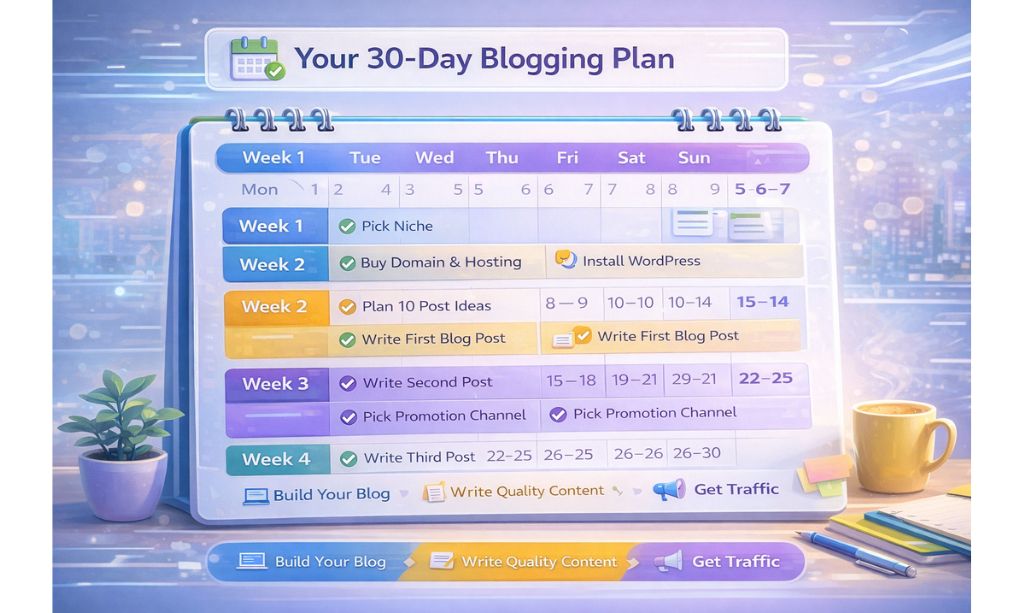
- Week 1: Build and Do.
- Day 1-2: Finish your niche.
- Day 3: Buy your domain and hosting.
- Day 4-5: Add WordPress, your theme, and needed plugins.
- Day 6-7: Change your permalinks and make your core pages (About, Contact, Privacy).
- Week 2: Content Plan and Write.
- Day 8-9: Think and look up your first 10 blog post ideas.
- Day 10-14: Write and put out your very first, top quality, 1500+ word blog post.
- Week 3: Get More.
- Week 4: Be More Consistent.
Chapter 11: Frequently Asked Questions (FAQ) About Starting a Blog
Here are some common questions people have when they decide to start a blog.
How long does it take to make real money from a blog?
Be realistic. It typically takes 6-12 months of consistent effort (publishing 1-2 quality posts per week) to start earning a steady income ($500+/month). Anyone promising you riches in 30 days is selling you snake oil.
Can I start a blog completely for free?
You can use platforms like Blogger or WordPress.com, but I strongly advise against it. You’ll have a non-professional domain, severe limitations on design and monetization, and you don’t actually own your site. A self-hosted blog is a small, essential investment to properly start a blog.
Do I need to be a great writer?
No! You need to be a great helper. If you can explain something clearly and conversationally to a friend, you can be a successful blogger. Clarity and helpfulness will always beat fancy prose.
What if I’m not a native English speaker?
Don’t let that stop you. Use the free version of Grammarly to catch major errors. Readers value helpful information far more than perfect grammar. Your unique perspective is a strength.
How do I deal with writer’s block?
The best cure for writer’s block is an outline. Before you write, create a simple skeleton of your post with all your H2 and H3 headings. This breaks the task into small, manageable chunks and makes the writing process much less intimidating after you start a blog.
Conclusion: Now Your Journey Begins

You made it to the end of this help guide. So now you know more than 95% of people who try to start a blog. You’ve got the plan, the tools, and the how-to, step by step. Now, the last thing you have to do is just start.
Blogging is a long race, not a quick run. Some days you just don’t want to blog. Some days your blog traffic does not go up. That’s fine. The best bloggers are the ones who show up all the time, who care about helping the people who read their blog, and who treat their blog like a real business. Remember, when you start a blog in 2026, your best tool will be being there all the time.
You don’t have to be a great blogger. You don’t have to be a perfect blogger. It all starts with one brave decision to begin.
You need to share your story, your knowledge, and your passion. The world wants to hear from you.Now, I want to hear from you. If there’s one question you’re still thinking about on how to start a blog, ask it below! I will answer all of them. For any private inquiries, feel free to get in touch directly.
For more blogging blueprints and digital growth strategies, feel free to explore the rest of Total InfoHub. It’s time to claim your spot as a leader in your niche.