Search Engine Positioning SEO: A Simple Beginner’s Guide (2026)
You created a website. You picked a simple design, added content you are passionate about, and waited for the visitors to come. However, days turn into weeks, and nothing much happens. If you haven’t built your site yet, check out our step-by-step guide on How to Start a Blog in 2026 first. Perhaps some visitors show up—but certainly not as many as you thought would.
If this sounds familiar, you’re not alone.
Millions of website owners face this same challenge every day. The internet is a crowded place filled with noise and competition, and simply having a website is no longer enough. If people cannot find you when they search, your website might as well not exist.
This is where search engine positioning SEO becomes so crucial.
It’s the art of ensuring that when the right people are searching for what you offer, your site comes up on top. This isn’t about gimmicks; it’s about understanding how search engines work and creating content that genuinely helps people.
This guide is designed for beginners, but it will take you far beyond the basics. It speaks in easy-to-understand language, gives practical examples, and teaches you the latest SEO techniques for 2026. By the time you’re done, you will know exactly how search engine positioning SEO operates and have a clear plan to get started.
Let’s dive in.
Chapter 1: What Is Search Engine Positioning SEO? (A Simple Story for Beginners)
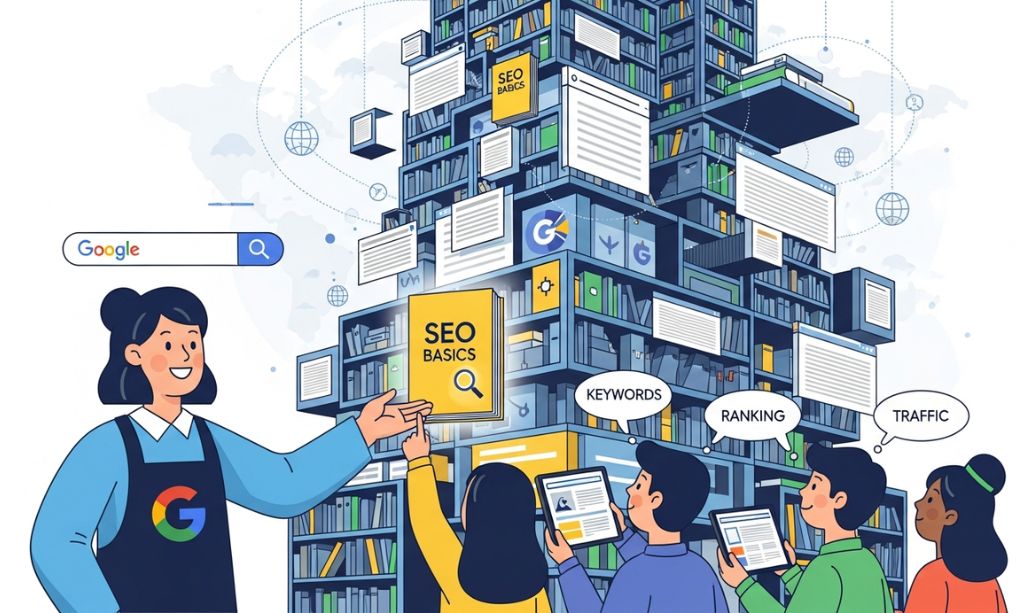
Now, let’s forget the technical terms for a moment and explain search engine positioning SEO through a simple example.
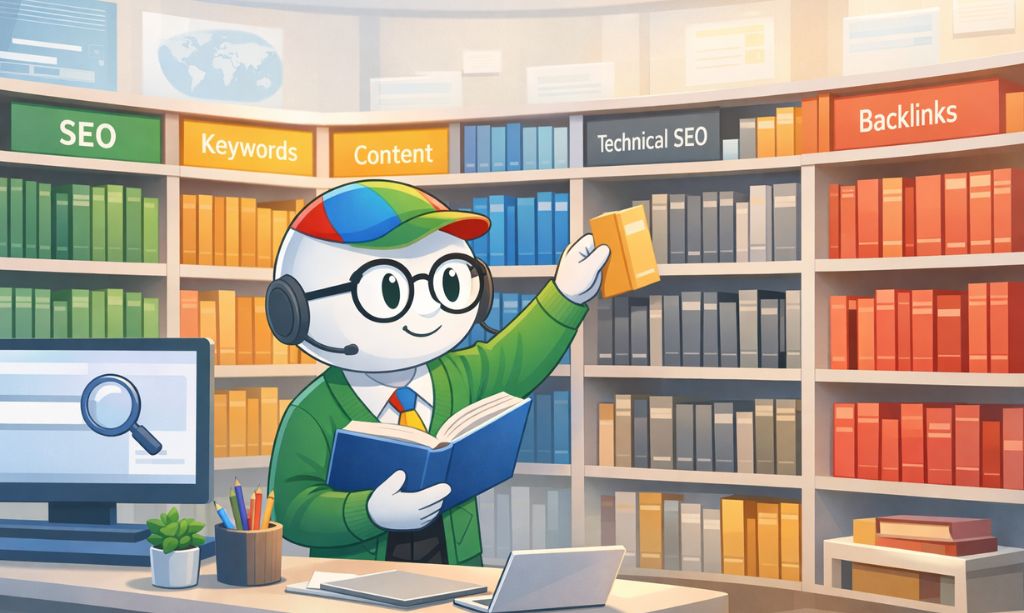
Think of the whole internet as a giant library of the world. This library has billions of books (websites) on every possible subject you can imagine.
So, now picture Google as the master librarian. The master librarian has read all the books and knows what information is in each book.
For example, if a reader asks for something specific, like “how to train a puppy not to chew on furniture,” the librarian isn’t just going to wave a hand toward the “pets” section. They scan billions of books in seconds and provide the best 3-4 that are most helpful, trustworthy, and well-organized.
That is exactly how search engines work.
- Search Engine (The Librarian): Google, Bing, etc.
- Your Website (The Book): The content you publish
- Search Query (The Question): What users type into Google
- Positioning (The Result): The location of your website within the search results
Thus, search engine positioning SEO is the skill and science of persuading the librarian that your book is the best response to a given question. This is what you must do to ensure that your content has a good title, good structure, good information, and that other people deem it trustworthy.
Why Does Being Recommended First Matter?
Think about it—when was the last time you clicked on page two of Google? Never.
Research has revealed that the first three results get most clicks. It means that if your website is ranking on page two, it’s like your book is hidden in the basement of your library, covered with dust.
Search Engine Positioning SEO is what takes your book out of that dusty basement and puts it right on the front display—where people actually see it, click it, and read it.
Chapter 2: Why You Must Do SEO in 2026
Now that you get what search engine positioning SEO is, the big question is: Is it worth all this work in 2026?
My answer is YES. It’s more needed now than ever. Google and other search engines are smarter and focus on sites that give users what they want, need, and trust. You cannot and should not think of search engine positioning SEO as optional.
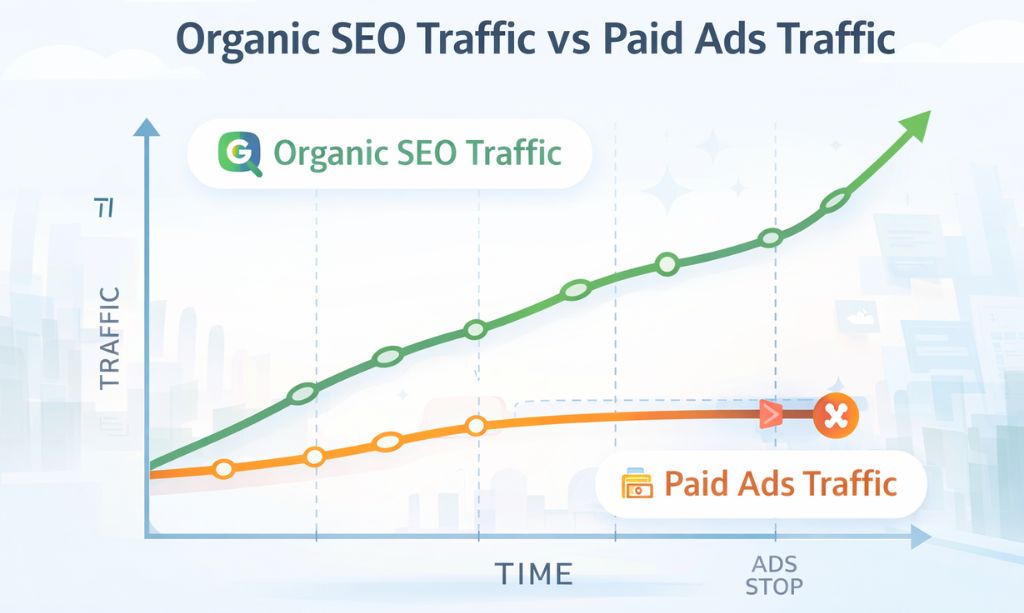
1. It’s Your 24/7 Traffic Machine
Paid ads work, but they stop the moment you stop paying. Organic SEO traffic is not like that. Think of it as a strong magnet that pulls visitors all the time—for free. People use Google every day to find what they need, and good search engine positioning SEO puts your site in their path the exact moment they want you.
2. It Helps You Build Trust (The EEAT Factor)
When a website is on Google’s first page, people tend to trust it more. That’s what search engine positioning SEO can do for you. Google uses the EEAT system:
- Experience: Good content shows you know your subject.
- Expertise & Authority: When other famous authors recommend your “book” (by linking to your site), it tells the librarian that you’re a trusted expert.
- Trustworthiness: A safe, professional site makes users feel they can trust you.
3. It Pushes You to Create a Better User Experience
Google just wants visitors to be happy. Slow, hard-to-use, or mobile-unfriendly sites annoy users. Modern SEO gets you to fix that and makes your site have:
- Faster pages
- Easier mobile use
- Readable, clean writing
What’s good for your search engine positioning SEO is almost always good for your users too.
4. Your Competitors Are Already Doing It
Every day, new visitors search for what you sell. Are they finding you or your rivals? Not doing SEO is almost the same as giving your visitors, leads, and money to others.
Follow search engine positioning SEO best practices, and you will not only rank higher—you will be trusted, build credibility, and stay ahead of your competitors.
Chapter 3: How the “Librarian” Really Works (In Easy Words)
How does our “master librarian” (Google) find and sort billions of books? It’s not magic—these three steps are done all the time, all day.
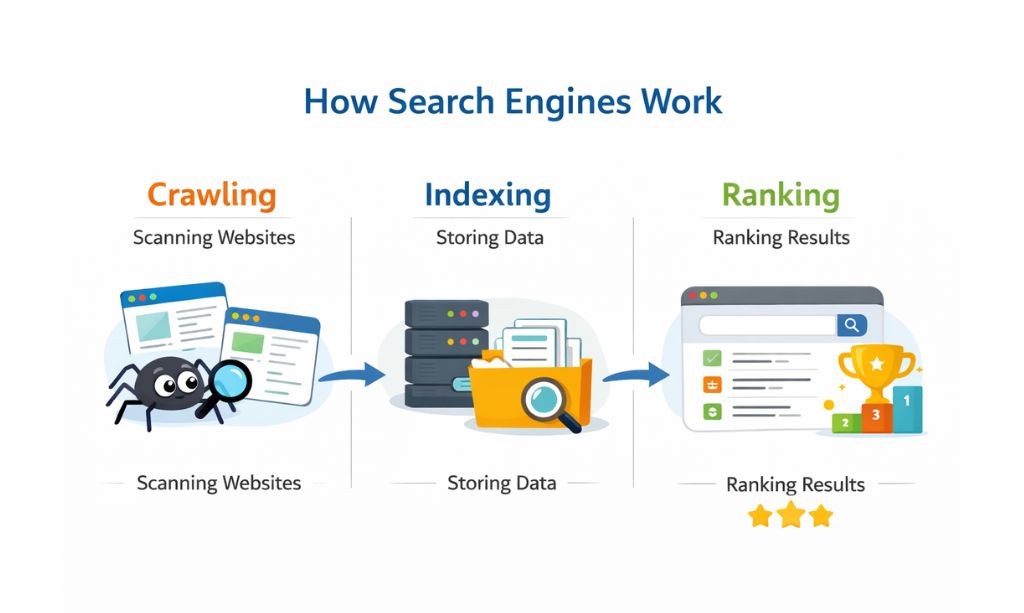
1. Crawling (Finding the Books)
To start, the librarian uses tiny, super quick helpers called crawlers (or bots). They do a simple job—they go on the internet, clicking links from one page to the next, finding new sites and new info for old ones. Crawling is the first big step for search engine positioning SEO.
2. Indexing (Sorting the Library)
When the crawler finds a site, it doesn’t just put it on the shelf. Instead, it reads what’s there and sorts it into a huge, neat, digital catalog called an index. The index is like the library’s brain. When you look up something, Google doesn’t look over the entire web and find results in real time. It looks in this fast, neat index. If the info isn’t in the index, it can’t show up in search results. That’s why proper indexing is key for search engine positioning SEO.
3. Ranking (Showing You the Best Books)
Last, when someone types in words, the librarian finds the best, most useful, and most trusted sites that answer the question. This is where search engine positioning SEO is so important. You want your “book” to be easy for the crawler to find, easy for the librarian to understand, and ready to show as the top, most helpful result.
When you do these steps right, your site can beat out others and get seen by the right people.
Chapter 4: The 3 Pillars of a “Best-Selling” Website
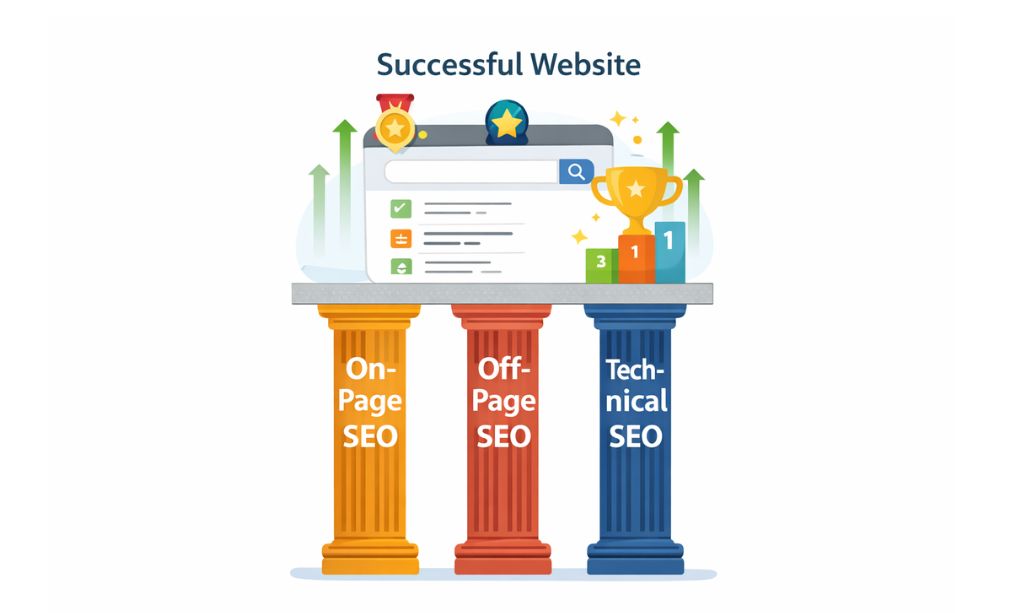
To get the eye of our “master librarian,” your “book” has to be good in three big ways. Think of this as the three “pillars” that make every top search engine positioning SEO plan.
If just one of these 3 pillars is not good, your site will not get a good spot.
1. On-Page SEO (The quality of your book)
On-page SEO is all that is inside your site. It tries to make your content clear, helpful, and easy for everyone to read.
It covers:
- Content quality: Is your content good, helpful, honest, and made for real people?
- Keywords: Are you using the right words so Google knows what your page is about?
- Headings: Are your parts clearly marked so readers can see what they are?
- Links between pages: Do your pages link with other pages on your site?
Good on-page SEO makes it so search engines can see what your content is about and helps your search engine positioning SEO from the start.
To dive deep into every aspect of on-page SEO, from crafting compelling content to optimizing your technical elements, check out our complete beginner’s guide to on-page SEO.
2. Off-Page SEO (Your book in the eyes of others)
Off-page SEO is about what other people say about your website outside your website.
Even the best book will never sell well if nobody talks about it.
It covers:
- Backlinks: Do trusted websites link to your content?
- Brand mentions: Are people saying your website name, even if they do not link to it?
- Online trust: Do reviews, comments, or blogs show people trust your site?
Good off-page SEO makes it so Google can see your website is trusted by others and helps your site’s search engine positioning SEO.
3. Technical SEO (The base of your book)
Technical SEO is the base that holds everything up. If your website is slow or broken, people and search engines will leave.
It covers:
- Page speed: Does your website load fast?
- Phone ready: Is it easy to use on a phone?
- Security (HTTPS): Is your website safe for visitors?
- Site structure: Can search engine crawlers easily find and see your pages?
If your website does not have good technical SEO, no matter how good your content is, it will not rank well.
Getting All 3 Together
A good search engine positioning SEO plan needs all three of these pillars working well:
- A good, helpful, and well-written book (On-page SEO)
- A trusted reputation (Off-page SEO)
- A good and clean base (Technical SEO)
When all 3 of these are done, your site has a real shot to get a top spot and stay there.
Chapter 5: Keyword Research – Knowing What People Really Search For is Key
If your website has your three pillars, then keyword research is how you talk to the “master librarian.”
Simply put, keyword research is about knowing the exact words people use when they search, so the right people can find your article. You might have the best book in the world, but if you use the wrong words, Google will never match you to the right people. That is why keyword research is one of the main parts of search engine positioning SEO.
What are keywords?
They are the words or phrases that people type into search engines. For example, one important keyword in this guide is search engine positioning SEO. But people do not all search the same way—some use one word, while others ask full questions. It is important to know the difference if you want to rank.
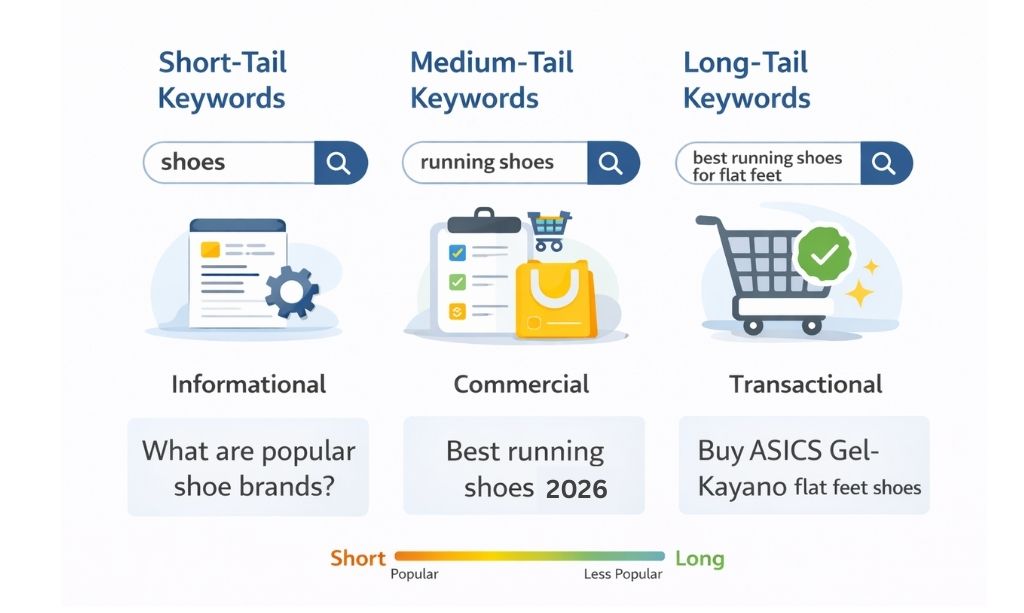
The 3 types of keywords (and which one you should use)
1. Short-tail keywords: Very broad
These are short and broad keywords, such as: “SEO” or “laptops.” The problem is these are competitive and vague. It is like going to a library and asking for “books”—there are millions of books, so you do not know what the person really wants.
2. Medium-tail keywords: A little more focused
These are a bit more focused, such as: “search engine positioning” or “best gaming laptops.” These are better than short-tail but still competitive. It’s like asking for “books on history”—better, but still too broad.
3. Long-tail keywords: The best for beginners
These are long and very specific, such as: “what is search engine positioning SEO for beginners” or “how to rank in search engines in 2026.” This is where a beginner should start. They are better because they have:
- Lower competition
- Clear search intent
- A higher chance of ranking
It is like asking the librarian, “Where is the book on Roman history for a 10th-grade student?” The question is clear, and the answer is easier to find.
How to find good keywords for free
You do not need to buy expensive tools to start. Here are some simple and free ways:
1. Think like your reader
Ask yourself: What problem are they trying to solve? What would they type into Google? Write down everything. Most of the time, this is the best starting point for search engine positioning SEO.
2. Use Google search suggestions
Go to Google and start typing your topic. The options that pop up are real searches from real people. These are extremely helpful for finding long-tail keywords.
3. Check the “People Also Ask” section
When searching your topic, look for the “People Also Ask” box. These questions show exactly what users want to know more about, and they are great for content ideas.
4. Use Google Keyword Planner
Google Keyword Planner is a free tool inside Google Ads (you don’t need to run ads to use it). It will help you find related keywords, see their demand, and check the competition.
Final tip: Always remember, good keyword research connects your content with the right people. When you find the right keywords, search engine positioning SEO becomes much easier and more effective.
Chapter 6: Search Intent – The “Why” of the Question
Here’s a little secret: Our “great librarian” (Google) doesn’t just listen to your words. It tries to see what you want by what you ask. This is called search intent, and that is the real way to get ranked.
Matching keywords is not enough. You have to match what the user is really trying to do.
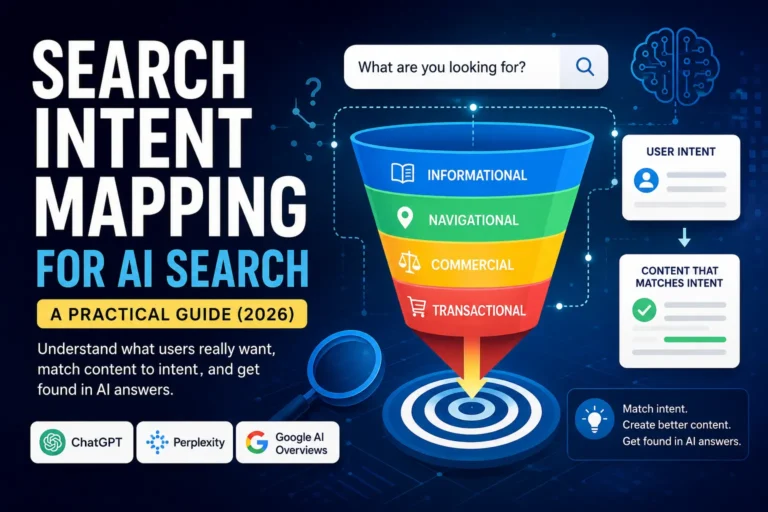
Let’s look at the four main types of intent.
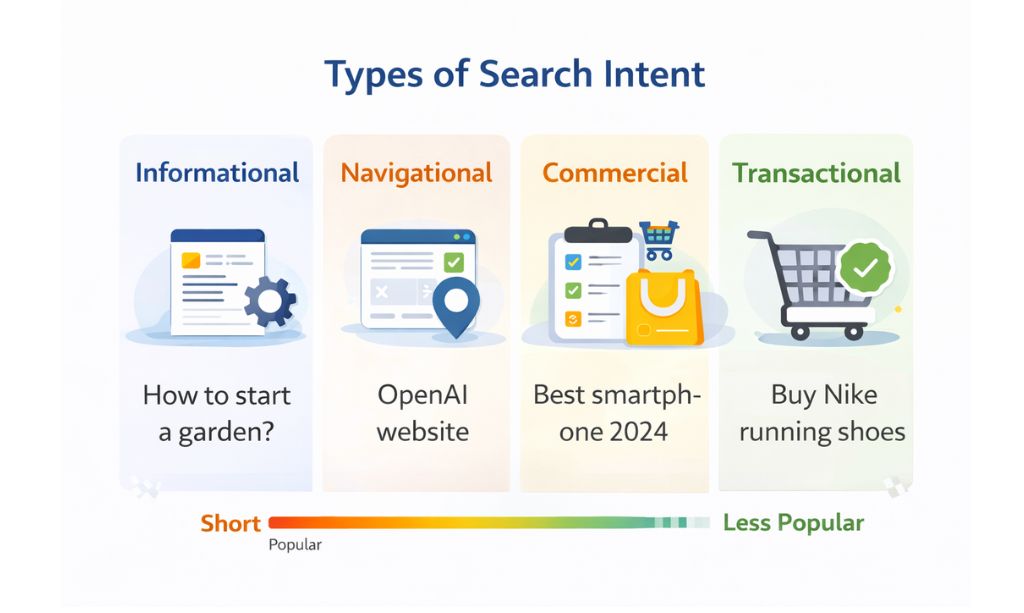
1. Informational Intent (“I want to know…”)
This user wants facts. They want to learn something.
- Sample Question to the Librarian: “What is search engine positioning SEO?” or “How does SEO work?”
2. Navigational Intent (“I want to go…”)
This user knows where they want to go. They are using search as a shortcut.
- Sample Question to the Librarian: “Take me to the Google Search Console login page.”
3. Commercial Intent (“I want to compare…”)
This user plans to buy soon. They are still doing their research.
- Sample Question to the Librarian: “Show me the best SEO tools for beginners.”
4. Transactional Intent (“I want to buy…”)
This user is ready to act now. They want to buy or sign up.
- Sample Question to the Librarian: “I want to buy SEO services now.”
The Main Point: Your job is to make a “book” that fits what the user wants. If they are asking a question that needs facts (“what is…”), they do not want a sales page. They want a guide that helps.
This article you are reading now? It is made to fit informational intent, which is good for earning trust and respect with readers like you.
Chapter 7: Creating a “Book” the Librarian Trusts & Readers Love
In 2026, having the right keywords is only half the battle. Our “master librarian” (Google) now cares deeply about the quality of your “book.” It wants to recommend content from people who genuinely understand the topic.
This is where the concept of EEAT comes in. Think of it as the librarian’s quality checklist.
The Librarian’s Checklist (EEAT)
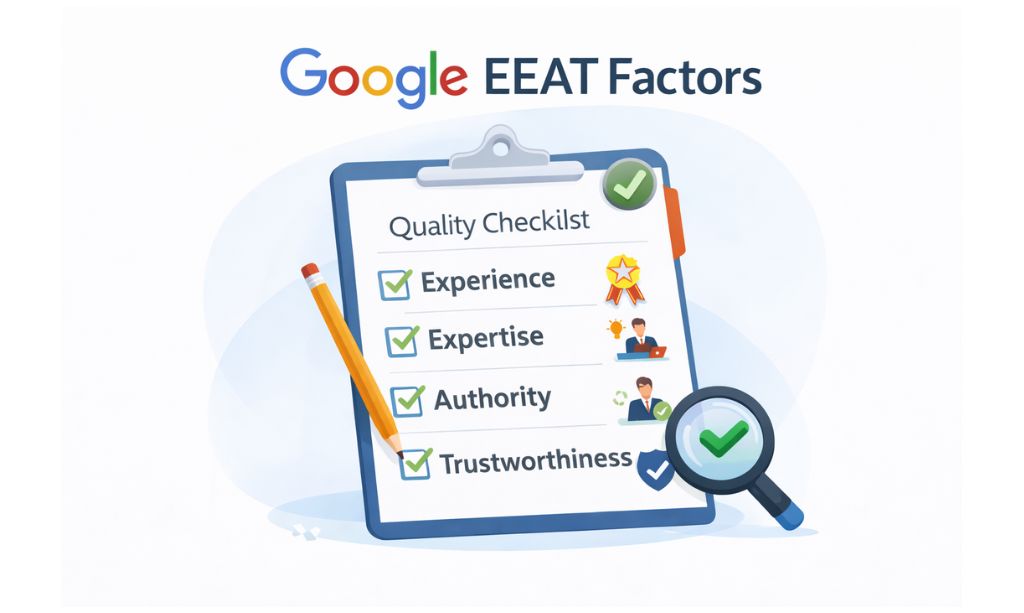
1. Experience (Have you actually done it?)
The librarian trusts authors who have real-world experience. Don’t just say what to do; show that you’ve done it. Use real examples.
- For example: Here at Total InfoHub, we’ve seen firsthand that beginners who focus only on keywords often ignore user experience, which leads to poor rankings. That’s a lesson from our own experience.
2. Expertise (Are you a good teacher?)
Your “book” should cover the topic deeply and clearly. It should answer questions the reader hasn’t even thought of yet.
3. Authoritativeness (Does your book have a good reputation?)
Authority grows over time when other respected authors start recommending (linking to) your book. Consistent, high-quality content builds this reputation.
4. Trustworthiness (Is your book well-made and honest?)
The librarian wants to recommend books that are safe and reliable. Be honest and transparent, secure your site with HTTPS, and provide clear information about who you are.
How to Write a “Book” That Sounds Human
Building a trustworthy “book” isn’t just about facts; it’s about how you present them. Effective search engine positioning SEO is no longer about writing for algorithms; it’s about writing for people.
Here are some simple best practices:
- Use simple words and short sentences: Write like you talk. Don’t try to sound like a professor unless your audience expects it.
- Break content into clear sections: Use headings and bullet points (like in this guide!) to make your content easy to scan.
- Avoid “keyword stuffing”: Don’t force your keyword into every other sentence. It sounds unnatural and will hurt your rankings.
- Focus on helping, not just impressing: Your primary goal should be to solve the reader’s problem.
If your “book” is easy to read and genuinely helpful, both readers and the librarian will love it.
Chapter 8: How to Group Your “Book” So People Find it Easy to Read
You made a nice “book” following the EEAT rules. Now, it is time to put it in a way that the librarian and readers can understand what you wrote. This is where you put your keywords.
Look at it like you are putting your book on a real bookshelf. Here are the best places to put it:
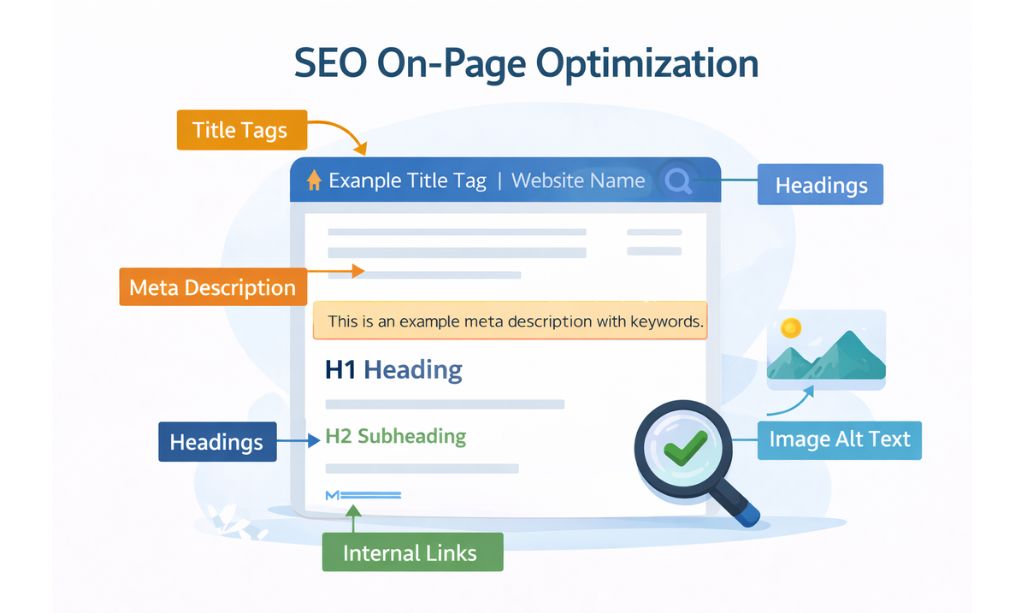
1. The Title Tag (The cover name of the book)
This is the first thing people see in the search, so it needs to be catchy and easy to read.
- What to do: Place your main keyword near the beginning. Aim for around 60 characters to ensure your full title displays nicely in search results.
- Example: Search Engine Positioning SEO: A Easy Guide for Beginners
2. The Meta Description (A small blurb under the name)
This is a small blurb under the name in the search. It does not help you go up in the list, but this is what will get people to pick up your book.
- What to do: Write a small story with 150 characters with your keyword in it and tell the reader why they should click on your book.
3. The URL (The name of the book on the shelf)
A clean, easy URL looks better and makes more sense.
- Good: yourwebsite.com/search-engine-positioning-seo
- Bad: yourwebsite.com/archive/cat3/p?id=123
4. The Heading Structure
Just like a real book, you need to split up your content so people can read it easily.
- H1 Heading (The main name of the inside of the book): Only one H1 should be on a page. It is your main topic.
- H2 & H3 Headings (Chapter and sub-chapter titles): These can split your content into parts that make more sense and help people and the librarian follow along.
5. Picture Descriptions
Write a short and true description of the picture. If it is easy for a keyword to go in a natural way, you can put it here.
Rules to remember: Only put the keywords where it makes sense. Always put humans first. If it sounds wrong, take it out.
Chapter 9: Make Your “Book” Fun to Read (More On-Page SEO)
We have put your “book” in order. Now we’ll look at those tiny things that make your book really fun to read. The reader needs this, and our “librarian” (Google) picks up on it.
1. Good Formatting (Your Page’s Layout)
No one wants to read a wall of words. Good formatting gives the reader’s eyes a rest and makes it easy to read.
Best Ways:
- Short paragraphs: 2-3 lines max.
- Bullets and lists: Break down what you say, like in this list.
- Images: Add pictures or videos in between lines so the reader can rest and your pages look good.
Good formatting keeps the reader on your pages longer, which is a positive signal for your search engine positioning SEO.
2. Internal Linking (Linking To Your Own Pages)
A good book will often link to its own other good parts. Linking to your other pages can do the same for your site. It will help the librarian know how your info links together and will show the reader more info that they may want.
Best Ways:
- Link to your pages that match what you are saying, with words that tell what the reader will get (Instead of “click here,” use “learn more about our keyword research tips”).
Example:
At TotalInfoHub, we have seen that linking to your own pages well can get an article past page two and onto page one, because it shows the librarian how well your pages link together and how good and full your info is.
3. Image Optimization (Making Images Better)
Images make your book more fun, but you need to make them better.
Best Ways:
- Make images smaller: Large images make your pages go slow, like a big book that is hard to flip through. Always make your images smaller before adding them.
- Use good names for your files: Instead of IMG_123.jpg, use white-cat-sleeping.jpg.
- Describe your image with Alt Text: Add alt text so that blind people who use a reader can know what the image is about, and the librarian will know too.
Chapter 10: Off-Page SEO – When the World Hears About Your “Book’s” Fame
So far, we have been making your “book” great on the inside. But if you want to sell a lot, your book must be famous outside the library too. This is Off-Page SEO.
The most important part of Off-Page SEO is backlinks.
What Are Backlinks? (Good Words by Others)
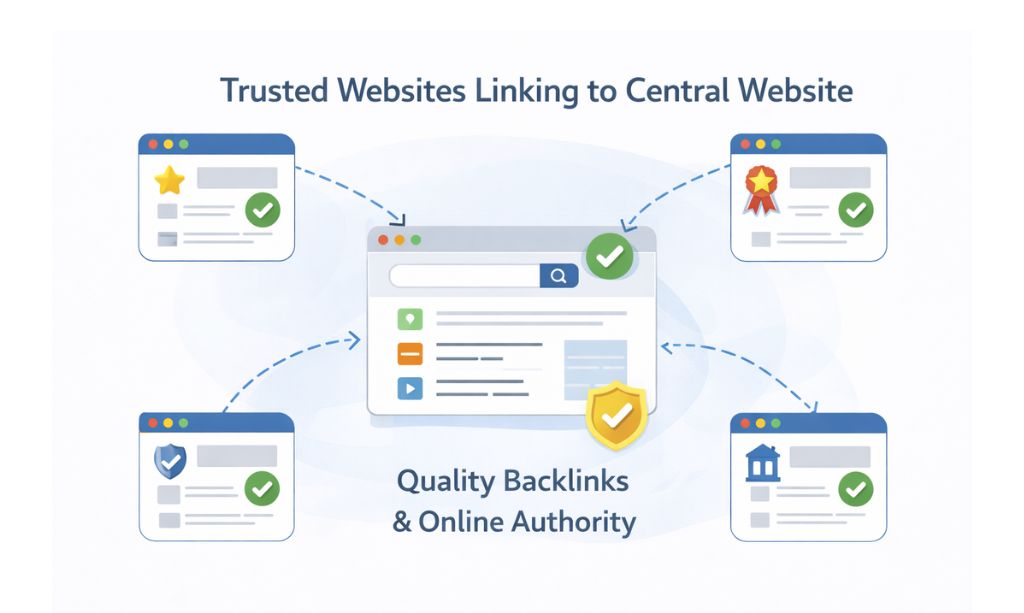
A backlink is a link on another site that leads to your site. In our story about the book, a backlink is like a recommendation from another author.
When our “head librarian” sees that well-known, trusted authors say your “book” is great, this means they trust it. It gets your “book” a big green arrow from the library.
The Golden Rule: Good, Not Big
But not all recommendations are equal.
One good author saying your book is the best is way better than a hundred authors no one has ever heard of recommending it.
In the same way, one really good backlink from a trusted site (like a top news site or a leading blog) is worth a lot more than dozens of links from weak sites. In fact, bad links can even end up hurting your search engine positioning SEO.
Chapter 11: How to Get Your “Book” Recommended (Off-Page Strategies)
So, you know that “recommendations” (backlinks) from other authors are key. But how do you get them? You can’t sit around hoping people will notice. Here are some easy tips for beginners:
1. Write a “Book” People Want to Talk About
This is the main thing. No one recommends a dull or “ok” book. Make something really great: a detailed guide, a new story, or a good tool that people will want to tell others about.
2. Guest Posting (Write a Chapter for Another Author)
Think of this as writing a guest chapter for another well-known author’s book. You write a good piece for their site, and they usually let you put in a note about (and a link to) your own “book” in your author bio.
3. Brand Mentions (The Town Buzz)
Sometimes, people talk about your “book” without a formal link. The “librarian” notices this talk. The more people talk about your brand, the more your “book” looks important. Creating consistent, helpful content is the best way to make this buzz.
Chapter 12: Technical SEO – The Foundation of Your “Book”
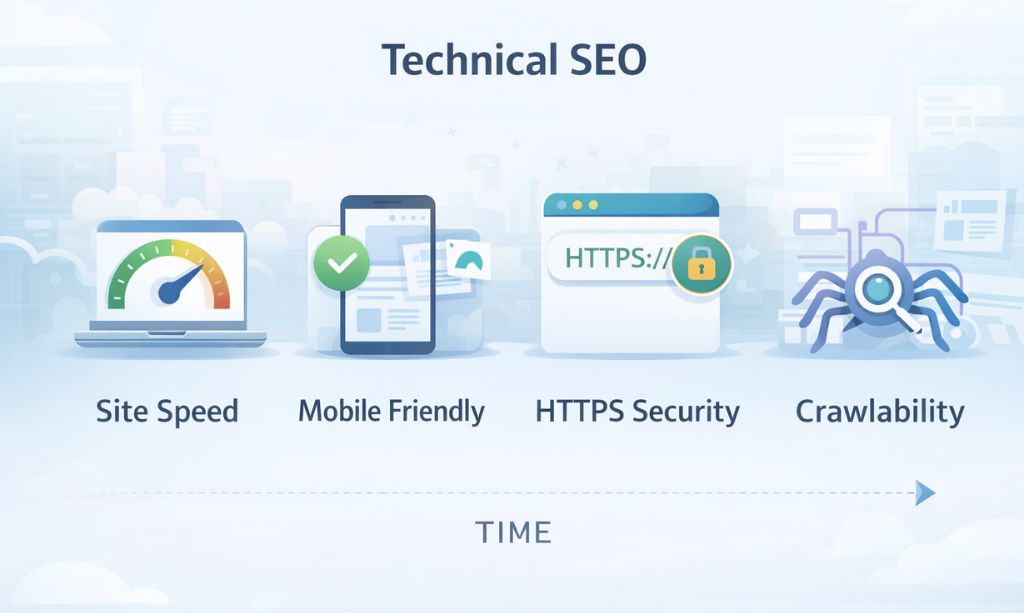
We’ve covered the quality of your “book’s” content (On-Page SEO) and its reputation (Off-Page SEO). Now, it’s time for the third and final pillar: the physical quality of the book itself. This is Technical SEO, a critical pillar of search engine positioning SEO.
Even the best-written book with a great reputation will fail if its pages are stuck together or its cover is falling off.
1. Website Speed (How Fast the Pages Turn)
A slow website is like a book with pages that are glued together—frustrating! Most users will leave if a page takes more than 3 seconds to load.
- How to fix: Use good web hosting and always compress your images before uploading them.
2. Mobile-Friendliness (Can It Be Read on a Small Scroll?)
More people now read on small scrolls (mobile phones) than on large tablets (desktops). Your “book” must be easy to read on a small screen. If readers have to pinch and zoom to see the words, they’ll give up.
3. Security – HTTPS (Is the Binding Secure?)
A book with a flimsy, weak binding doesn’t inspire trust. Similarly, a website without HTTPS (the little padlock in the address bar) is flagged as “Not Secure.” This scares visitors away and hurts your ranking.
4. Crawlability (Can the Librarian’s Helpers Find It?)
Finally, your “book” needs to be easy for the librarian’s helpers (crawlers) to find and access. If it’s hidden in a locked room or on the wrong shelf, it will never be indexed.
- How to help: Create and submit an XML sitemap. Think of this as giving the librarian a perfectly organized map of your entire book collection, making their job much easier.
Chapter 13: How to Check If Your “Book” is Working Well
You’ve made an awesome “book,” but how do you know if it’s really helping you? Like they say, “you can’t fix what you can’t see.”
At TotalInfoHub, we use data, not guesses. Good news—Google has two great and free tools that any serious website owner needs. I’ll tell you what they are.
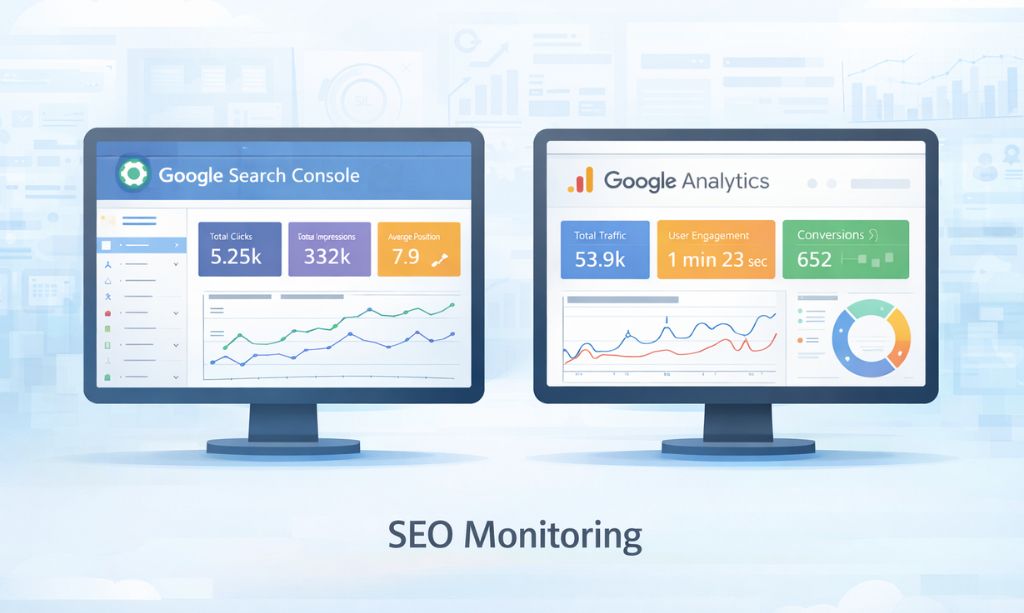
1. Google Search Console (The Librarian’s Report Card)
This is like getting a report card from the librarian on how well your “book” is doing in the library. This tool is officially recommended by Google to help you see how your website appears in their search results. It shows you everything that happens before someone clicks on your site.
From what we’ve seen, this is the best place to find out:
- Which searches (keywords) are bringing people to your site.
- How many people see your “book” in the results (impressions) and how many click on it (clicks).
- If Google’s helpers are having trouble finding and listing any of your pages.
- You can also give a “map” of your book (an XML Sitemap) here to help Google explore your site better.
2. Google Analytics 4 (Knowing What Your Readers Do)
If Search Console is about how you do in Google, Analytics is about what happens after a reader gets to your “book.” It shows you amazing things that people do on your actual website.
Here you can learn:
- Which places send you the most visitors (like Google, Facebook, or other sites).
- Which “stories” (pages) are most popular and which ones make people leave quickly.
- How long people stay on your site and what they do (actions like making a purchase).
The Main Difference: Use Search Console to see how you show up in Google Search. Use Analytics to watch how people actually interact with your “book”. As top SEO guides like Search Engine Journal say, using the two tools together is what every successful search engine positioning SEO plan needs. You need both the librarian’s report and the reader’s actions to know if your “book” is a success.
Chapter 14: Common Mistakes That Make Your “Book” Ignorable
From our time at TotalInfoHub, we have seen many good sites fail, not due to big or hard problems, but due to a few simple ones they could have avoided. Knowing what not to do is just as key as knowing what to do.
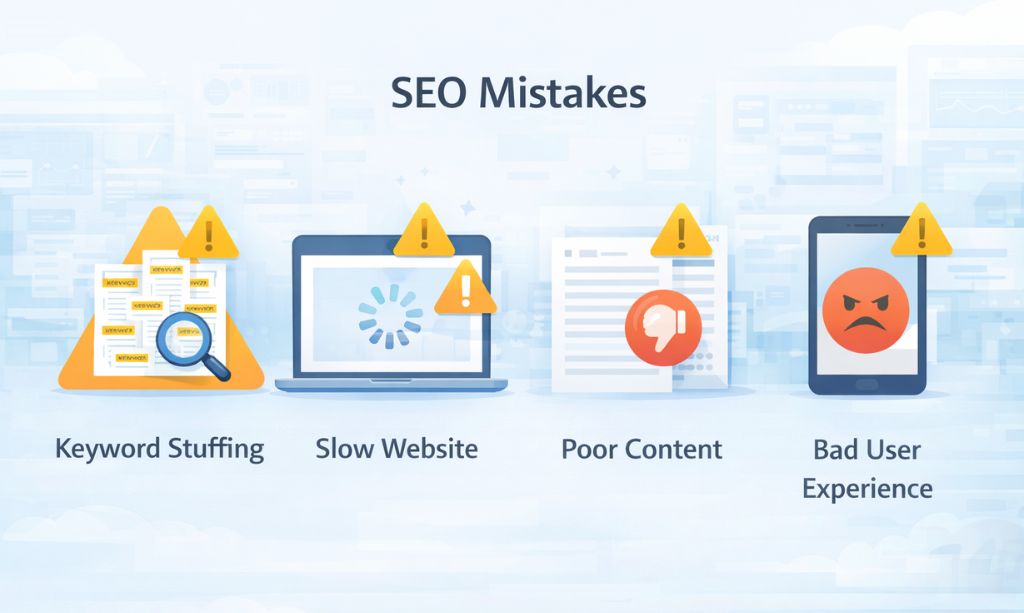
Here are the most common mistakes new authors can make, and you must avoid them.
1. Keyword Stuffing (Repeating the same word many times)
This one is the oldest trick, and our “librarian” is too clever to fall for it. Using your keyword in every sentence sounds bad, and it makes your “book” too hard to read. The librarian will see this as low-grade and may even give you a penalty for it.
2. Ignoring Search Intent (Giving the wrong kind of answer)
Say a reader wants a history book (informational intent) and you give them an ad catalog (transactional intent). They will get mad and leave immediately. If your ‘book’ fails to answer what the reader truly wants, the librarian will simply choose a different book to recommend.
3. Publishing “Thin” Content (Writing a pamphlet, not a book)
In topics with full competition, a small, shallow article almost never has enough value. If other authors have made a book full of pages and you give a 10-page pamphlet, it will not be seen as the best source. Top SEO experts like Brian Dean of Backlinko always show that full content ranks better.
4. Expecting Quick Results (Thinking you will be the best-seller tomorrow)
It takes time to make a name. search engine positioning SEO is a marathon, not a sprint. Any shortcut or a page that promises you will be the best-seller tomorrow is probably a scam that will get your “book” banned from the library for good. Good SEO takes 3-6 months to start showing good results.
5. Not Thinking of the Reader’s Experience
If your book has tiny text, no clear chapters, or has pop-ups everywhere, the reader will leave fast. The librarian sees this (through signals like high bounce rates) and knows your book isn’t good.
Our advice: Just avoiding these five mistakes will put you ahead of most beginners. Make real, valuable things and be patient.
Chapter 15: Your First “Best-Seller” Action Plan
Feeling a bit overwhelmed? Don’t be. SEO is a path, and every path begins with one step. Here at TotalInfoHub, we like clear, simple plans, not hard-to-understand ideas.
This is the exact plan we tell a newbie to use to get started on making their first best-seller.
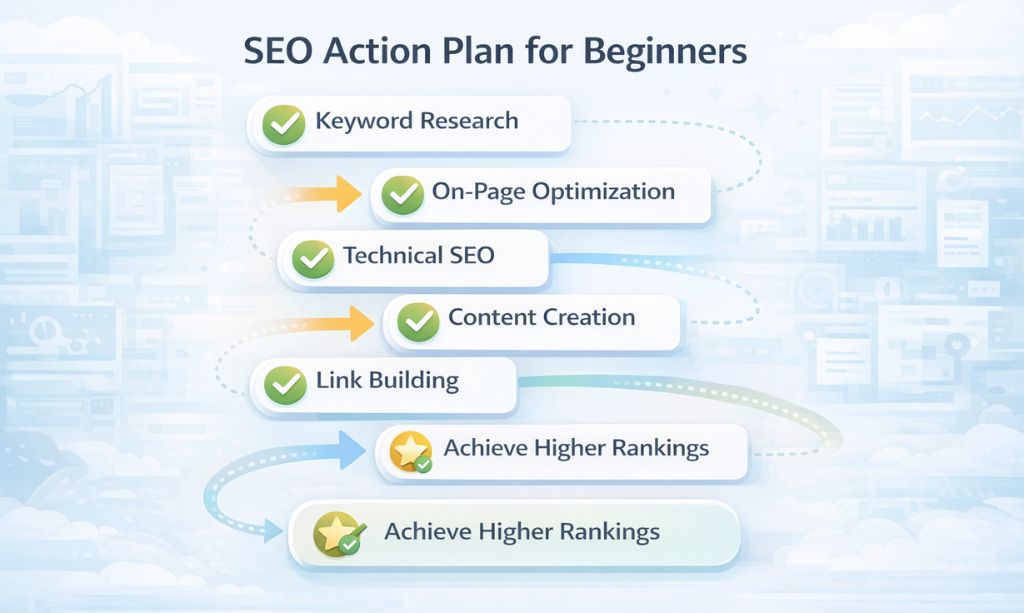
Step 1: Make Your “Book” Good (Fix the Basics)
Before you start typing a single word, make sure your “book” is well-made and sound.
- Is it safe? (HTTPS)
- Does it load quick? (Speed)
- Is it easy to use on a small phone? (Mobile-Friendly)
Step 2: Pick What You Want to Write About
You can’t be an expert on everything. Pick one main topic for your first “book” and make sure you are the best help you can be for it.
Step 3: Find Your “Book” and “Chapter” Names (Keyword Research)
Find out what questions people are asking the librarian. Pick one main long-tail keyword and a few others that go with it.
Step 4: Write Your Masterpiece (Make It Good)
This is where you sit down and write the book. Follow the EEAT steps we talked about. Make it helpful, trustworthy, and better than anything else out there.
Step 5: Get Your “Book” Ready (On-Page SEO)
Use what we learned to get your page ready: good cover titles (Title Tags), chapter names (Headings), internal links, and how you set up your site.
Step 6: Start Building Your Name (Off-Page SEO)
Don’t just hit publish and hope. Tell people about your “book.” Try to get your first “recommendation” (backlink). Start building that town buzz slowly and in the right way.
Step 7: Be Patient and Consistent (The Path to a Best-Seller)
No book becomes a best-seller in a day. From what we’ve seen, it takes 3-6 months of consistent effort to get good results. Don’t stop. Consistency in your search engine positioning SEO efforts is what separates the winners from the losers.
Chapter 16: Your Last Questions Answered (FAQ)
We get lots of questions at TotalInfoHub from new folks. Here are our answers to the most common ones, in the story of our library.
Okay, but what really is this “making my book popular” stuff again?
Search Engine Positioning SEO is how you make your “book” (website) so good that the “librarian” (Google) has no choice but to put you first when someone asks a question you cover.
How long does it take to become a best-seller?
It takes a few months. From our experience, and what most good SEO pros say, it takes about 3 to 6 months for you to see good stuff happen. Be patient!
Is it still worth it to get the librarian’s attention in 2026?
Yes, way more. Billions of searches happen a day. If you do not try to be the best answer, you let your rivals get all the readers. It is still one of the best and most sustainable ways to grow.
I can do this alone with no tools, right?
Yes, the free tools we went over, like Google Search Console and Google Keyword Planner, are all you need to get going in the right way. We started with these exact same free ones.
Should I write a short story or a long book?
Being the best is more important than being the longest. A good, helpful 1,500-word article is better than a shallow 3,000-word one. But for hard topics, a full “book” with more details on that same topic will usually win the librarian’s vote.
Conclusion: Your Trip to a Best-Seller Starts Today

You’ve just finished this guide, but your SEO journey is just starting. As you can see now, Search Engine Positioning SEO is not about tricks. It’s about making a good site—a good “book”—that the “librarian” (Google) can say is good because it really helps people.
If you do these things:
- Good Stuff: Make a site that people really want to read.
- A Good Base: Make sure your site is fast, safe, easy to use on a cell phone, and easy to use in general.
- True SEO: Make your site a good site the right way—no tricks, just true work and getting real links from other good sites.
- Patience and Hard Work: Keep making your site better and be patient. Good things take time.
…then your site will be big in people’s minds and more popular.
At TotalInfoHub, we have learned that sites get better when you treat Search Engine Positioning SEO as a job for the long run, not a quick fix. First, start small, then make it better, and make sure you work on it all the time.
Use tools like Google Search Console and Google Analytics 4 to see how your site is doing in searches and what people are doing on your site.
Your future visitors want what you have—they want the stuff, the things, and the services you have to offer. Make sure they can find your site and that it has what they want so they will come back to it.
Your trip to a best-seller begins today. Take that first step and don’t forget to keep working on it. If you need professional help with your SEO strategy, feel free to Contact Us.